NETGEAR is aware of a growing number of phone and online scams. To learn how to stay safe click here.
Forum Discussion

usermac
Aug 17, 2018Luminary
Please FIX GEO FILTERING MODE PUBG :(
PUBG and the filtering mode is simply not working when matchmaking. I can not connect to any local server.
Its used to be when matchmaking it would skip putting me in servers out of my selected ar...
usermac
Sep 02, 2018Luminary
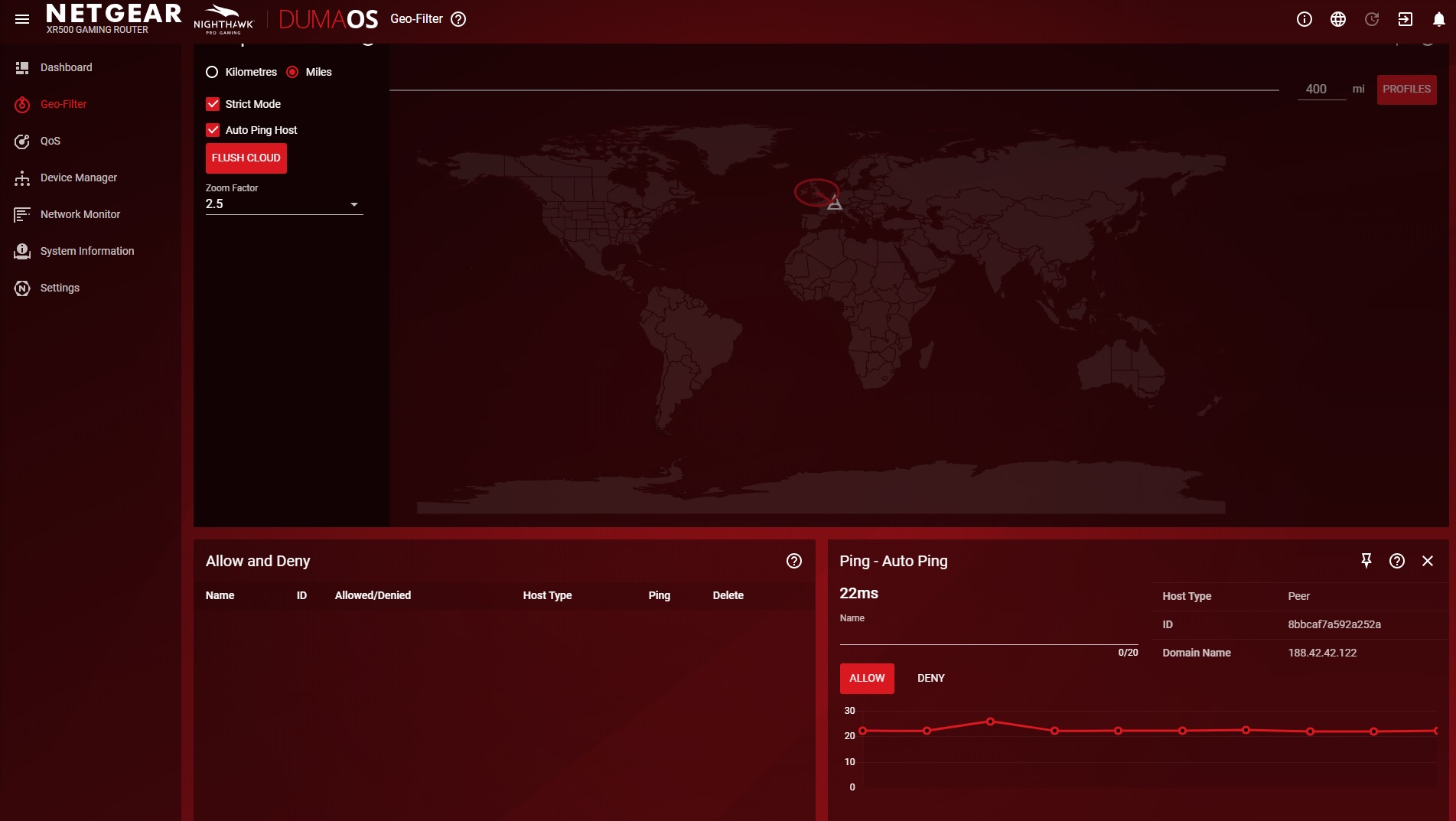
this was a really laggy server
| Peer | |
| 8abcffca5929252a | |
| Unnamed |
usermac
Sep 02, 2018Luminary
|
|
Peer |
|---|---|
| 44ac390449e3faff | |
| Unnamed |
- usermacSep 02, 2018Luminary
This one shows up in the USA but 20ms so somthing wrong ..
Peer 44ac390449e3faff Unnamed - Netduma-FraserSep 02, 2018NetDuma PartnerIf you could instead post them on the netduma forum in the topic linked that’d be really helpful
- usermacSep 02, 2018Luminary
I have put the posts over at the link. Hope they help :)
- usermacSep 12, 2018Luminary
The gio filter is kind of working now but what Is most anoying is that when you use the gio filter matchmaking does not work its magic with this router. It still finds and atemps to put me in a server out of my zone so then I have to waite 4-5 mins for it to give me conection error.
Is this as good as it is going to get with geo filter and pubg or will the days when the router would work with the match making only alowing the game to find servers in my chosen zone.
- Netduma_JackSep 12, 2018NetDuma Partner
DumaOS will only get better over time. Several of us play PUBG in the Netduma office - you can be rest assured that Battle Royale games will be supported in any way that we can find.
That being said, it's how it needs to work. If you're blocking the bad servers for PUBG and only allowing the game to connect you to the good ones, then there will be some waiting in the lobby while the game fails to connect you to a bad server. It's a trade-off - you can set up the router however you want, and if you don't enjoy waiting for the best connection possible it's up to you whether you increase your Geo-Filter radius or just set it to Spectating Mode :)
- usermacSep 12, 2018Luminary
Just at the moment it still connects you to the bad server and then because the routor blocks it you have two choices use task manager and force the game to close or waite for the server connection error. That is what is happening for me that is.
On a possitive note this BUFFER BLOAT has really impressed me turn it off packet loss turn it on no packet loss
- Netduma-FraserSep 12, 2018NetDuma PartnerThat's how blocking works unfortunately as they try to load you in before actually selecting the server so then it gets blocked when you're loading in. Alternative would be to use spectating mode then back out and search again until you get a game. That may be a quicker way of doing it.
- usermacSep 12, 2018Luminary
It is a shame that it now loads you in before you the server gets block it never used to be this way. I hope this is not going to be the case with other games.
- Netduma_JackSep 13, 2018NetDuma Partner
Yeh it's quite annoying, but unfortunately it's a decision made by the game developers themselves. Hopefully it doesn't catch on in other games as it'll make finding a better server a bit more tedious :L