NETGEAR is aware of a growing number of phone and online scams. To learn how to stay safe click here.
Forum Discussion

PapaLung
Sep 28, 2022Apprentice
QOS and connection benchmark
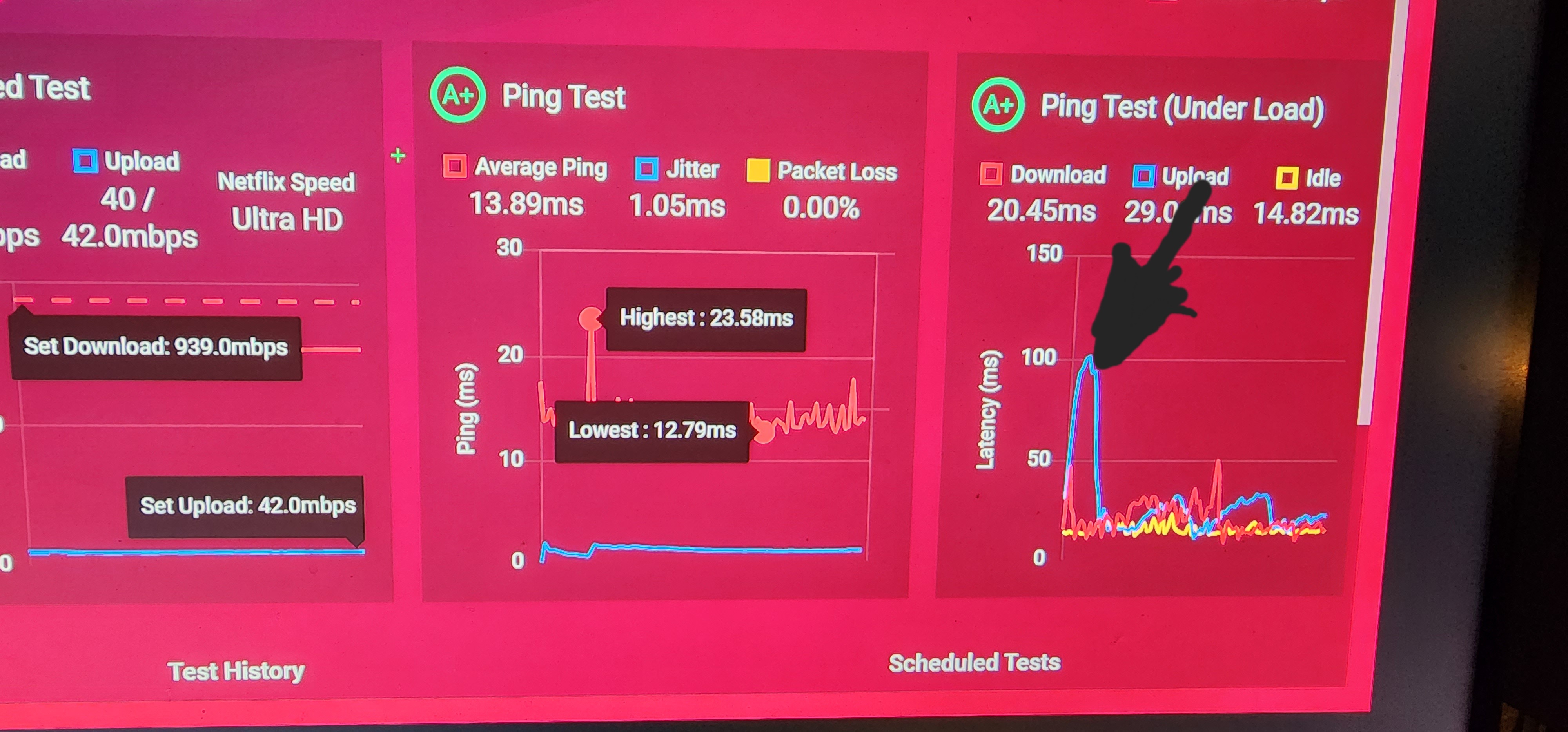
How do I get rid of the gigantic upload spike?
- Sep 28, 2022
If thats happening across two different modems then this may not be something that can be adjusted. Possible the ping testing is loading up and finding it higher as the test begins and as the test continues it lowers and levels off. your getting A+ so that's nothing to worry about.
PapaLung
Sep 28, 2022Apprentice
I'm using an XR1000 w the current firmware version 1.0.0.0.64_1.0.49. Was using a Netgear nighthawk CM2050V and just switched it out to an Xfinity XB8-t and am getting the same results on my connection benchmark test in regards to the jump in upload latency. CAT 6 wires from modem to router and router to pc. Current router is in bridge mode as well. I've tried adjusting the congestion control some and even downloaded ping plotter but I honestly don't understand how ping plotter even works or how to take the information I get from it and apply it to the congestion control. From what I've read, adjusting the congestion control should level out the spikes in latency , but again, I'm not going to pretend I fully understand it.

FURRYe38
Sep 28, 2022Guru - Experienced User
If thats happening across two different modems then this may not be something that can be adjusted. Possible the ping testing is loading up and finding it higher as the test begins and as the test continues it lowers and levels off. your getting A+ so that's nothing to worry about.