NETGEAR is aware of a growing number of phone and online scams. To learn how to stay safe click here.
Forum Discussion

Tazzybakes
Apr 19, 2021Guide
I cant block a connection on my XR500
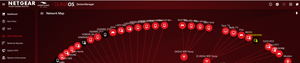
Hi team Duma and all I need your help please as i cant block a device on my router . please see screen shots , m thanks a million !!!!
 Apr 27, 2021
Mornings Guys
This seems to be resolved , after the pasword change that connection cant get bandwidth after being blocked but I promise i did see that connectin draw data initially.
But all in all thank you for the amazing service , you guys rock !!!
Tazzybakes
Apr 20, 2021Guide
Thanks so much for your reply Netduma-Liam im working on uploading the screenshot for you now !!!!
Tazzybakes
Apr 20, 2021Guide

- TazzybakesApr 20, 2021Guide
thank you and here is the firmware details thanks so much !!!
 Netduma-LiamApr 20, 2021NetDuma Partner
Do you what that device is? Given that there's an 'unblock' button and the device is showing as a different colour in your device manager, that would suggest that it has been succesfully blocked. What evidence have you seen that's it is not blocked, is it still able to access the internet?
- TazzybakesApr 20, 2021Guide
Hi Liam
all I could see was the macaddress , there is about 40 odd family connections so I cant go check individually but what was strange is that connection even though blocked was using bandwidth , I have since then changed the password and see that this device is trying to connect but no bandwidth is being used it , also what weird is that as per screenshot this device had one macaddress and miltiple IPs , i thought it was a device connected to the extender but i can literally see all the devices that connect to the wifi extender , thanks again for your time Netduma-Liam
