NETGEAR is aware of a growing number of phone and online scams. To learn how to stay safe click here.
Forum Discussion

bacevedo
Nov 27, 2018NETGEAR Employee Retired
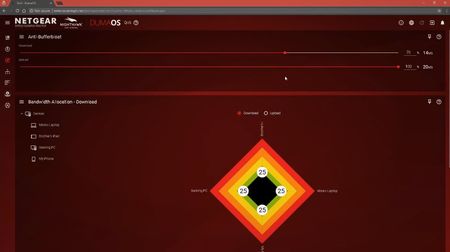
What Is Anti-buffer Bloat?
What the $%&*! is Anti-buffer bloat??
Hey Nighthawks,
Here's a quick explanation of one of the most powerful features in the OS that powers our Nighthawk Pro Gaming routers, anti-buffer b...

gwager08
Jan 02, 2019Aspirant
I don’t understand the added benefits to reducing overall bandwidth and having 30% essentially wasted. I get the sliders on each module give an explanation but what’s the science behind it? What exactly does reducing overall available bandwidth benefit to the gaming experience? If devices are hogging bandwidth at 100% of availability, then it seems that they would most certainly being doing the same at a lower percentage. I’m not convinced that it really does anything at this point and just more of a commercial gimmick at this point. On the surface of things, that’s like saying you worked 40 hours but are only getting paid for 28. Please help me understand this concept.

Netduma-Fraser
Jan 02, 2019NetDuma Partner
As I mentioned in my previous post, that free 30% (if you set to 70%) prevents your connection being saturated i.e. so busy that your gaming packets cannot get through properly and cause you to lag. Thats the point with limiting the bandwidth with Anti-Bufferbloat they can never fully saturate your connection. Have you tested to see if your connection is better when using it? If not I suggest you follow this guide to see how much it will benefit you: http://support.netduma.com/support/solutions/articles/16000074717-test-your-connection
- RiverstyxxFeb 02, 2019Aspirant
BufferBloat is when the traffic going through the modem overloads the modems buffer. It is a big issue with the puma 6 chipset modems. when the modems buffer gets congested it results in packet loss and line jitter. You can test for bufferbloat with DSLreport's speedtest. It is an issue that should be fixed with docsis 3.1 modems. I just picked up an xr500 today and adjusted my bufferbloat settings in the xr500 according to the results the dslreports speedtest was giving me. Without the bufferbloat settings active in the router I was having the bufferbloat reading spiking into the red throughout the entire test. I was able to fine tune it to get about 195 of my paid 200 meg connection through without the bloat spiking to unacceptable levels. I am working on getting my internet provider to assign me a docsis 3.1 modem as they are not allowing customer owned 3.1 modems despite being listed as minimally qualified on their own website.