NETGEAR is aware of a growing number of phone and online scams. To learn how to stay safe click here.
Forum Discussion

Proxxee
Nov 04, 2023Guide
XR1000 + CM1000 Increased Ping in COD
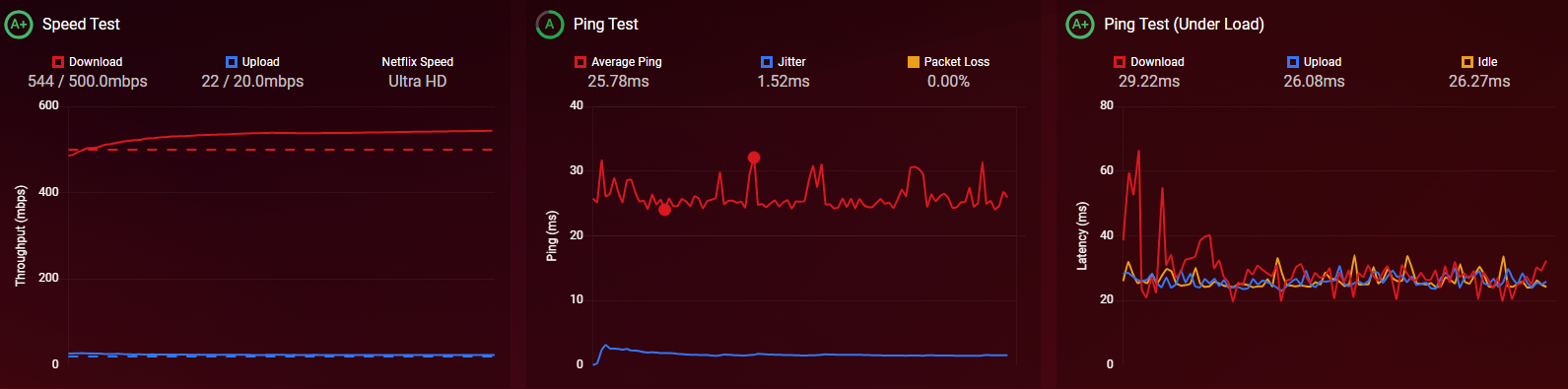
I recently upgraded from a xr450 to a xr1000 to better handle my connection. My connection benchmark is giving me all A+ with a sub 30ms ping which is great. However, my in-game ping has actually dou...
Proxxee
Nov 04, 2023Guide
I'm in East-Central Alabama. Modem is a CM1000v1. Router is a XR1000/AX5400. I havent put anything in the DMZ
Also, autoping isnt working at all.


Netduma-Fraser
Nov 04, 2023NetDuma Partner
Try this:
Quit the application/game/client completely
Remove device from the Geo-Filter
Resync from the Geo-Filter Map menu
Re-add the device to the Geo-Filter with the manual option
Set up the Geo-Filter how you like
Wait 2 minutes
Boot up application/game/client
Then see if it works better
Quit the application/game/client completely
Remove device from the Geo-Filter
Resync from the Geo-Filter Map menu
Re-add the device to the Geo-Filter with the manual option
Set up the Geo-Filter how you like
Wait 2 minutes
Boot up application/game/client
Then see if it works better
- ProxxeeNov 04, 2023Guide
I'll give that a go later. Wife n kids...Know how that goes.
Edit: Derp. I read reboot router. I've done the above multiple times to no avail.
- Netduma-FraserNov 04, 2023NetDuma PartnerYou said your in game ping has gone up but what about the ping on the Geo-Filter, what do you get there?
- ProxxeeNov 04, 2023Guide
It's not showing anything at all. Resyncing and rebooting did nothing. I dont want to factory reset.