NETGEAR is aware of a growing number of phone and online scams. To learn how to stay safe click here.
Forum Discussion

Birdizdaword
Oct 07, 2022Aspirant
XR1000 geo filter and ping heat map not working
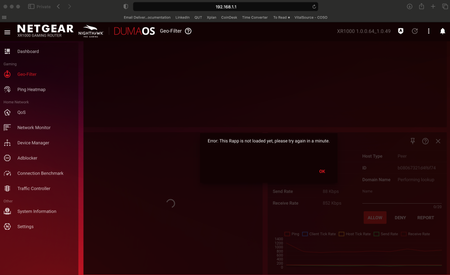
I've never been able to get the geo-filter or ping heat map to work, it just comes up with the below error. I've tried a few things based on previous threads non the same topic: - increased the retr...

Netduma-Fraser
Oct 08, 2022NetDuma Partner
So don't use Safari as that will force HTTPS which won't work well, it's possible other browsers are trying to do that as well so make sure you're using HTTP to access?
Are you using Armor by any chance?
Are you using Armor by any chance?
Birdizdaword
Oct 08, 2022Aspirant
Thanks for the reply. I just tried on Microsoft edge and chrome and got the same error. I'm not using Armor.
- BirdizdawordOct 08, 2022Aspirant
Log says this a bunch of times if that helps:
Oct 8 23:06:18 XR1000 user.warn com.netdumasoftware.procmanager: Rapp com.netdumasoftware.ngdilsync has not responded to watchdog 136
Oct 8 23:06:58 XR1000 user.warn com.netdumasoftware.procmanager: Rapp com.netdumasoftware.pingheatmap has not responded to watchdog 136
- Netduma-FraserOct 08, 2022NetDuma PartnerI can't see the image until it's been moderated. Could you unpin all panels from the dashboard, where possible, disable QoS fully from the Congestion Control 3 line option menu (each QoS panel should then say QoS disabled if done right), reboot from the interface, wait 2 minutes then access and see if it still happens please.
- BirdizdawordOct 08, 2022Aspirant
Done the above, waited 5 mins and rebooted. Unfortunately still the same issue and log still has that watchdog 38 issue.
- Netduma-FraserOct 09, 2022NetDuma PartnerCould you try reuploading the firmware via TFTP please? Between steps 7 & 8 of the guide hold the reset button and continue holding until step 9 where the LED flashes 10 times. https://kb.netgear.com/000059634/How-do-I-upload-firmware-to-my-NETGEAR-router-using-TFTP-from-the-Microsoft-Windows-Command-Prompt?article=000059634
It might take a few tries to get it but once you've managed it, wait a few minutes then do a factory reset and see if the interface works without error.