NETGEAR is aware of a growing number of phone and online scams. To learn how to stay safe click here.
Forum Discussion

Jamie2002uk
Dec 14, 2020Aspirant
XR300 + QoS + Media Streaming on Samsung SmartTV
Good evening all I have just purchased a XR300 with the latest firmware on and set everything up without a problem, just got PS5 and thought I'd get a gaming router aswell. Also have 3 boys that us...
- Dec 31, 2020Thanks for the update, I don't think there is anything else I can suggest at the moment unfortunately. It would be best to see whether it works on the beta, then if it doesn't we can take a look as we'll be actively developing for that version so I'd suggest disabling QoS fully for the moment.
You won't be notified but keep checking here to see when it becomes available: https://community.netgear.com/t5/Nighthawk-Pro-Gaming-DumaOS-3-0/bd-p/en-home-beta-npg-duma

Netduma-Fraser
Dec 18, 2020NetDuma Partner
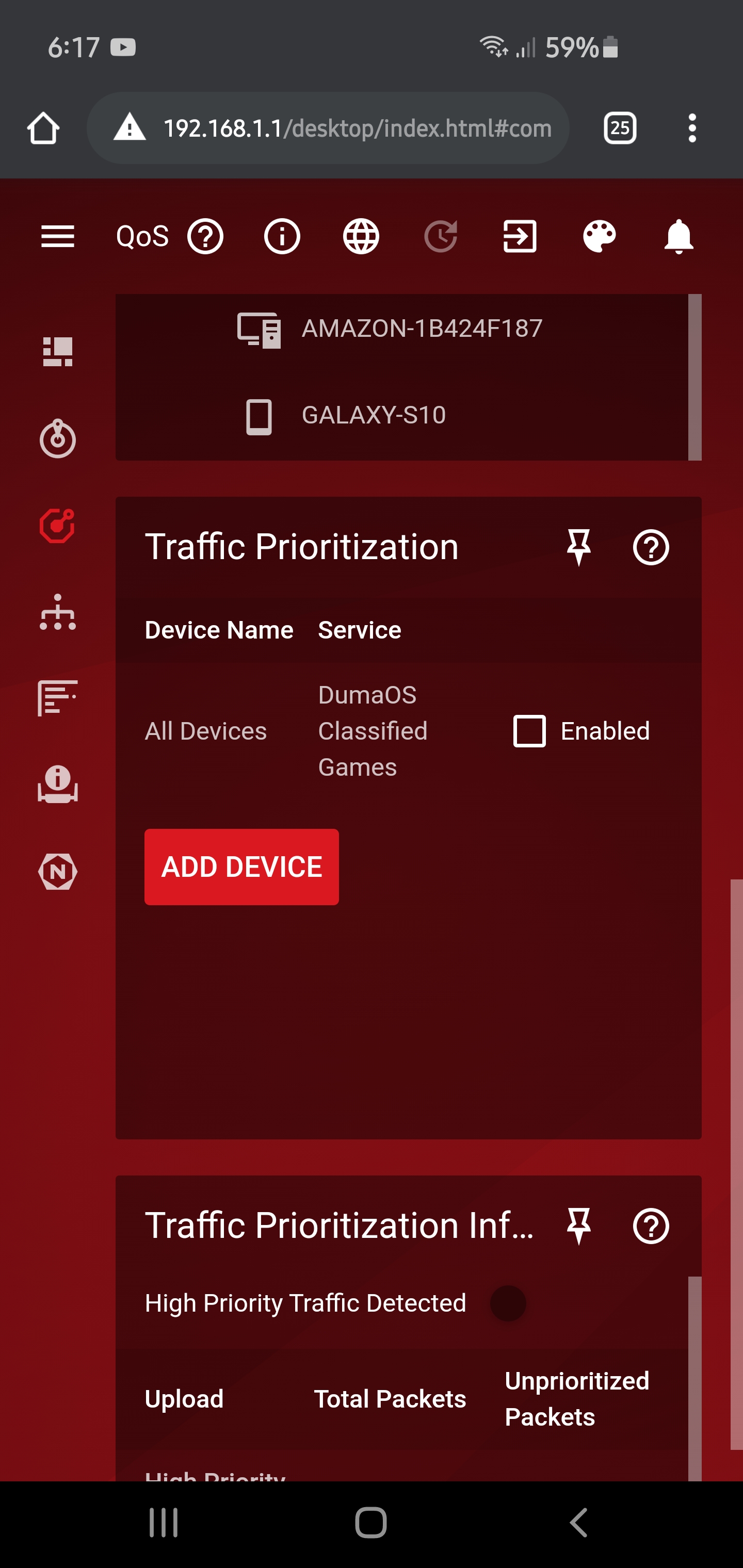
Can you remove the Traffic Prio rule completely please and see if it still occurs please?
Jamie2002uk
Dec 18, 2020Aspirant
Do you mean the rule I put in manually for the TV?
- Netduma-FraserDec 18, 2020NetDuma PartnerYes exactly and make sure nothing else is added there and classified games stays disabled.
- Jamie2002ukDec 19, 2020AspirantJust tested that and still no joy unfortunately
- Netduma-FraserDec 19, 2020NetDuma PartnerVery odd, thanks for letting us know. QoS must be dropping packets then but I'm surprised Traffic Prio with all ports wouldn't work in that scenario. This shouldn't make a difference but if you give the TV the device type of a PC in Device Manager and try with and without the Prio rule is there any difference?
- Jamie2002ukDec 19, 2020AspirantSo I just tried that and loaded up itv hub and the first random episode I tried to play worked so I backed out tried something else and it stopped working 🤔 that was set to computer, I tried playstation, xbox, phone (as itv hub does work on mine and my partners phone) laptop but no joy. Just weird how the first time it started working?? I'm a little puzzled by that now.
- Netduma-FraserDec 19, 2020NetDuma PartnerLittle puzzled as well! Okay try this please, unplug the TV from the router. Reboot the router, then when it is back up delete the TV from the Device Manager, reconnect the TV and give it the PC device type. Then load it up and try an episode. If it works then don't change anything else.
- Jamie2002ukDec 31, 2020AspirantAfternoon
I tried this but with no joy, I deleted the device and it actually come back as "Computer" so didn't need to change it but still ITV player still doesn't work. It does seem to be limiting tge traffic because with QoS switched on the channel icons take a little while to load up but when QoS is switched off they are instant I actually didn't know they was pulled from the Internet.
Just a side note, will I get notified when DumaOS 3.0 is available for my router?
Thanks - Netduma-FraserDec 31, 2020NetDuma PartnerThanks for the update, I don't think there is anything else I can suggest at the moment unfortunately. It would be best to see whether it works on the beta, then if it doesn't we can take a look as we'll be actively developing for that version so I'd suggest disabling QoS fully for the moment.
You won't be notified but keep checking here to see when it becomes available: https://community.netgear.com/t5/Nighthawk-Pro-Gaming-DumaOS-3-0/bd-p/en-home-beta-npg-duma - Jamie2002ukDec 31, 2020AspirantThank you for the help anyway and I will keep checking the link.
Have a happy new year to the DumaOS Team, hopefully next year will be a better one
Thanks again
Jay - Netduma-FraserJan 01, 2021NetDuma PartnerYou're very welcome and thank you, Happy New Year to you too Jay!