NETGEAR is aware of a growing number of phone and online scams. To learn how to stay safe click here.
Forum Discussion

YD58
Mar 24, 2022Aspirant
XR300 Geofilter not working as expected
Hi all, I am trying to use the geofilter on xr300. Obviously a bit tricky to understand as most things just say nil instead of an actual name for setting. I have tried to follow guides here to se...
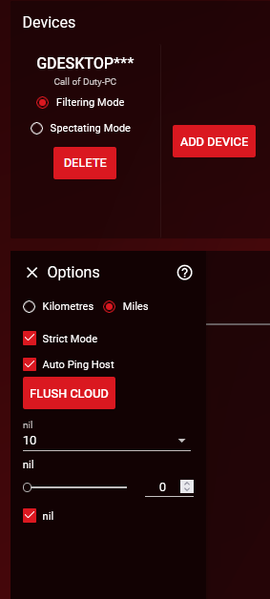


Netduma-Fraser
Mar 24, 2022NetDuma Partner
Can only see one picture currently until it's moderated but please do the following:
Quit the application/game/client completely
Remove device from the Geo-Filter
Give PC PlayStation Device Type in the Device Manager (if on PC)
Resync from the Geo-Filter Map menu
Re-add the device to the Geo-Filter with the manual option
Set up the Geo-Filter how you like
Wait 2 minutes
Boot up application/game/client
Then see if it works.
Quit the application/game/client completely
Remove device from the Geo-Filter
Give PC PlayStation Device Type in the Device Manager (if on PC)
Resync from the Geo-Filter Map menu
Re-add the device to the Geo-Filter with the manual option
Set up the Geo-Filter how you like
Wait 2 minutes
Boot up application/game/client
Then see if it works.
YD58
Mar 26, 2022Aspirant
Hi, thanks for suggestion but no change in behaviour. I am going to pick up an xr500 today to try out so maybe that will work.
- Netduma-FraserMar 26, 2022NetDuma PartnerDid you change the PC to a PlayStation so when you add it back to the Geo-Filter it adds with the console service? As that will filter better. Let us know how you get on!
- YD58Mar 26, 2022Aspirant
Yeah I did try this. Even set as console it still connects to servers outside the set radius.
- Netduma-FraserMar 26, 2022NetDuma PartnerFrom your screenshot it does appear to be blocked outside the radius but Auto Ping thinks it is the host which is odd. In Settings > WAN, can you toggle the NAT option from however it is set now and try again please?