NETGEAR is aware of a growing number of phone and online scams. To learn how to stay safe click here.
Forum Discussion

TokeZen
Feb 06, 2019Aspirant
XR500 blocking my Upload tests?
Hey guys,
I got this router few days ago and had a go at it. Loving it so far, fixed most of my networking issues I had with previous router I used.
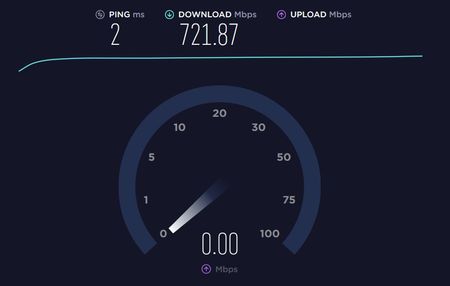
However, I couldnt test my upload speed at spe...
- Feb 07, 2019
If other devices work and this one particular PC doesn't, I would try different browser, disable all security software and browser plug-ins temporarily. Ensure your network adapter is set for Auto Obtain IP addressing.
Install speedtest.net testing app instead of using a browser.

FURRYe38
Feb 07, 2019Guru - Experienced User
If other devices work and this one particular PC doesn't, I would try different browser, disable all security software and browser plug-ins temporarily. Ensure your network adapter is set for Auto Obtain IP addressing.
Install speedtest.net testing app instead of using a browser.
TokeZen
Feb 07, 2019Aspirant
I just tried using Opera and it worked just fine. Turns out Firefox was causing the issue, thanks a lot!
Im also in process of figuring out another issue, perhaps you can help?
After my PC runs for a few hours my download speed gets throttled to 6mbps when normally i get around 900mbps -1gbps.
I tried different browsers, restarting modem & router - no results to report.
This is also just my PC's issue, no other device on the network seem to experience this
- Netduma_JackFeb 08, 2019NetDuma Partner
That sounds like it might be overheating, or that the CPU is maxed out for some reason. Putting a lot of bandwidth through anything uses computer power.
Easiest way to check would be to open up Task Manager when the speeds are very slow. In the Processes tab, see if the CPU is maxed out. If it is, try and see what's using it all.
If it's not, then is the PC especially hot?
- TokeZenFeb 08, 2019Aspirant
Not at all, I initially thought it might be hardware but this issue happens regardless of the state of my hardware (example would be 15% cpu & 10% gpu utilization, both at idle temps, it would still happen). I reckon it's software and its probably windows10 home (build 17134)
shot summary of my hardware:
motherboard: x99s
cpu: i7-5930k @ 3.5ghz (no oc)
gpu: 980gtx 4gb (no oc)
ram: 32gb @ 2400mhz CL16
psu: 700w
- Netduma-FraserFeb 09, 2019NetDuma PartnerTry this guide and see if it resolves your speed issues with the PC: https://windowsreport.com/increase-windows-10-bandwidth/
Windows has a habit of hoarding bandwidth for it's own QoS and updates.
