NETGEAR is aware of a growing number of phone and online scams. To learn how to stay safe click here.
Forum Discussion

DidiChoozRght
Apr 29, 2020Aspirant
XR500 Gaming Router Playstation 4 showing as offline, Newest Firmware 2.3.2.56 no fix?
So I have seen a lot of posts on different forums about this! ( Netgear, Dumos, Reddit ) It has been close to 2 years now. Device offline issues in the device manager software as well as not being mo...

FURRYe38
May 12, 2020Guru - Experienced User
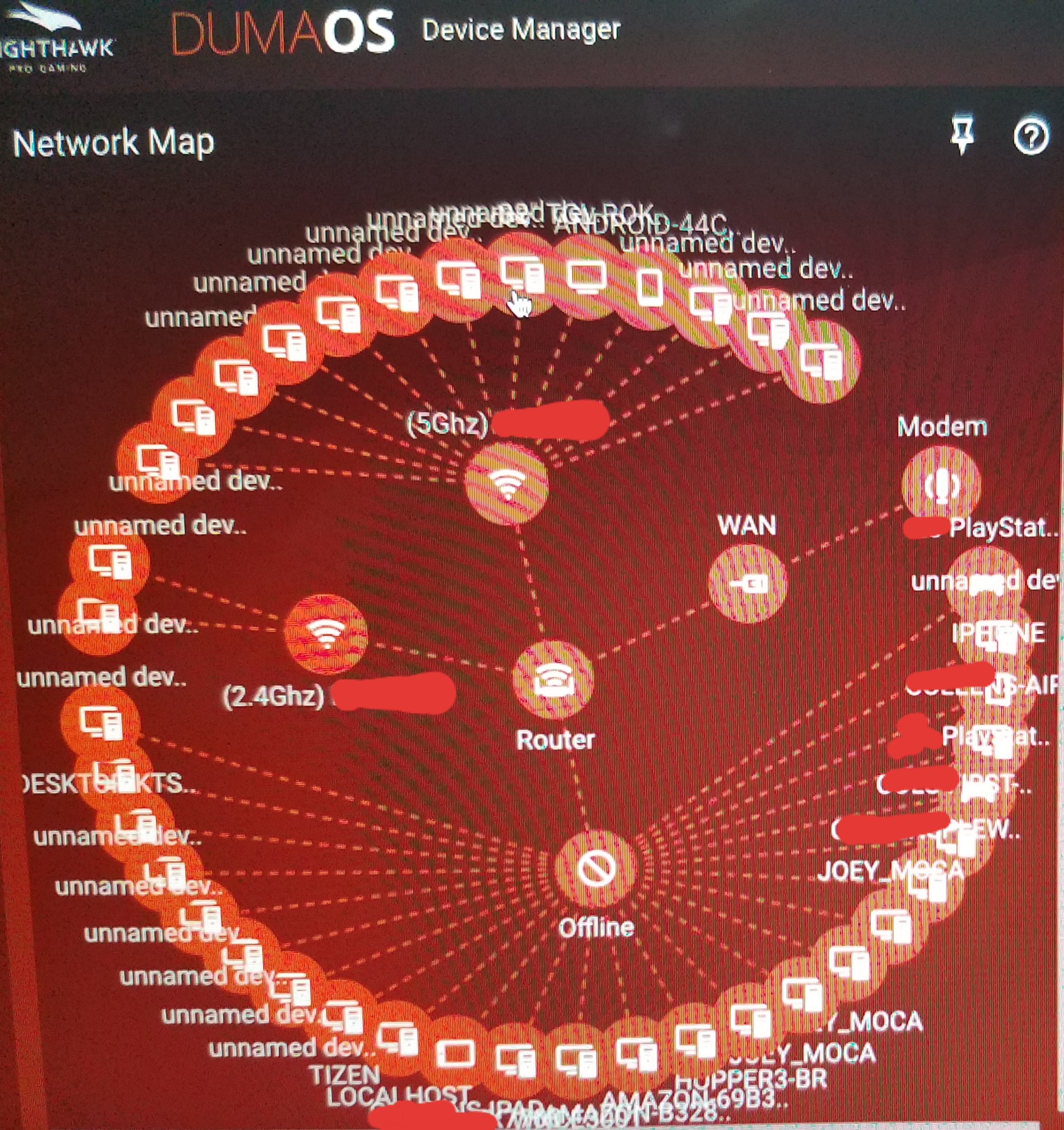
Seems the the FW is not getting or acquiring correct device mfr model information from the devices via ARP process, thus setting up unnamed device in the UI.
Log into the EX7700 and you can find out what version of FW is loaded on it.
DidiChoozRght
May 13, 2020Aspirant
FURRYe38 wrote:Seems the the FW is not getting or acquiring correct device mfr model information from the devices via ARP process, thus setting up unnamed device in the UI.
So the ARP process issue.. Thats gonna be a Firmware issue? It is more of an issue now that I downgraded to v.32 but it was still somewhat present in the originaly loaded v.56. I think that had something to do with my original problem. Im going to upgrade back to v.56 and factory reset again when I get a chance to see if I can stop this madness.
Question... How would/could the hardware be affecting the ARP process? should I replace this unit?
- DidiChoozRghtMay 13, 2020Aspirant
FURRYe38 wrote:
Seems the the FW is not getting or acquiring correct device mfr model information from the devices via ARP process, thus setting up unnamed device in the UI.
Checkout the unnamed devices in the pic! Uuuuuggggghhhhh.
- Netduma-FraserMay 13, 2020NetDuma PartnerI get that, if you could put it into AP mode and it works then we can put it down to the specific repeater mode that is causing the issue which will then allow us to reproduce the issue and resolve it. We have an EX so we can investigate. We are making general optimizations to DM regardless as we can see this in other scenarios.
- DidiChoozRghtMay 13, 2020Aspirant
Netduma-Fraser wrote:
I get that, if you could put it into AP mode and it works then we can put it down to the specific repeater mode that is causing the issue which will then allow us to reproduce the issue and resolve it. We have an EX so we can investigate.I'll see if I can mess with it this weekend. I updated FW back to v.56 and did factory rest. I setup network again and basic settings for QOS, GEO filter, and a static IP for Wired PS4 this morning. That was about all I had time for. I will let it run for a couple days. I dont have a lot of time, paitence, and/or desire to mess with it right now. I'll see what it looks like when I log in this weekend and decide how much more time I want to put into it...
- FURRYe38May 14, 2020Guru - Experienced User
Be sure to make a backup configuration to file for safe keeping. This saves time if a reset is needed again.
- Netduma-FraserMay 14, 2020NetDuma PartnerTotally understand that, let us know when you can and we can go from there.