NETGEAR is aware of a growing number of phone and online scams. To learn how to stay safe click here.
Forum Discussion

dizzyx
Nov 05, 2018Aspirant
xr500 seems to have more issues than not using it please help
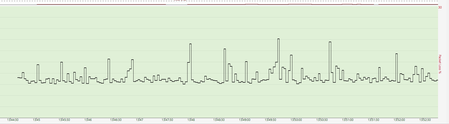
hey i have tried getting my xr500 working but it introduces lag delay and spikes i cant seem to set it up right i will add some ping plotter stuff as you can see ping plotter looks like a 2D new york...

FURRYe38
Nov 05, 2018Guru - Experienced User
What is the Mfr and model# of the ISP modem the NG router is connected too?
Have you tried as a test the first initial FW version on the XR500?
dizzyx
Nov 05, 2018Aspirant
FURRYe38 wrote:
What is the Mfr and model# of the ISP modem the NG router is connected too?
Have you tried as a test the first initial FW version on the XR500?
hey i am on virgin media uk 200mb/12mb i have tried withe the fw before the new firmware came out and seemed to be the same and the router is connected to the superhub 3.0 with the latest .308 firmware
- dizzyxNov 05, 2018Aspirant
cant edit i mean the .603 firmware
- FURRYe38Nov 05, 2018Guru - Experienced User
Modem Combo Units:
Couple of options,
1. Configure the modem for transparent bridge mode. Then use the NG router in router mode. You'll need to contact the ISP for help and information in regards to the modem being bridged correctly.
2. If you can't bridge the modem, disable ALL wifi radios on the modem, configure the modems DMZ for the IP address the NG router gets from the modem.
3. Or disable all wifi radios on the modem and connect the NG router to the modem, LAN to LAN configure AP mode on the NG router.- dizzyxNov 05, 2018Aspirant
FURRYe38 wrote:
Modem Combo Units:
Couple of options,
1. Configure the modem for transparent bridge mode. Then use the NG router in router mode. You'll need to contact the ISP for help and information in regards to the modem being bridged correctly.
2. If you can't bridge the modem, disable ALL wifi radios on the modem, configure the modems DMZ for the IP address the NG router gets from the modem.
3. Or disable all wifi radios on the modem and connect the NG router to the modem, LAN to LAN configure AP mode on the NG router.the router is in modem mode i have called my isp and after alot of prodding and stuff i have managed to get an engineer to downgrade me to the superhub 2.0 since the puma 6 chip is unstable so hopefully this works if not i have no idea where to start since i have followed youtube videos and everything just to have the same outcome so i came here just to see if anyone has knowledge and see what im doing wrong and why im not getting the awesome results everyone else is having
- FURRYe38Nov 05, 2018Guru - Experienced User
Ok thats the preferred mode for modems. I would test out speeds with a wired PC and browser and use ISP speed test site and speedtest.net and see how it goes. Besure QoS isn't enabled for now and just do some basic testing. Do some comparison testing.
Also be aware of older PCs with single or dual CPUs, depending upon speeds of CPU, this will limit speed test results. I have a dual core Mac Book pro from 10 years ago, it maxes out at 200Mb on a 1Gb service. When I use my qual core Mac Mini 2012, I see 900Mb speeds. So be sure your have a PC capable of speed testing 900mb. Something to keep in mind.