NETGEAR is aware of a growing number of phone and online scams. To learn how to stay safe click here.
Forum Discussion

supryn90
Feb 11, 2023Tutor
XR500 VPN
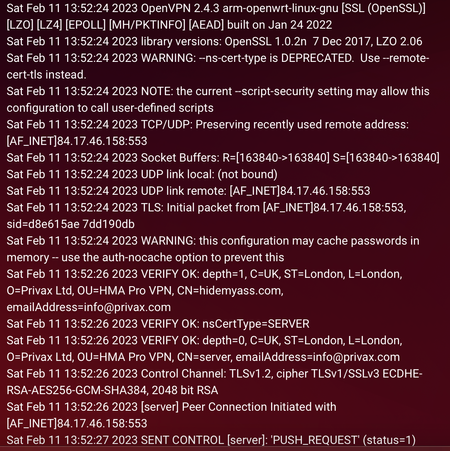
Hi All I have problem with vpn connection nothing was done or changed. I went on holiday for 10 day then it just stop working. router is XR500 vpn Hide My Ass Can someone please help me so...

FURRYe38
Feb 11, 2023Guru - Experienced User
What Firmware version is currently loaded?
What is the Mfr and model# of the Internet Service Providers modem/ONT the NG router is connected too?
Be sure your using a good quality LAN cable between the modem and router. CAT6 is recommended.
Has a power off for 1 minute then back ON with the ISP modem and router been performed since last update?
Be sure to restart your network in this sequence:
Turn off and unplug modem.
Turn off router and computers.
Plug in and turn on modem. Wait 2 minutes for it to connect.
Turn on the router and wait 2 minutes for it to connect.
Turn on computers and rest of network.
supryn90
Feb 11, 2023Tutor
All of this was done. Router is Netgear Nighthawk XR500. I have no idea what brand and model is this other one. Is one from broadband provider. But I dont think so it have anything to do with vpn build in xr500. That all was working fine. One day just stop and thats it. I’m trying get to vpn customer service but they not responding.
- FURRYe38Feb 11, 2023Guru - Experienced User
Possible this is a VPN issue. It's the weekend so they may not respond.
What is the Mfr and model# of the ISP modem/ONT the NG router is connected too?