NETGEAR is aware of a growing number of phone and online scams. To learn how to stay safe click here.
Forum Discussion

akshaymanchanda
May 06, 2022Follower
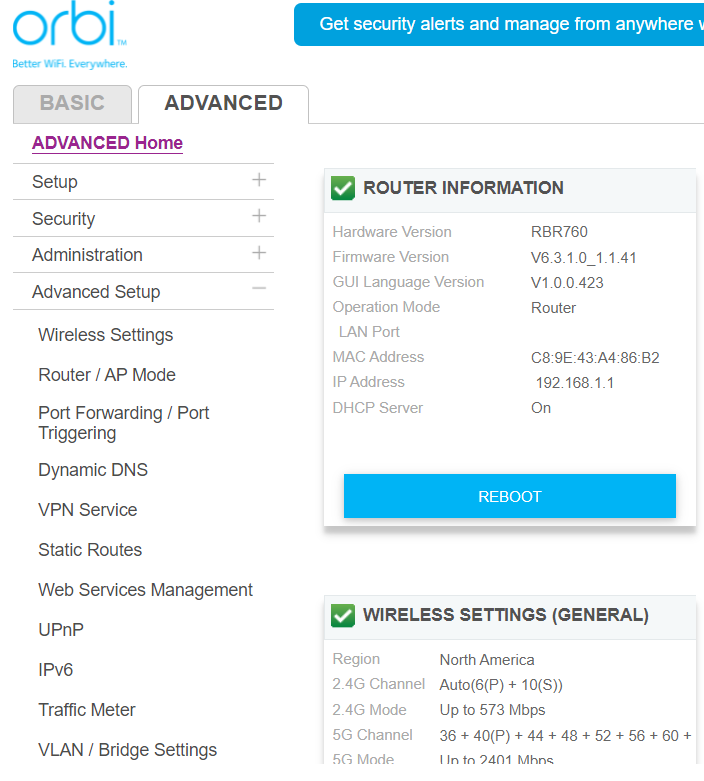
[case 45961784 ]Missing speed test option on Orbi 760 - Pathetic and unprofessional Customer Support
Hi Netgear team, I am writing in this forum seeking help wiith request 45961784 since the customer care has just dropped the ball on it everytime I contacted them. I bought an ORBI 760 from Cost...

Jeffgear
May 07, 2022Virtuoso
Hi there - sorry you've had a poor experience. I have the Orbi RBR50 mesh and the speed test on the browser admin session and Orbi app (same thing different app presentation layer) is not worth writing home about. It does not allow you to select a specific ISP's server like the Ookla Speedtest app itself on the Mac or iPhone or Apple TV, so defaults to some unknown one and never gives results the same as the iPhone, iPad, Apple TV or Mac version. I get 800+ down, 350+ up on these when hard wired into the RBR50 from my ISP's 900/400 plan but the Orbi app or RBR admin session gives consistently 500/100 results and the ping response has only just started to work in the newest Orbi app version when it used to show 0ms every time.
I logged a feature request last year for the lack of being able to choose a server and for the ping being wrong. Hopefully they are gradually resolving these quirks or have a bug on your model's firmware that isn't showing it, or they have decided to stop licensing Speedtest and have removed the feature from your model's firmware, but you'd think the6 would be able to confirm this.
 Mikey94025May 07, 2022Hero
As mentioned above, we usually recommend NOT using the Orbi's built-in speed test and instead going directly to speedtest.net or using their phone app. We've seen some cases where the Orbi measurement doesn't match what these direct methods report. Also, your measurement will be more correct because it is from your client (phone, PC) instead of just from your Orbi base router.
There are many reasons why your measured speed at home doesn't match the full capabilities of your ISP. This FAQ gives some basic first steps to diagnose and narrow down where the speed degradation is happening: https://community.netgear.com/t5/Orbi-WiFi-6-AX-and-WiFi-6E-AXE/Community-FAQ-My-Orbi-speeds-are-slow-inconsistent-and-don-t-my/m-p/1984305/highlight/true#M7944