NETGEAR is aware of a growing number of phone and online scams. To learn how to stay safe click here.
Forum Discussion

DrRod
Dec 11, 2022Aspirant
CBR750 not connecting to internet
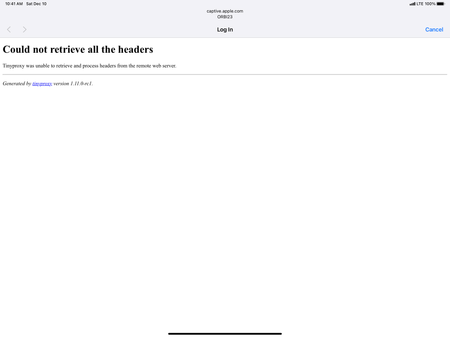
I had this exact issue this week when I did a factory reset on my CBR750 Orbi modem router. When I followed the Orbi app instructions, there’s a point in the process where they tell you to exit the a...
- Dec 19, 2022
No. Please see my first post on December 11th. I am replying to someone else’s problem with the same issue to let folks know how I was able to resolve it. Hopefully, when folks look it up and see this thread, it will help them resolve it more quickly.
DrRod
Dec 19, 2022Aspirant
My ISP is Xfinity.
No factory reset had been performed since my firmware update, which I did when I installed it this past summer. The router was brand new this summer when I installed it. When I did the factory reset, it said the firmware was up-to-date after I got it connected and checked. I didn’t use the wizard or the app; I just went direct to the router through the browser.
I do not own a PC, I use Mac.
I don’t remember the current firmware, but it is the most up-to-date.

FURRYe38
Dec 19, 2022Guru - Experienced User
So are you still having problems getting the CBR to connect to the internet and ISP services?
- DrRodDec 19, 2022Aspirant
No. Please see my first post on December 11th. I am replying to someone else’s problem with the same issue to let folks know how I was able to resolve it. Hopefully, when folks look it up and see this thread, it will help them resolve it more quickly.
- FURRYe38Dec 19, 2022Guru - Experienced User
Ok. One possible solution or work around. Thanks for confirming.
Be sure to save off a back up configuration to file for safe keeping. Saves time if a reset is needed.
https://kb.netgear.com/000062080/How-do-I-back-up-the-configuration-settings-on-my-Orbi-WiFi-System
Enjoy. 📡