NETGEAR is aware of a growing number of phone and online scams. To learn how to stay safe click here.
Forum Discussion

ABij
Jan 18, 2024Aspirant
I have had major Wifi issues with this new update (7.2.6.21)
I have had major Wifi issues with this new update (7.2.6.21). It was working intense slow and hanging for all devices (probably package drops?). The interface of the RBR750 was fast. For example the ...

CrimpOn
Jan 18, 2024Guru - Experienced User
ABij wrote:
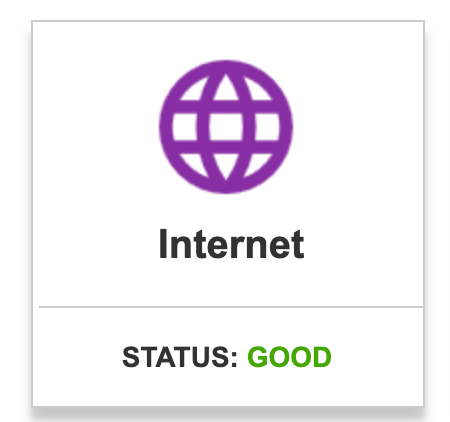
I noticed 1 thing which might be related. With the OLD firmware, the Orbi admin WebUI said this, what you want:
With the new firmware the status was: Waiting (something like that). Although the same setup and cables are used.
I believe this is a consistent behavior of Orbi routers. When the web interface is opened, that graphic always shows "Waiting" and then changes to "Good". On my old RBR50, it takes about 7 seconds to change. On an RBR750, after entering the admin password, it takes about 7 seconds for the Home Screen to appear, showing "Good".
Does your Home Screen remain on "Waiting" for longer than 7-8 seconds???
ABij
Jan 18, 2024Aspirant
Yes, it kept that Internet status. I'll keep running the previous version for now and cannot test things, everyone is annoyed when internet wifi does not working.
Actually you are right, with the previous firmware when the page is initialising it's Waiting, but within half a second it's good.
- FURRYe38Jan 18, 2024Guru - Experienced User
You'll need to validate the problem with v7 FW loaded while in AP mode, with a factory reset and setup from scratch. Downgrading FW is NOT a solution.
Also we'd need to know how the RBR is configured for AP mode, Dynamic or Static.
What is the Mfr and model# of the host router the NG router is connected too?
Be sure your using a good quality LAN cable between the host router and router. CAT6is recommended.What is the size of your home? Sq Ft?
What is the distance between the router and 📡 satellite(s)? 30 feet or more is recommended in between RBR📡 and RBS🛰️ to begin with depending upon building materials when wired or wirelessly connected.How is the RBS ethernet connected? Directly behind the RBR or is there a LAN switch in between? Brand and model of this switch if one is present.
Channel configuration used on the RBR?
V7 is a major version update and I would have first done a full power OFF of the ISP modem, host router and Orbi system for 1 minute then back ON in same sequence first, then tested and checked the system. If problems were still observed, then a full on factory reset and setup from scratch would be needed. Then checked again. Also this version of FW was beta tested by many users last year and AP mode was tested as well. Didn't see any issues like this while in AP mode. Can't blame FW until everything has been checked and vetted. Also new web UI behaviors may have changed some so be more patient for the web page to refresh and update any status information.
Also please post in the right model forum thread for your 750 series. We don't assume that this effects other models as others haven't posted specifcally having same problem or about it either. Your the first. Both my 7 and 850 series have been working great on v7 FW. So has many others that beta tested this last year for months.
Also for mobile devices:
Be sure to disable any MAC Address randomizers on phones and pads while at home:
https://community.netgear.com/t5/Orbi-App/NETGEAR-Mobile-Applications-and-Apple-Devices-FAQ/td-p/2220016/jump-to/first-unread-message- ABijJan 21, 2024AspirantFair point, it's not a solution. This week no time to deep dive. But I'll give a retry soon. You suggest to Facotry reset and update firmware from there.
Bit of context
The problem is not the cables or distance. I do get max ISP speeds (512 down/45 up) through cables and wifi now mostly everywhere in house. It's configured as static (modem x.x.x.1, dhcp-server x.x.x.2 and the RBR x.x.x.3, RBS x.x.x.4.) since ISP modem does not allow custom DNS in DHCP, an old Linksys router (wifi disabled) serves as DHCP server starting pool x.x.x.20 for clients. Note DNS is pointing to public IP of an ad-block-service (https://nextdns.io/?from=uwh7zeae). modem from ISP has 4 ports and go direct into mentioned devices. RBR (living room) connected to 8p switch to connect all media stuff.- FURRYe38Jan 21, 2024Guru - Experienced User
What is the Mfr and model# of the host router the NG router is connected too?
Be sure your using a good quality LAN cable between the host router and router.Are you using the RBR in router mode or AP mode?
What is the size of your home? Sq Ft?
What is the distance between the router and satellite(s)? 30 feet or more is recommended in between RBR and RBS️ to begin with depending upon building materials when wired or wirelessly connected.How is the RBS ethernet connected? Directly behind the RBR or is there a LAN switch in between? Brand and model of this switch if one is present.
Channel configuration used on the RBR?
