NETGEAR is aware of a growing number of phone and online scams. To learn how to stay safe click here.
Forum Discussion

KingsClass
Sep 22, 2022Aspirant
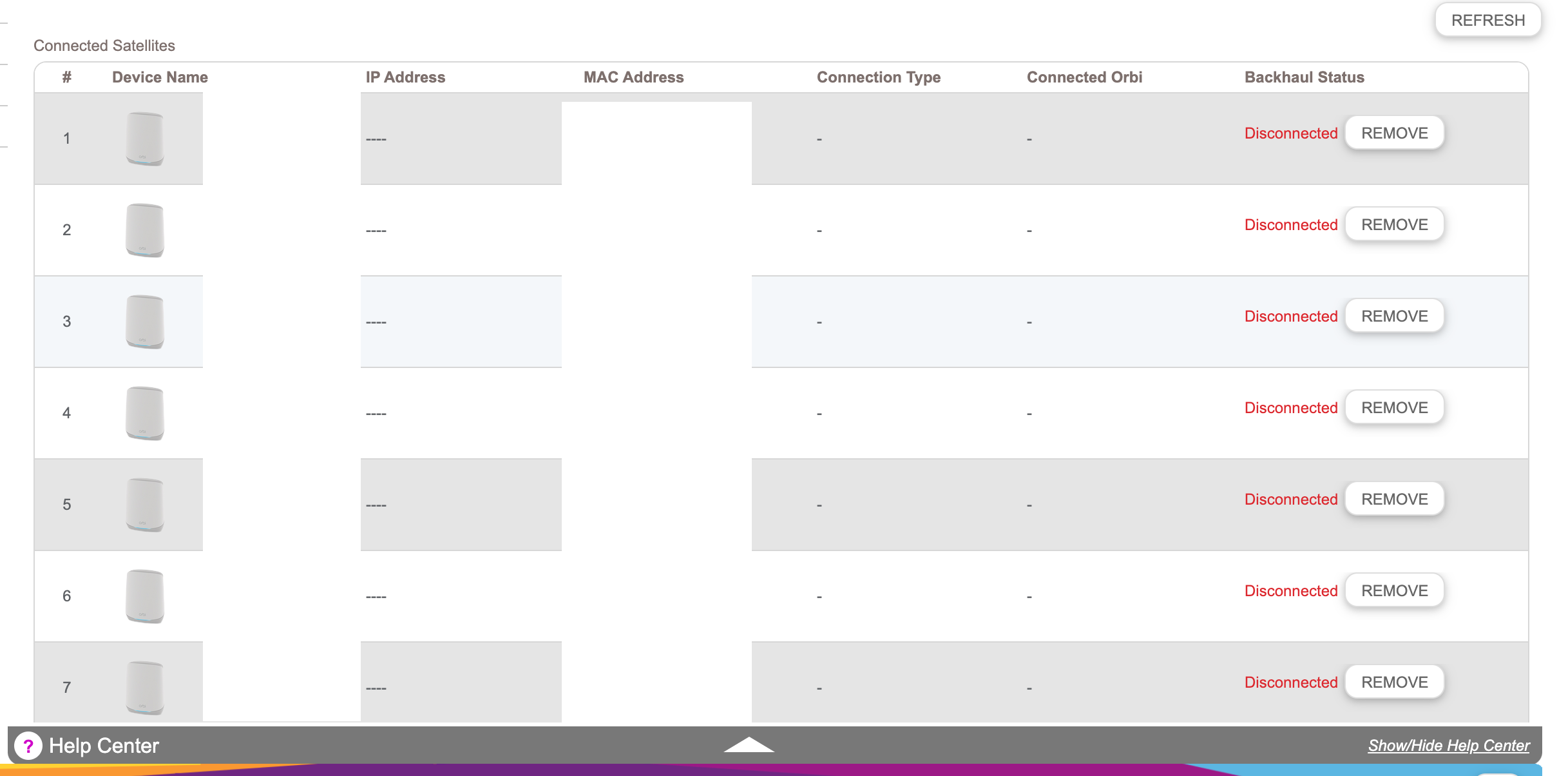
multi device displayed but only one router and two satellites are connected.
hi everyone, recently on the orbi admin page, I started seeing lots of devices that are offline (like 98 devices ) but on the HOME page, it still shows correctly - Attached Devices (RBS760) R...

FURRYe38
Sep 22, 2022Guru - Experienced User
What Firmware version is currently loaded?
Has a factory reset and setup from scratch been performed since last FW update?
What is the size of your home? Sq Ft?
What is the distance between the router and 📡 satellite(s)? 30 feet or more is recommended in between RBR and RBS📡 to begin with depending upon building materials when wirelessly connected.
https://kb.netgear.com/31029/Where-should-I-place-my-Orbi-satellite 📡
https://kb.netgear.com/000061709/Where-should-I-place-the-Mesh-WiFi-satellite-of-my-Nighthawk-Mesh-WiFi-6-and-Tri-band-Mesh-WiFi-6-products 📡
Try a different web browser?
May need to factory reset and setup from scratch.
KingsClass
Sep 22, 2022Aspirant
it's more than 30 FT btw each device. I don't want to factory reset, that's not the solution for this, then I have to work on the setup for everything- which I hate 🙂 there is no FW update last I checked for the model we have.
- FURRYe38Sep 22, 2022Guru - Experienced User
What Firmware version is currently loaded?
What is the size of your home? Sq Ft?
- KingsClassSep 22, 2022AspirantRouter Firmware VersionV6.3.1.0_1.1.411000 block by block, so the router is one and the other two satellites in another block.totally 3000 to 3500
- FURRYe38Sep 22, 2022Guru - Experienced User
I would probably update the system FW:
Update the RBS first then RBR lastly. Power OFF the RBS and RBR for 1 minutes then back ON with the RBR first then RBS.
If this doesn't clear the phantom devices, factory reset and setup from scratch.For that size of home, the RBR and 1 RBS would be needed. Or turn down the power on the RBR to 50 or 25%.
- CrimpOnSep 22, 2022Guru - Experienced User
KingsClass wrote:
iI don't want to factory reset, that's not the solution for this, then I have to work on the setup for everything- which I hate 🙂 there is no FW update last I checked for the model we have.
Although a Factory Rest is the "Last Resort", some things should be kept in mind:
- A Factory Reset with restoring the configuration can take under 10 minutes.
- Save a copy of the configuration.
- Do the Factory Reset (using paperclip or the web "Erase Settings" option).
- During the configuration, do not change any settings and plow through the menus until you come to a page where you have an option to:
- Restore a saved configuration, or
- Manually configure
- At that point, upload the saved configuration. The router will then reboot and have the original WiFi SSID/password.
- All the devices which have been waiting for WiFi to reappear will connect.
- Many times, the problem lies not with the parameters, but with some internal table which is corrupted. In this case, "Voila. problem solved!"
- Even a configuration from scratch does not require a visit to every WiFi device. Use the exact same WiFi credentials and every device will reconnect automatically. (I have kept the same WiFi credentials since about 2005, through any number of WiFi routers.)
- If there are extensive custom settings (reserved IPs, custom names, OpenVPN, ports forwarded, etc. etc.) then my practice is to do all that before changing the WiFi SSID/password. Once the WiFi credentials are set, all those devices will begin to connect and get whatever IP address the router gives them.
- A Factory Reset with restoring the configuration can take under 10 minutes.