NETGEAR is aware of a growing number of phone and online scams. To learn how to stay safe click here.
Forum Discussion

zahmnd
Jun 05, 2022Tutor
Mynetgear account password recovery is broken.
Placed into Orbi because I just bought an Orbi system (and am regretting it now since the website does not work - bad first impression) and there's no category that I see for website support. Iss...
 Jun 06, 2022
Hello zahmnd ,
This issue should now be resolved. Can you please confirm if you're able to reset your password now?
Kind Regards,
Christine
zahmnd
Jun 05, 2022Tutor
They are. I registered a secondary account so that I could log onto these forums.

CrimpOn
Jun 05, 2022Guru - Experienced User
zahmnd wrote:
They are. I registered a secondary account so that I could log onto these forums.
Well, it appears that you are entirely correct. Password Reset appears to be broken.
I have a number of Netgear accounts (for testing purposes). Just now entered mynetgear.com into Chrome, Edge and Opera browsers.
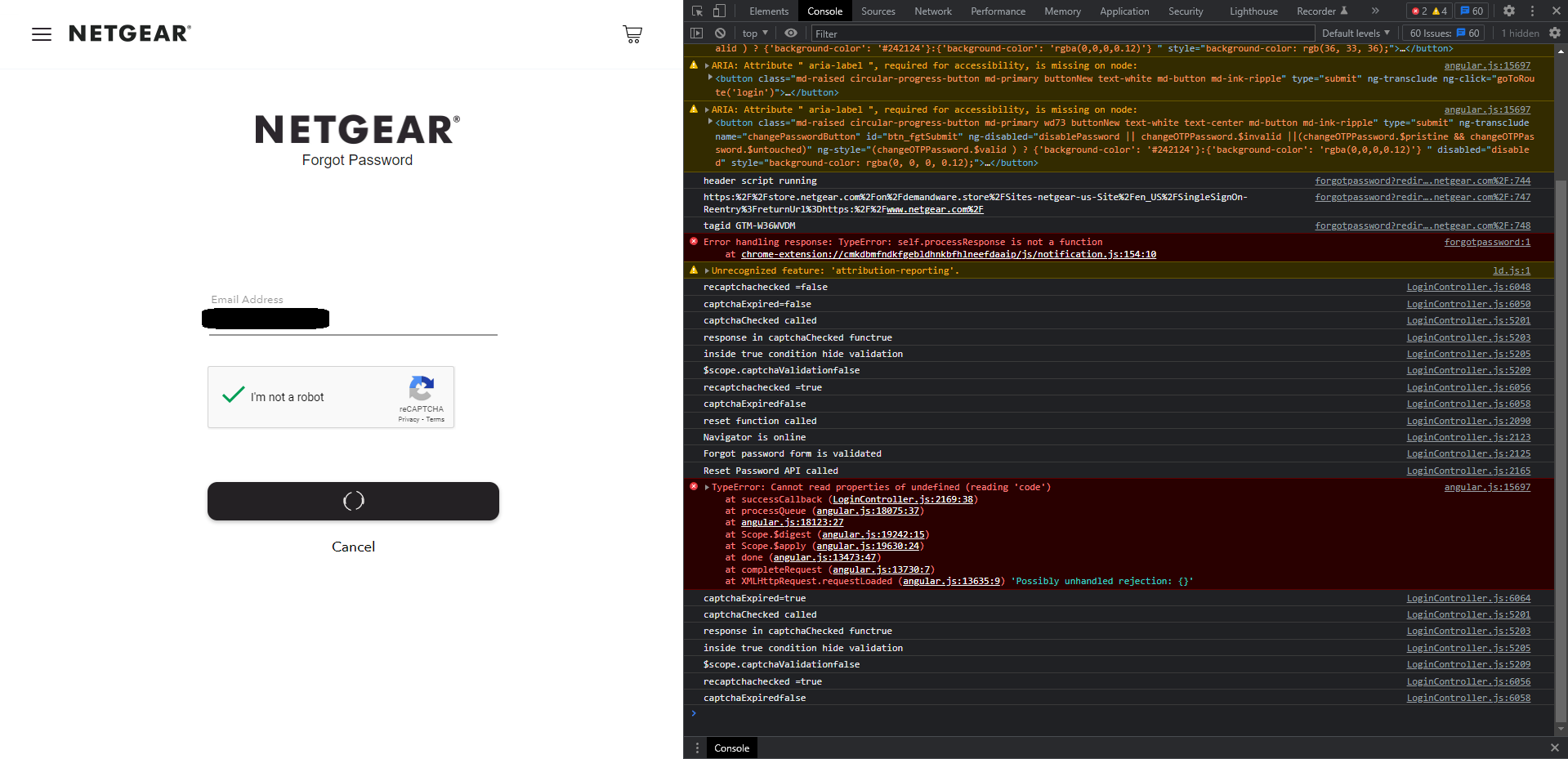
Entered one of my accounts. Clicked on Forgot Password. Reentered account. Clicked Captcha box. Clicked Reset Password box.
Nada. goofy circle spins until this message comes up:
No email arrives in the account. Same result for all three browsers.
I know the account exists because when I enter the correct password, it logs in as usual.
This is the weekend, so I have a suspicion that there is no one "on duty" to address this at the moment.
- ChristineTJun 05, 2022NETGEAR Employee Retired
**Updated***
Hello CrimpOn ,
Thanks for your message on this issue. I have tested this via mynetgear.com and did in fact get the recovery email as expected. It did seem to be delayed by a few minutes. Please be sure to add the following email to your safe list/email contacts: do_not_reply@netgear.com to ensure the recovery email is not getting marked as spam.
In the meantime, if you know your previous password but want to change it:
- Log into the Orbi App:
- Tap the Home icon (upper left side of the screen)
- Tap Account Management
- Tap Login Settings
- Tap Change Password
- Enter Current Password
- Enter New Password
- Reenter Password to Confirm New Password
UPDATE: Upon further investigation, I was able to replicate this issue. I'll provide an update once I get confirmation this issue is resolved.
Best,
Christine