NETGEAR is aware of a growing number of phone and online scams. To learn how to stay safe click here.
Forum Discussion

KevinLiT
Aug 22, 2022NETGEAR Moderator
New - RBR850/RBS850 Firmware Version 4.6.9.11 Released
RBR850/RBS850 Firmware Version 4.6.9.11 Released
New Features:
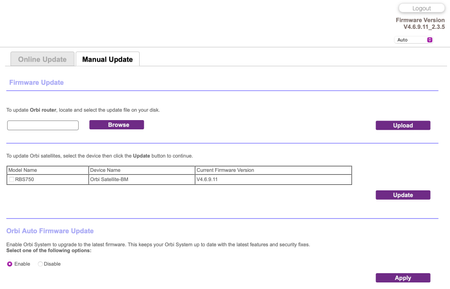
Adds an auto-firmware upgrade enable/disable option <Long awaited feature is FINALLY HERE!
https://kb.netgear.com/...

krwalker
Aug 23, 2022Aspirant
I can finally use the iOS app to connect locally without disabling iCloud Private Relay.
Unfortunately the speed test no longer works reliably from the web interface; seems like every other attempt fails and the passing attempts report low speeds (~400) compared to what I used to see (~1400). The app seems to regularly work but reports a range of 400-700. My wired device reports an expected result of 940 for its connection. Maybe the test is no longer detecting the closest source and maybe multi stream is no longer on?

FURRYe38
Aug 23, 2022Guru - Experienced User
What is the Mfr and model# of the Internet Service Providers modem/ONT the NG router is connected too?
Be sure your using a good quality LAN cable between the modem and router. CAT6A STBP is recommended if your ISP service box supports 2.5Gb WAN port connection rate.
What browser are you using?
Has a factory reset and setup from scratch been performed since last FW update?
krwalker wrote:
I can finally use the iOS app to connect locally without disabling iCloud Private Relay.
Unfortunately the speed test no longer works reliably from the web interface; seems like every other attempt fails and the passing attempts report low speeds (~400) compared to what I used to see (~1400). The app seems to regularly work but reports a range of 400-700. My wired device reports an expected result of 940 for its connection. Maybe the test is no longer detecting the closest source and maybe multi stream is no longer on?
- krwalkerAug 23, 2022Aspirant
I'm using a privately-owned Arris SB2800 with link aggregation enabled and an Orbi RBR850 with WAN aggregation enabled (and active). The service is XFinity 1200 Mbit and I previously saw 1400/40 speeds via the Orbi speed test from both the web interface and the iOS app.
The hardwired speed tests are done using the AppleTV Ookla Speed test app where I previously and still currently see 940 (the max via the 1 gigabit connection).
I have not factory reset and started over.
- FURRYe38Aug 23, 2022Guru - Experienced User
Be sure your using a good quality LAN cable between the modem and router. CAT6A STP is recommended if your ISP service box supports 2.5Gb WAN port connection rate.
I would try a wired PC connected to the RBR and use Ookla Speed test app. Not sure about onboard app or Orbi app. Onboard app maybe using a server site that's not the most accurate to test with.
I would power OFF the modem for 1 minute the back ON if you do a factory reset on the RBR as well. Be sure to not enable Access Controls, Armor, SPC or Traffic Meter if you reset.
 spewakAug 23, 2022Luminary
I had updated my RBR flawlessly but the Satellite fought me. I couldn't log in. Taking Furry's advice, I reset the RBR and even then, I was met with resistance, on both Router and sat. Finally, I did the 30-30-30 reset and was able to reconfigure and update firmware to both units. I did select to disable the auto-firmware upgrade feature. It is a much appreciated add back in my opinion.