NETGEAR is aware of a growing number of phone and online scams. To learn how to stay safe click here.
Forum Discussion

FURRYe38
Sep 15, 2021Guru - Experienced User
New RBR750 / RBS750 Firmware Version 4.6.3.16 Released
Security Fixes:
Fixes security vulnerabilities.
For more information about security vulnerabilities, visit https://www.netgear.com/about/security.
Bug Fixes:
Fixes the issue where the s...

FURRYe38
Sep 25, 2021Guru - Experienced User
Bring the one RBS near or to same room and the RBR to see if it syncs.
The RBS may have not recieved the FW update and maybe 1 version behind:
What you need to do is factory reset the RBS. Wire connect a PC to the 1st satellite. Already have the most current FW version files downloaded on to this PC.
Wire connect 1 PC to the back of the RBS. Factory reset the RBS, wait about 5 minutes. The PC will get a IP address from the satellite. The RBS will be 192.168.1.250. Use this IP address in a web browser to log in to the satellites web page. Log in as admin and password. Use the satellites web page FW update feature to select the FW update file that was unpacked from the .zip file. Then factory reset and then re-sync the satellites to the RBR.
Ka1ciuM wrote:
Hi Everyone,
Looks like I've been hit by this dodgy Firmware too. I've had my Orbi 6 setup for 3 Months now and everything was working perfectly to the point I was going to sell off my old Linksys Velop kit.
Then I noticed some issues with one of the satellites not allowing clients to connect; I check the connection logs and see the new firmware was installed so I rebooted the Sat and now it just pulses white indefinitely. The other satellite is working OK.
I've factory reset everthing but the Sat is still pulsing white and not doing anything.
Has the firmware update bricked it?

Ka1ciuM
Sep 25, 2021Aspirant
Hi Furry,
I've factory reset the RBS many times in trying to fix it,
Following your suggestion here but I'm only receiving a 169.x IP from the RBS, I have connected to my Laptop.
If I connect to my main PC I don't have an Internet connection and so I'll also get a 169 IP.
If I connect the RBS to the router directly I get a normal IP like 192.168.1.12
Do I need to connect the RBS to the router and the Laptop at the same time to get the .250
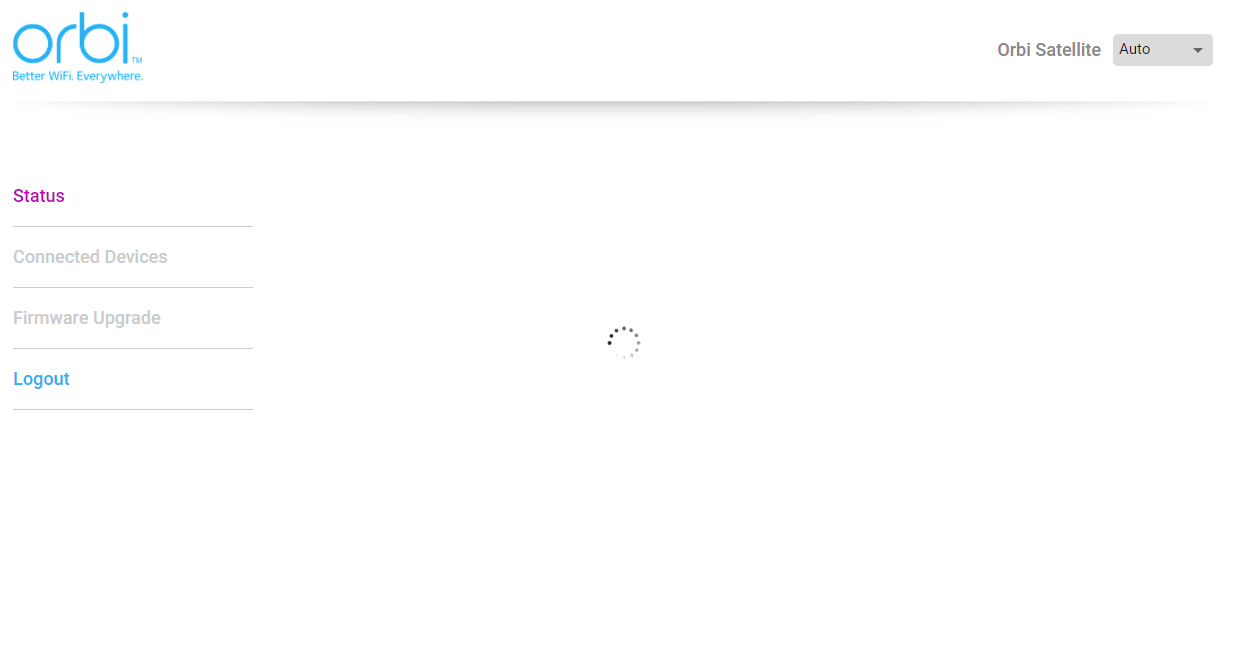
I can access the page via 192.168.1.12 but it's an infinite spinning icon.
- FURRYe38Sep 25, 2021Guru - Experienced User
Try connecting the RBS via ethernet to the RBR, see if it will sync. Give it a full 5 minutes. Then see if you can access the RBS web page with a wired PC connected at the RBR to the IP address listed for the ethernet connected RBS. Try a different browser as well to access the RBS web page.
- Ka1ciuMSep 26, 2021Aspirant
Done full factory reset on RBS an connected to RBR, got the IP 192.168.1.12 again accessed the web page on Chrome, Edge & Firefox and they all have the same spinning icon error so I can't access the Firmware update page.
When the RBS is directly connected to the RBR its shown as a regular attached device.
All the devices were placed in good spots with great signal so I don't see how this one RBS failed to received the update, seem more like it got it and it now bricked. What happens when you buy an extra RBS and it has a lower FW, you just add it to the network and it updates right.
This RBS is just refusing to do anything even after multiple factory resets.
I sent a email ticket to Netgear support aswell but I assume there just gonna repeat the same steps you've asked me to do.
- LhymesSep 26, 2021TutorJust chiming in too. This firmware update has been a disaster for us. We’ve had occasional disconnects with the previous firmware, which was certainly an inconvenience, but nothing like this most recent flash. Both of our satellites are hardwired with clean runs. Devices are regularly having connectivity issues. Airplay to our Sonos devices is pretty much currently broken. The router’s web interface is whited out and you can’t really interact with it at all. If I click the check for updates button in the Orbi app, it throws an error. The fact that this update was released, and it’s been a week and the issues persist, is beyond embarrassing. We all spent good money in a nice wireless solution, and I personally recommend the Orbi equipment to clients as a great residential solution, and now this. If I could get a refund, I’d switch to another vendor’s offering tomorrow for a much more reliable network in our home. All I can hope for at the moment is an update in the next day or so.
