NETGEAR is aware of a growing number of phone and online scams. To learn how to stay safe click here.
Forum Discussion

rgkruse
Jan 15, 2024Tutor
One device does not have internet when connected to RBS860 satellites
I recently setup a NETGEAR Orbi RBR860 with two RBS860 Satellites. All devices except for one works great on the system and flawlessly transitions between router and satellites. Satellites are within...
- Jan 16, 2024
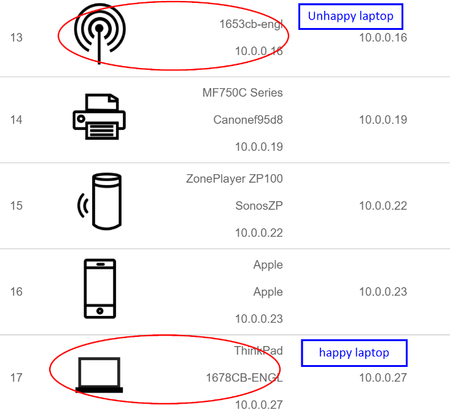
SOLVED! It was an Orbi settings setup error... When trying to get Orbi to talk to Starlink, (spoiler - you need an Uncontrolled Switch) I selected "Use Computer MAC Address" for "Router MAC Address". The computer was fine when connected to the router, but failed when connected to the satellites. I realized I forgot to set it back to "Use Default Address" and once I did, problem solved. Thank you for your help, CrimpOn.
rgkruse
Jan 16, 2024Tutor
This explanation is extremely helpful, thank you! The MAC address through "ipconfig /all" matches the one shown on the Orbi device list. Also, my WiFi settings does have the ability to randomize addresses, but the feature is not turned on (generally or for my specific network).
Good call on just exploring more into the "No internet, secured" error. My WiFi adapter is an Intel(R) Wi-Fi 6 AX201 160MHz (OUI returns "B0:60:88 Intel Corporate") and I think I'll look into specific issues with this adapter next. Thank you for your help!
rgkruse
Jan 16, 2024Tutor
SOLVED! It was an Orbi settings setup error... When trying to get Orbi to talk to Starlink, (spoiler - you need an Uncontrolled Switch) I selected "Use Computer MAC Address" for "Router MAC Address". The computer was fine when connected to the router, but failed when connected to the satellites. I realized I forgot to set it back to "Use Default Address" and once I did, problem solved. Thank you for your help, CrimpOn.
- FURRYe38Jan 16, 2024Guru - Experienced User
Glad you got it working. Please mark your thread as solved so others will know. Be sure to save off a back up configuration to file for safe keeping. Saves time if a reset is needed.
https://kb.netgear.com/000062080/How-do-I-back-up-the-configuration-settings-on-my-Orbi-WiFi-System
