NETGEAR is aware of a growing number of phone and online scams. To learn how to stay safe click here.
Forum Discussion

smoothRyl321
Aug 26, 2021Aspirant
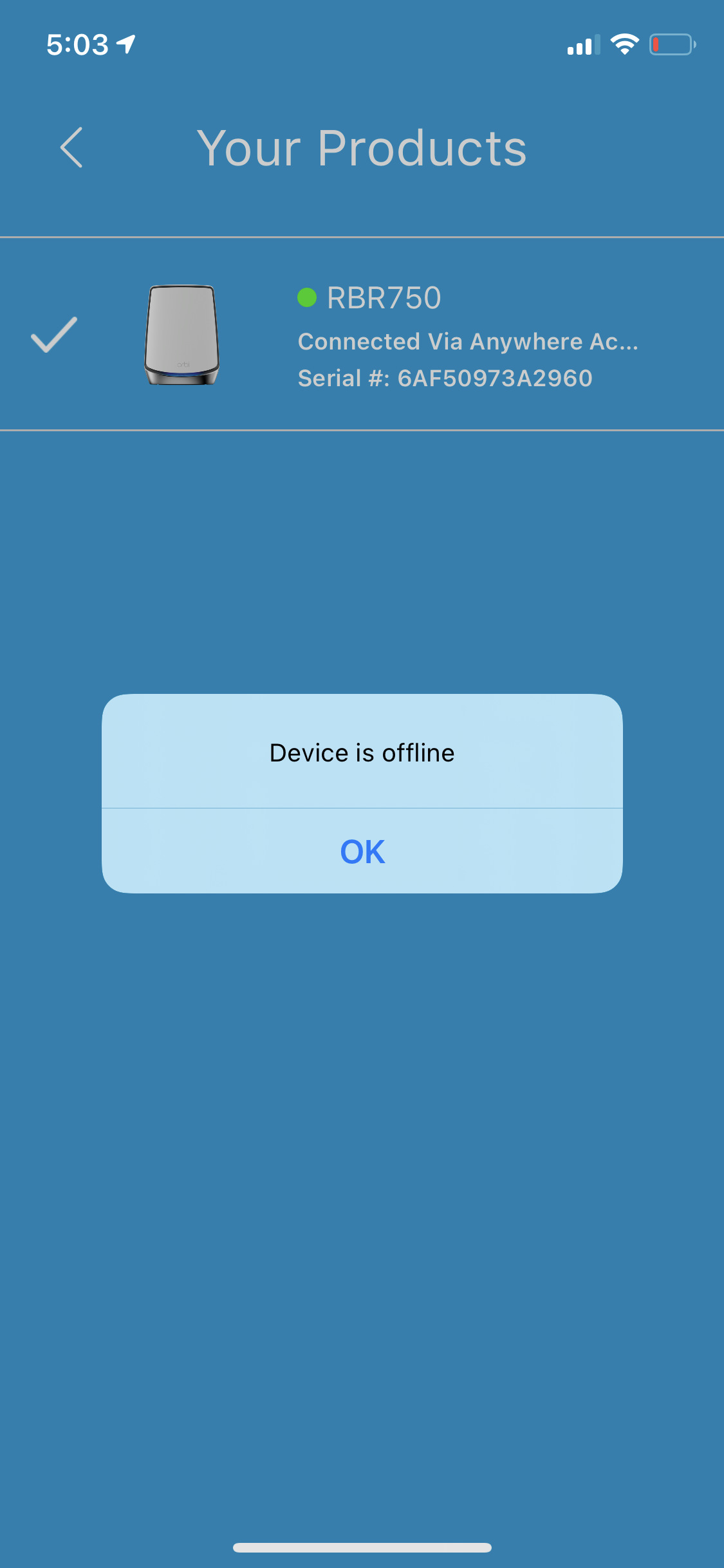
Orbi RBR750 custom LAN IP. Orbi App cannot connect to system
I have an Orbi RBR/RBS750 meshed system. I have a custom LAN subnet of 15.15.15.0/24. Router IP is 15.15.15.1. Ever since I change to a custom subnet, I can no longer log into the Orbi App. Has anyon...

CrimpOn
Aug 26, 2021Guru - Experienced User
Hewlett Packard owns the IP address block that you have chosen to use:
NetRange:       15.0.0.0 - 15.103.255.255
CIDR:           15.64.0.0/11, 15.96.0.0/13, 15.0.0.0/10
NetName:        HP-INTERNET
NetHandle:      NET-15-0-0-0-1
Parent:         NET15 (NET-15-0-0-0-0)
NetType:        Direct Assignment
OriginAS:
Organization:   Hewlett-Packard Company (HP)
RegDate:        1994-07-01
Updated:        2017-06-07
Ref:            https://rdap.arin.net/registry/ip/15.0.0.0
It might be the case that the app is confused to see an Orbi router at a public IP address rather than one of the many private IP addresses.
(A technical explanation is far beyond my capabilities.)
Perhaps if you change the Orbi LAN to a private IP subnet, the app will find the Orbi:
https://en.wikipedia.org/wiki/Private_network
There are (literally) about 55,000 /24 subnets to choose from.
smoothRyl321
Aug 26, 2021Aspirant
The 15.15.15.0/24 subnet would only be used on the LAN and should not be advertised out since my ISP is NATing the traffic.
I understand that 15.15.15.0 network is a PUBLIC range, me changing my LAN address to any other address should not cause that issue.
If I am on the Orbi network, the app should be able to discover that I am using an SSID that the app knows about and configured within the app.
- CrimpOnAug 26, 2021Guru - Experienced User
There are many things about the Orbi 'app' that mystify me. For example, I recently disabled WiFi on my smart phone (to use LTE data) and when I attempted to use Anywhere Access, the Orbi app said something along the lines of... "You are using Cellular Data" and refused to do it. I opened a Hot Spot with my phone, connected a tablet to the Hot Spot, and Anywhere Access was happy.
How can it possibly make any damn difference how my device is connected to the internet? (cellular data or WiFi) Chrome doesn't give a flip. Neither does email, YouTube, or anything else. Only the Orbi app.
Would it be a huge effort to temporarily change the Orbi LAN to a private IP space and see what happens?
- CrimpOnAug 26, 2021Guru - Experienced User
smoothRyl321 wrote:
The 15.15.15.0/24 subnet would only be used on the LAN and should not be advertised out since my ISP is NATing the traffic.
I understand that 15.15.15.0 network is a PUBLIC range, me changing my LAN address to any other address should not cause that issue.
You are entirely correct that the Orbi will never advertise the 15.15.15/24 subnet on the internet. It is hidden behind the NAT.
The worst consequence I can think of is that 255 public IP addresses cannot be reached by any device on the LAN because they are known to be "on the LAN, not somewhere else."
There are days when I think the Orbi app was assigned to an intern as a summer project. "Here kid. The Nighthawk programmers are tired of having to support the Orbi on their Netgear Genie app. Write an app (or modify theirs) to support the Orbi. Make it look cool."