NETGEAR is aware of a growing number of phone and online scams. To learn how to stay safe click here.
Forum Discussion

DadzBoyz
Mar 10, 2022Aspirant
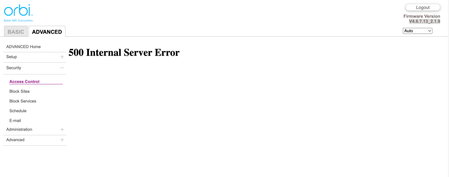
Orbi RBR850 - Access Control returns "500 Internal Server Error" using Chrome, Safari, and Edge
Good evening all.I recently Factory Reset my RBR850 after spending days troubleshooting a problem setting up some Homekit plug adapters that stopped working and sI still cannot get to complete setup....
DadzBoyz
Mar 11, 2022Aspirant
SOLUTION!
Saw another article on the boards on an RBR40. It suggested manually re-applying the most recent firmware.
Done! It Worked!
If you pursue this method, please be sure that you are re-applying the same firmware version that you are currently running or a newer version.
If you apply a newer version, and you have satellites, be sure to upgrade your satellites as well.
Saw another article on the boards on an RBR40. It suggested manually re-applying the most recent firmware.
Done! It Worked!
If you pursue this method, please be sure that you are re-applying the same firmware version that you are currently running or a newer version.
If you apply a newer version, and you have satellites, be sure to upgrade your satellites as well.
- FURRYe38Mar 11, 2022Guru - Experienced User
Also try a factory reset before re-loading FW.
Also besure to update RBS first, then RBR lastly.
Glad you got it working. Please mark your thread as solved so others will know. Be sure to save off a back up configuration to file for safe keeping. Saves time if a reset is needed.
https://kb.netgear.com/000062080/How-do-I-back-up-the-configuration-settings-on-my-Orbi-WiFi-System
Enjoy. 📡
