NETGEAR is aware of a growing number of phone and online scams. To learn how to stay safe click here.
Forum Discussion

Bpasker
Mar 07, 2021Tutor
RBK 852 Satellite Security Type: None
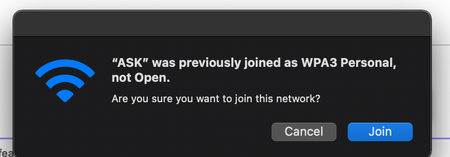
I have found that my wifi satellite is not secure on the satellite only on 5 ghz. I have tried to reset but when I do it creates a new wifi SID for my 2.4 on my satellite. You can see my mac connecti...
- Mar 09, 2021
Ok, thanks for the update. Yes, the RBS and RBR can't be parallel connected to the host router, the RBS needs to be in series behind the RBR to propberly get synced and work correctly with the RBR. 3rd party routers may or may not work correctly to let data pass thru from the RBR to the RBS when in parallel so maybe upon initial installation it worked however upoin a FW update on the host router or on Orbi has changed that configuration which wasn't supported in the first place. RBS need to be connected to the RBR as such when ethernet connected:
This cofiguration has worked fine over the couple of years I've had my systems online.
Bpasker
Mar 09, 2021Tutor
So if I reset my primary device as well as my satellite back to stock I tried to just reset my satellite 10-15 times without any luck so I reverted the primary device to make the Orbi work again. Do the base setup and then switch to AP mode as long as I keep my satellite as wireless for backhaul and my primary device plugged into my network on my internet port all seems to be happy. I can make any change I want to the WIFI and it is replicated between the primary device and the satellite.
So my setup before in which I recreated the problem. I believe this is being called out as "wrong" but has worked for over a year. I have a Unifi Dream machine that is my router. Then I wired my AP both primary and satellite into the lan side of the network ports. This seemed to work for almost a year without issues. Both my Orbi devices worked as simple AP devices and seemed to work well as a mesh wireless network.
My goal tonight is to plug my satellite into my primary device directly and see if my network configuration continues to replicate without issues. My assumption at the moment is plugging my primary and satellite devices into the "network side" of the orbi devices causes issues?

FURRYe38
Mar 09, 2021Guru - Experienced User
Ok, thanks for the update. Yes, the RBS and RBR can't be parallel connected to the host router, the RBS needs to be in series behind the RBR to propberly get synced and work correctly with the RBR. 3rd party routers may or may not work correctly to let data pass thru from the RBR to the RBS when in parallel so maybe upon initial installation it worked however upoin a FW update on the host router or on Orbi has changed that configuration which wasn't supported in the first place. RBS need to be connected to the RBR as such when ethernet connected:
This cofiguration has worked fine over the couple of years I've had my systems online.
- BpaskerMar 09, 2021Tutor
OK, I can absolutely confirm this was the case that the way I wired this into my network was the issue. I hard wired my satellite via a different switch that wasn't plugged into my primary network. The satellite switched over to wired and I have been able to reconfigure my WiFi 5 times without issues. I had wired it this way because I wanted to avoid pulling a second wire to my primary device but this was clearly the wrong choice.
In summary I agree with your statement. I had configured my WIFi prior to being in my AP mode with my wired backhaul as part of my primary network. This allowed me to work for almost 11 months. When I pushed the latest firmware the satellite became out of sync and I just couldn't get it back until I separated the networks. Mind blown that I ran in this configuration for so long without running into this as I change stuff on my network all the time.
Also something I noticed is my firmware update check works now and didn't before now that I have my network wired into the "internet" port.
Thanks for your help over the last few days as I hit my head against the wall trying to solve this.
- FURRYe38Mar 09, 2021Guru - Experienced User
Glad you got it all working now. Be sure to save off a back up configuration to file for safe keeping. Helps save time if a reset is needed. Please mark your thread as solved so others will know.
Enjoy. :smileywink: