NETGEAR is aware of a growing number of phone and online scams. To learn how to stay safe click here.
Forum Discussion

BobGFish
Jun 22, 2024Aspirant
RBK852 poor coverage in a single room
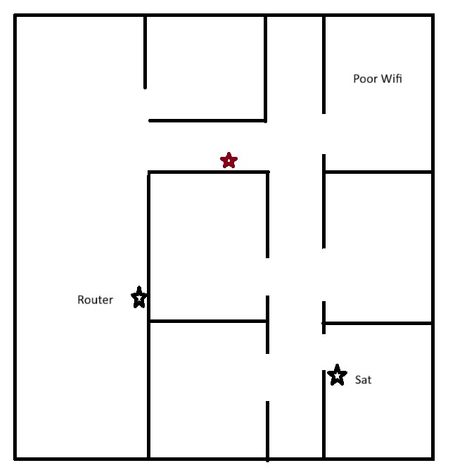
Hello I had an RBK40 system which died. I replaced this with an RBK852 system and have the Router and Satellite in the same locations. I now struggle with poor reception in a single room for both ...
BobGFish
Jun 25, 2024Aspirant
Its not a problem between RBR and RBS regardless of location in my apartment. It's an issue with client devices only in a single room which previous worked well with a much older Orbi system. If I was to purchase another RBS I'm more worried about having three devices in a very small area. I do realize I can turn Wifi Transmit power down. I just don't want to waste money on another RBS if there is some setting or config option I may have missed.

FURRYe38
Jun 25, 2024Guru - Experienced User
Try adjusting the power first.
What FW is loaded on the system?
- BobGFishJun 26, 2024Aspirant
I'm running the latest V7.2.6.31
I've tried 25/50/100% for each band.
100% gave best figures for both bands in the problematic room.
-80db for 5GHz with an average over a few minutes
-65db for 2.4GHz again with an average over a few minutes.
- FURRYe38Jun 27, 2024Guru - Experienced User
Something you might look at is some Power Line adapters to get the RBS ethernet connected to the back of the RBR. Then put the RBS in this remote problematic room.
- BobGFishJun 27, 2024Aspirant
RRR to RBS status is always ok regardless of placement anywhere in the house. Your suggestion will not help.
Its purely RBR to client device or RBS to client device....
Its like the backhaul quality is far superior to the client facing radios.