NETGEAR is aware of a growing number of phone and online scams. To learn how to stay safe click here.
Forum Discussion

MK2022
Oct 06, 2024Aspirant
RBR / RBS750: devices preferably connect to 2.4 GHz network
Configuration: RBR750 and RBS750 via ethernet backhaul; router mode Firmware: V7.2.6.31_5.0.24 I have 5 GHz capable modern (mobile) devices: when nearby the router or satellite; they connect to ...
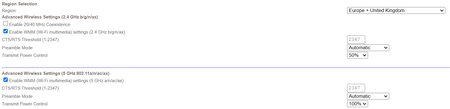

CrimpOn
Oct 06, 2024Guru - Experienced User
MK2022 wrote:
I have 5 GHz capable modern (mobile) devices: when nearby the router or satellite; they connect to the 5 GHz network, but just a few meters away, they revert to the much slower 2.4 GHz frequency. Is there a way I can prioritize the 5 GHz network over 2.4 GHz?
No. The device decides which WiFi access point to use and which frequency band (2.4G or 5G)
It would be helpful to know more about the situation, such as:
- The specific devices exhibiting this behavior.
- What information the devices supply about their WiFi connection. (Samsung tablets, for example, often display the signal strength of each WiFi access point. Many devices display the frequency band and the "Link Rate" of their WiFi connection.
- Where, specifically, does this transition occur? (Do an actual experiment. Start at 1 meter, wait at least 2 minutes. If it stays at 5G, record the signal strength or Link Rate and move to 2 meters. Repeat until the device reports that the connection is now 2.4G rather than 5G. This is "open space", correct?)