NETGEAR is aware of a growing number of phone and online scams. To learn how to stay safe click here.
Forum Discussion

rsmorpheus
Mar 12, 2021Aspirant
RBR750
I have an Orbi RBR750 mesh system running with only one satellite. I have a few IoT appliances in my house that run on 2.4ghz only. I have tried the steps on some of these similar issues: "It is imp...
rsmorpheus
Mar 12, 2021Aspirant
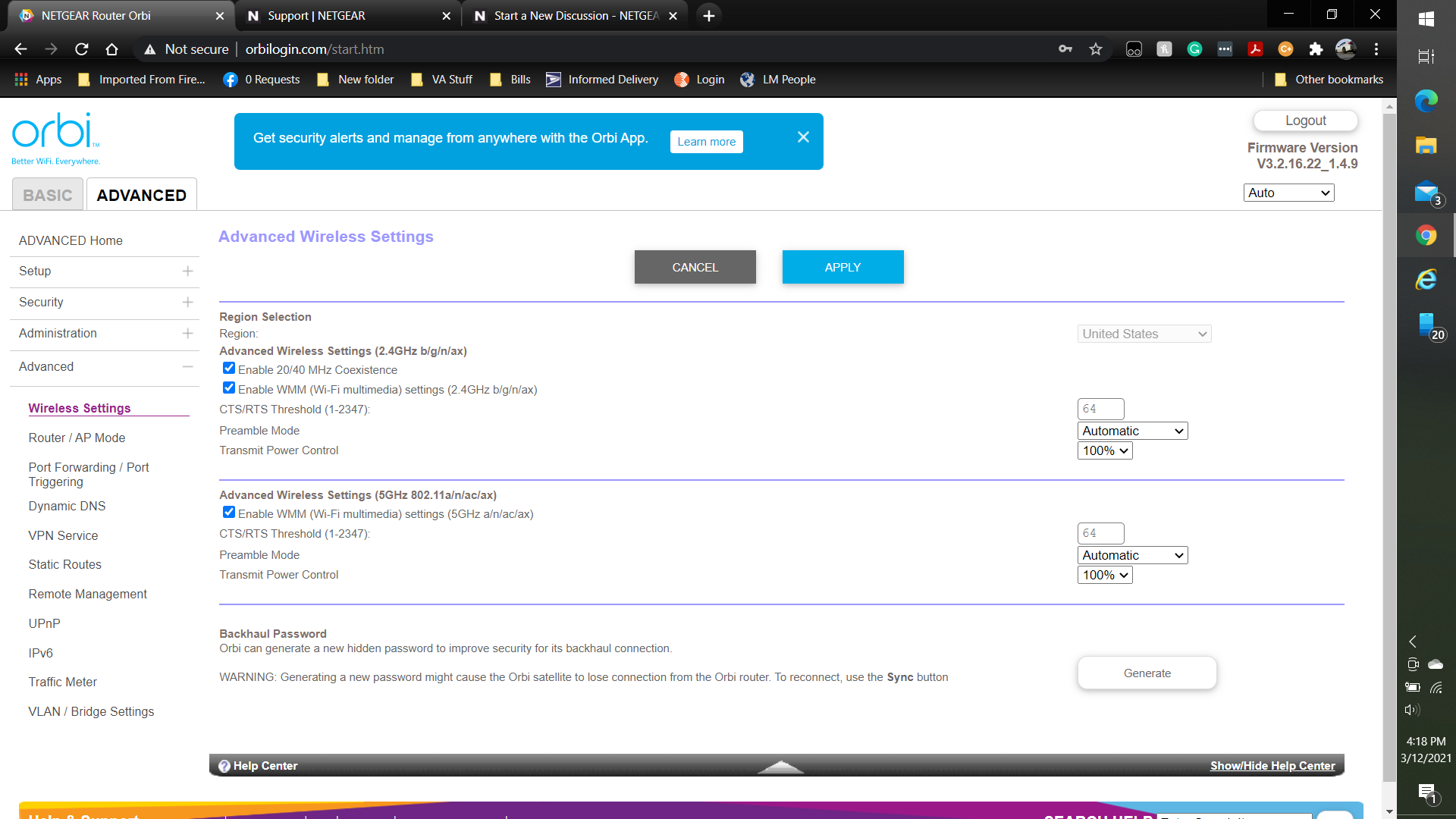
I see no option for adjusting any power. Please see the attachment on the OP.

schumaku
Mar 12, 2021Guru - Experienced User
rsmorpheus wrote:I see no option for adjusting any power. Please see the attachment on the OP.
See your attachment again 8-) ... "Transmit power"
Why does everybody nag on the Mesh system? Correct is that the phone does temporarily find a hidden SSID on the IoJ and connect to the device initially, so it can push the network settings (SSID, wireless key, ...) to the device. At no point, it's required that the phone is connected to the 2.4 GHz radio on your Nighthawk Mesh network - the data is the same for the 2.4 and the 5 GHz.
Complain with the crApp IoJ maker to remove the nonsense test that the phone "must" be connected to a "2.4 GHz network", at least they should add a "continue" button at this step. Mesh systems connect to the same network using the same SSID, regardless if the system is using 2.4 GHz, 5 GHz, 6 GHz, or 60 GHz radio connection - they can just go and read the current connected SSID and security key regardless...
Provide them a link to this post - otherwise, this nonsense never ends.
- rsmorpheusMar 12, 2021Aspirant
If the app is written that way then yes, at that point my phone would require it be connected to the 2.4ghz on my ORBI system. I understand the SSID is the same, but not to those apps. Thanks for pointing out the transmit power on the screen.