NETGEAR is aware of a growing number of phone and online scams. To learn how to stay safe click here.
Forum Discussion
simdim
Oct 13, 2022Tutor
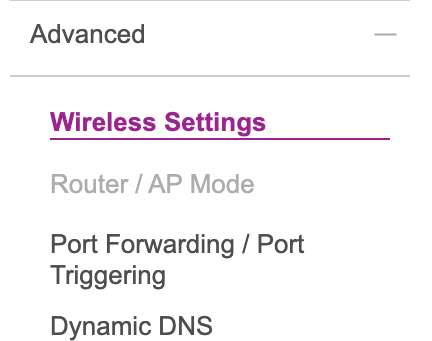
RBR750/RBS750 AP mode grayed out
Hi all, I need to put real firewall in front of my Orbi RBR750 (V4.6.9.11_2.3.5), but AP MODE/Router is grayed out Am I doing something wrong? Also do I need RBSes to be physically plu...
iyang
Oct 14, 2022NETGEAR Expert
Hi simdim ,
Can we know what's function do you enable ?
Does RBR750 is Router mode or AP mode ?
Thanks,
Iris
simdim
Oct 17, 2022Tutor
Mystery of "grayed out" is solved:
If WAN aggregation is set to enabled (WAN port and 1st LAN port are LACP bound) you can not switch to AP mode.
After disabling WAN aggregation - it is allowed.
But here comes a huge BUT with AP mode and wired backhaul ...
Consider the setup:
This works
Internet router -> switch -> WAN port RBR | LAN Port RBR -> LAN port RBS
This is what I need and it does not:
Internet router -> switch VLAN 1 (802.1Q or Port Based)-> WAN port RBR | LAN Port RBR- > switch VLAN 1 (802.1Q or Port Based -> LAN port RBS
VLAN based setup creates a loop with RBR
I had to resort to 2 additional Physical switches and additional cable run to make that setup work .
All my cat6 from RBS are in the basement, in order to get wiring to the first floor where I want RBR I need to run 4 wires between the floors if no additional switches are used, instead of riding a VLAN trunk between basement and first floor switches - this is not good thinking from Netgear ... may be it is time to look somewhere else ... the Orbi product line is just too consumer oriented and it is just too simplistic.
- FURRYe38Oct 17, 2022Guru - Experienced User
Well its considered a home class product. Can do some small business stuff I presume. You might look at Orbi Pro.
Glad you got it figured out. Thanks for letting us know. Please mark your thread as solved so others will know. Be sure to save off a back up configuration to file for safe keeping. Saves time if a reset is needed.
https://kb.netgear.com/000062080/How-do-I-back-up-the-configuration-settings-on-my-Orbi-WiFi-System
Enjoy. 📡 - CrimpOnOct 17, 2022Guru - Experienced User
In order to use a single Ethernet cable from the basement wiring hub to the router location, two switches are required:
- One at the router,
- the router WAN port is connected to port based VLAN 1
- one LAN port is connected to port based VLAN 2.
- one VLAN trunk port is connected to the single Ethernet cable going to the hub.
- One at the hub,
- one port based VLAN 1 is connected to the ISP modem,
- one trunk port VLAN is connected to the upstairs switch.
- one port based VLAN 2 is connected to the patch panel for each satellite
A used described exactly this process in this post. (He originally posed a problem that was solved when he discovered what happened when the smart switch firmware was updated.)
https://community.netgear.com/t5/Orbi/Disabling-automatic-subnet-reconfig/m-p/2031354#M110164
If there are additional Ethernet devices around the house that need to be connected to the Orbi, then
- Connect one LAN port to a port based VLAN 3 upstairs, and
- Connect however many devices there are to port based VLAN 3 on the downstairs switch.
- simdimOct 18, 2022Tutor
Thank you CrimpOn. However at the end of the day the problem is found and it is not Orbi's fault.
It appear that TL-SG108E that I was using (it is repacked and going back to Amazon tomorrow) - you can not remove default VLAN1 and combining it with Orbi's "have to plug in RBSs into LAN ports of RBR" it creates loops.
Moved All RBSs to dedicated L2 switch and problem is temporarily solved. Still 2 ethernet runs between floors and one extra switch.
That was my last TP Link switch 🙂 guess will have to see what Netgear has as far as managed L2 fanless switches ...
- CrimpOnOct 18, 2022Guru - Experienced User
I much prefer the use of two Ethernet cables and one ordinary switch at the hub location.
For many of us, the labor cost of installing that second cable run is far greater than two cheap managed switches. (My 1960's house has zero data cabling, coax to only two rooms (goodbye MoCHA), and the electrical wiring trashes PowerLine before it gets to the garage.
- One at the router,