NETGEAR is aware of a growing number of phone and online scams. To learn how to stay safe click here.
Forum Discussion

walterLite
Oct 09, 2023Aspirant
RBR760
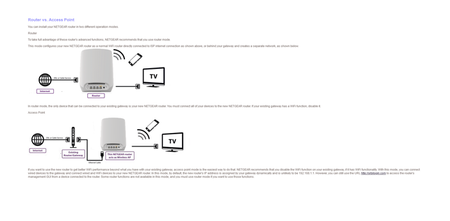
I would like to use the Orbi in AP mode however r it shows that I need to use an Cable to connect my Cable modem to the Orbi . this is very impractical because No i would have to run cabling ...

michaelkenward
Oct 09, 2023Guru - Experienced User
walterLite wrote:
I would like to connect the cable modem via WIFI to the ORBI AP box - how is this done
No can do. As CrimpOn says, the Orbi router has to be wired to the modem.
The way to connect things to the wifi is to use an Orbi satellite to connect to the Orbi router.
You can plug Ethernet devices into the Orbi satellite. Not enough LAN ports? Plug a switch into the satellite and connect things to that.
If you want to wire the Orbi satellite to the Orbi router you can user Powerline Ethernet to connect them.

CrimpOn
Oct 09, 2023Guru - Experienced User
michaelkenward wrote:
If you want to wire the Orbi satellite to the Orbi router you can user Powerline Ethernet to connect them.
michaelkenward is "spot on" in terms of potential solutions. Since the Orbi base unit (the RBR760) was designed to be connected to the ISP device with Ethernet, anything that appears to the RBR760 as Ethernet works, including:
- A Powerline link, which uses a pair of adapters to piggyback a data signal on the electrical wiring:
https://en.wikipedia.org/wiki/Power-line_communication
Powerline works best when the adapters are on the same electrical circuit. Ordinary homeowners can identify electrical circuits fairly easily. Apartment dwellers may find this a bit more challenging. Often times, builders will write circuit numbers on the inside of electrical cover plates in commercial environments. - Multimedia over Coax (MoCA) adapters which use cable TV wiring:
https://en.wikipedia.org/wiki/Multimedia_over_Coax_Alliance
Many apartment buildings have television outlets in many rooms, anticipating that tenants will find signing up for cable a better solution than using "rabbit ears" for their television. (Nowdays, with customers "cutting the cord", those cable TV outlets may be unused.) - A pair of WiFi bridge units: one at the ISP location and one at the RBR760 location.
It is sometimes interesting to wonder how engineers could have designed products differently. When home routers were first introduced, customers had either DSL lines or Cable TV connections. It made sense for the router to connect directly to the ISP device with a cable. With so many ISPs now routinely installing combination modem/router/WiFi units, there is more interest in alternative ways to connect a user router than there might have been 15 years ago.
My advice: connect the RBR760 to the ISP device and put the satellite(s) to get the best coverage.