NETGEAR is aware of a growing number of phone and online scams. To learn how to stay safe click here.
Forum Discussion

CMoneyTrading
Nov 23, 2022Aspirant
RBRE960 Firmware upgrade unable to process
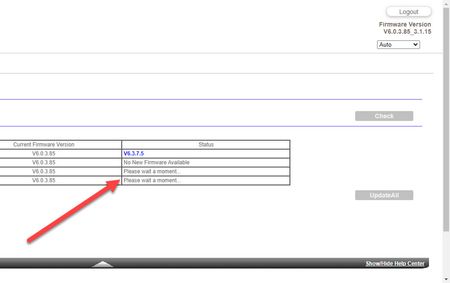
See pic. When I go to orbilogin.com and try to upgrade the firmware on the router, the site keeps checking for the satellites and never finishes. I've tried in Chrome and other browsers. So ...

plemans
Nov 24, 2022Guru - Experienced User
You can manually update.
I'd highly recommend updating the satellites first and then the router.
CMoneyTrading
Nov 24, 2022Aspirant
I tried manual as well and it failed.
- plemansNov 25, 2022Guru - Experienced User
What notice is it giving you for why it failed?
How are you attempting this? (device, process, etc)
Are you making sure you extract the downloaded firmware prior to uploading it to the satellites/router?
 Mikey94025Nov 27, 2022Hero
CMoneyTrading wrote:I tried manual as well and it failed.
Try accessing your Satellite by IP address and then update its firmware via its admin website.
For example:
- My Orbi satellite is at 192.168.1.58 per the Attached Devices listing.
- In a web browser, go to http://192.168.1.58/ to access the satellite's admin website.
- Click Firmware Upgrade on the left.
- Now you can browse and select the CHK firmware file to upload and update your satellite. Make sure to unpack and select the Satellite firmware file (RBSxxx), not the Router firmware file (RBRxxx).
