NETGEAR is aware of a growing number of phone and online scams. To learn how to stay safe click here.
Forum Discussion

Orbi-CA
Feb 01, 2020Aspirant
RBS850 Wireless and wired backhaul with two satellites
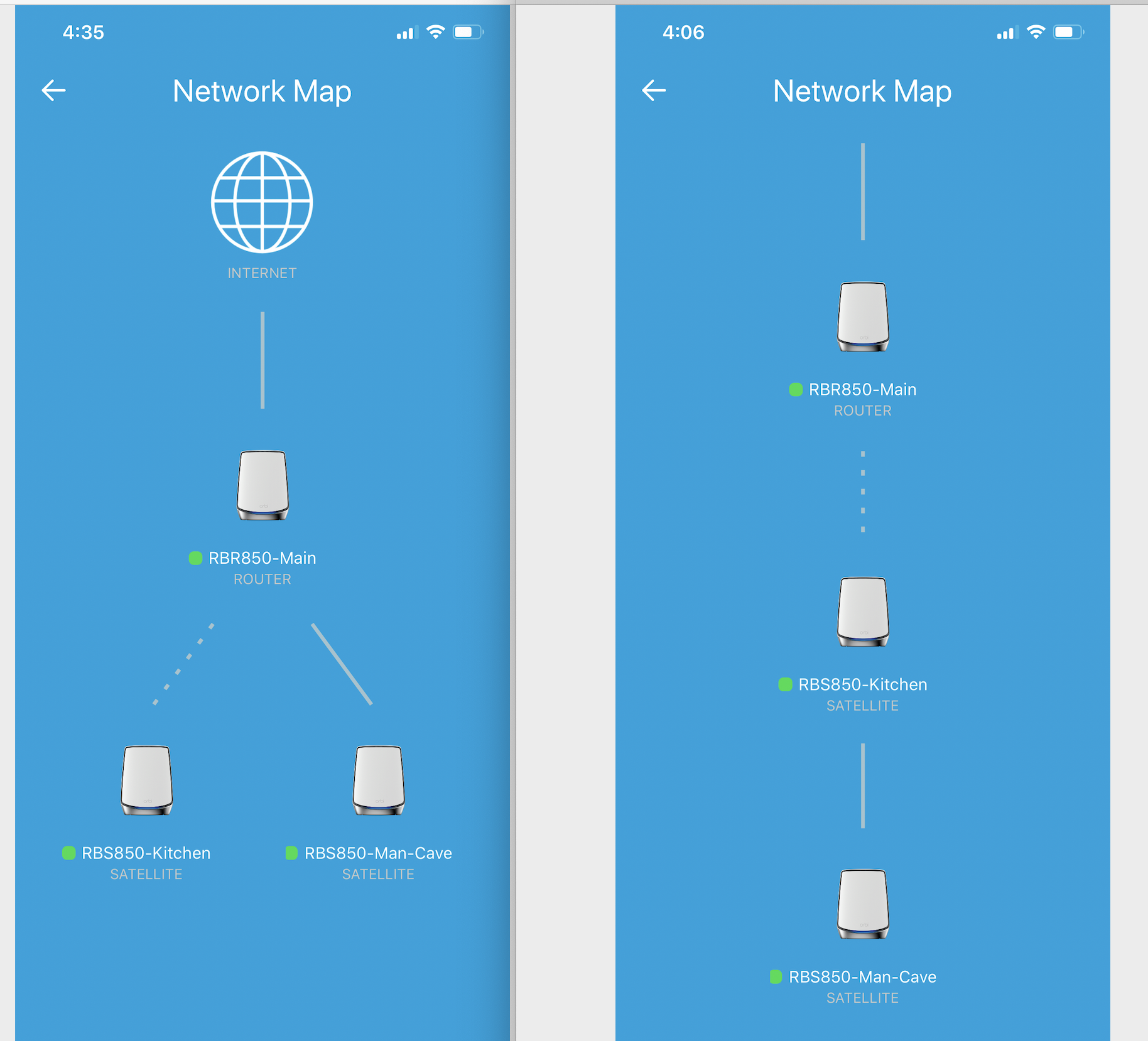
I have Orbi RBS850 with two satellites. I would like one of them to be wireless (Kitchen) and one to be wired as its located in the backyard man cave. When I connect the Man Cave satellite directly t...

FURRYe38
Feb 02, 2020Guru - Experienced User
What Firmware is currently loaded?
What is the Mfr and model# of the ISP modem the NG router is connected too?
What is the Mfr and model# of the ethernet switch in the configuration?
What is the size of your home? Sq Ft?
What is the distance between the router and satellite(s)? 30 feet is recommended in between RBR and RBS to begin with depending upon building materials when wirelessly connected. https://kb.netgear.com/000036466/How-far-should-I-place-my-Orbi-satellite-from-my-Orbi-router
Possible that the app maybe incorrectly displaying how they are connected. I know the one time I had the RBS connected via wireless and the other wired, It appeared correctly as in the 1st pictures on the left. However placement is key as well. The one RBS I have is down in the basement at the far end of my home opposite from the RBR. The other RBS is just down stairs about 25 feet away from the RBR and most on the side of the home were the RBR is located. My Orbi app now shows that both are wired however shows being connected all in a line out from the RBR like your pictured on the right, however since both of my RBS are wired, there is no dotted line.
I presume the Orbi app is displaying ok, however could display it better. Operation would be find however.