NETGEAR is aware of a growing number of phone and online scams. To learn how to stay safe click here.
Forum Discussion

calligulla87
Mar 14, 2023Aspirant
AX6000 Mesh system (RBR850+1xRBS850)-very slow Wi-Fi or even disconnect
Hi, Issue description: about 3 months after I bought and installed my Orbi RBR850 with one satellite RBS850 Wi-Fi system, I started experiencing very slow bandwidth on both, laptops and iOS devi...
- Mar 18, 2023Mystery resolved. I had a T-Mobile LTE extender box installed in my office about 7 years ago. As soon as I unplugged it, the WiFi started working flawlessly. Why that wasn’t a problem last year, I don’t know. But the radio signals between the receiver in my office and the sender on the 1st floor must have interfered with the Orbi WiFi.
Crazy!

Straq
Mar 15, 2023NETGEAR Expert
Can you try the following:
Turn off Satellite:
Enable 20/40MHz Coexistence, enable 802.11ax on all bands.
Reboot Router, Wait 5 minutes:
Then on you iOS Device, assuming it is 802.11ax client, run speed test. Once it is complete, post numbers here.
Then go to 192.168.1.1 or routerlogin.com or routerlogin.net or 10.0.0.1. Once login, go to Advanced, click on setup, then speed test and press Test speed. Post the numbers here. You can do this on the same iOS Device connecting to the Main SSID not Guest SSID.
Will await your reply. Thanks
calligulla87
Mar 16, 2023Aspirant
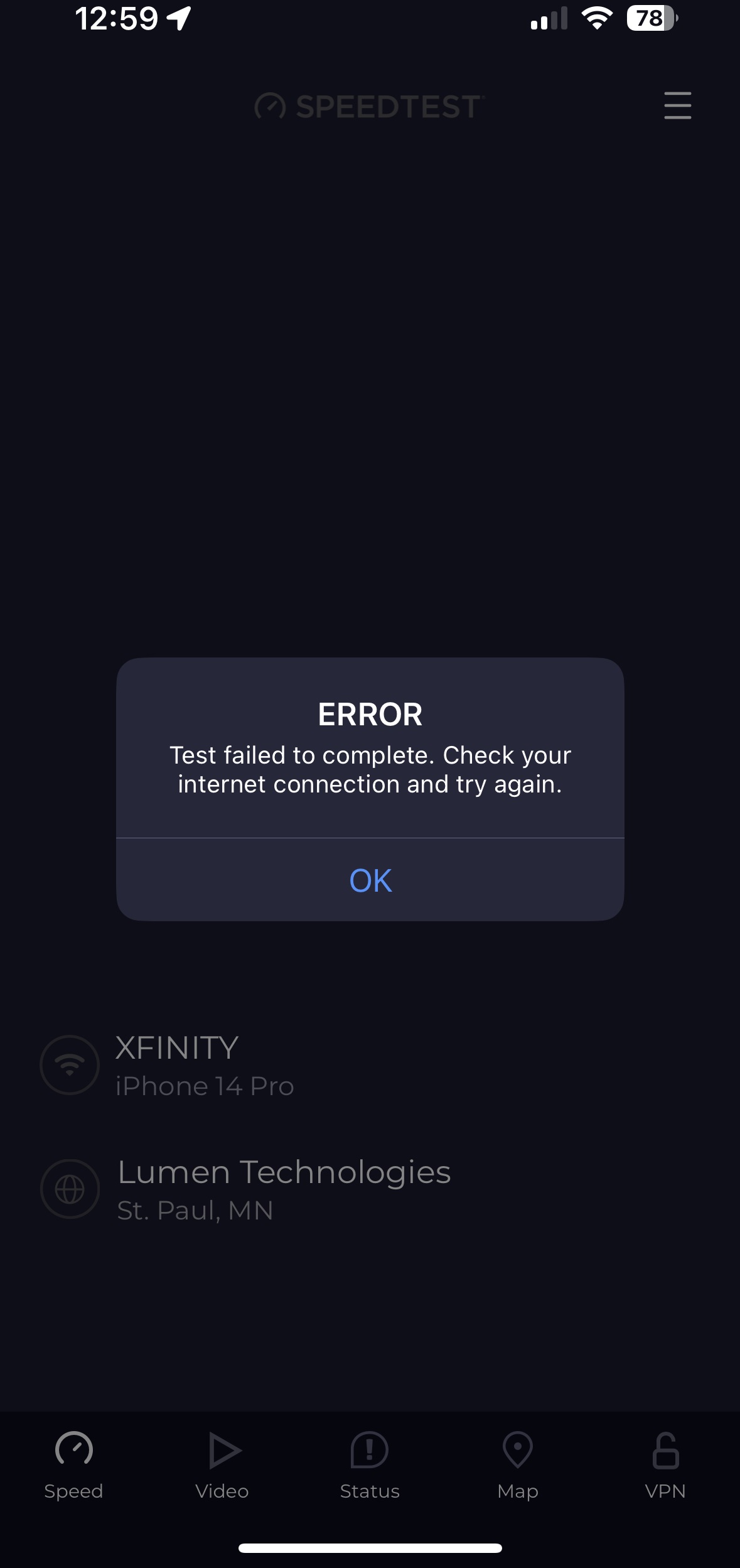
Here is the screenshot from the speedtest on my iphone. It doesn't even complete, it errors out. But as you can see in the upper right, the WiFi signal is strong. From running pings from a laptop in the same location, and from Zscaler on my work laptop, I can see that the WiFi connection drops regularly.