NETGEAR is aware of a growing number of phone and online scams. To learn how to stay safe click here.
Forum Discussion

Redlow
May 26, 2024Aspirant
Re: Major Firmware 7.2.6.31 issues
I am experiencing the same situation as you are on my RBR853. I am thinking of downloading 7.2.6.21 as I am out of ideas. (I was originally still on 4.x version, then upgraded a few weeks ago to 7.2...

FURRYe38
May 27, 2024Guru - Experienced User
Redlow wrote:
Thanks FURRYe38
My provider modem / router is a Bell Homehub 4000, which is really a Sagemcom Gigahub. As it is a router as well, Orbi is setup to use PPPoE passthrough, and gets it's own external IP address. I have disabled the 2.4 Ghz channel on the Bell Modem, and left the 5Ghz open for wireless access. I might change this to leaving only the 6Ghz channel open, as my phone works with it and then this will reduce interference in the 5Ghz space as well.Ok so lets disable ALL wifi radios on this ISP gateway. Leaving wifi enabled on it maybe causing problems.
My home is roughly 2400 Sq. Ft over two floors and the basement is another 1200 Sq. Ft. I have played a bit with the location of the basement Satellite. It claims to have a good backhaul connection. I may run an ethernet run to it regardless.
This size of home, the RBR and just 1 RBS would be and should be enough. IF you have two RBS deployed, try lowering the power on the RBR to 25% first.
Channel 3 was the 'auto' channel. I'll set it at Channel 1. I already have moved the 5Ghz channel to 48 as it seemed like a better channel.
👍
I have dabbled with the IoT channel, but not currently using it. I just disabled it. I will let it run like this for a bit to see if there are any improvements.
👍
Out of curiosity, The spikes that I saw on the netspot signal graph... is this normal?No, however maybe some interferences from the ISP gateway wifi causing some interferences. Can you test that again with just the RBR running?
I may put my 850 online and help check this.
Redlow
May 27, 2024Aspirant
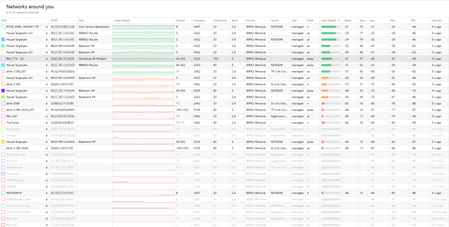
Ok. My Orbi is on Channel 1, and 48. I have disabled both the 2.4 and 5 Ghz wifi on the Bell Router. Only the 6Ghz is left on. I have also disabled the Arlo Camera Basestation so that this 2.4 Ghz network was not in the mix. Also, which you can see on the image, I moved the PC antenna so it was more line of sight to the Orbi Router. (regardless, it was only 5 feet from the router) Now, it's only Orbi, the Bell 6Ghz, and the neighbors networks. I still see the WIFI constantly spiking between -20 and -40 dBm. The 20 dBm difference seems to be reflected in the measurements when the antenna was poorly positioned... so there is something going on.
Unless something else, my next move may be to try the .21 version.