NETGEAR is aware of a growing number of phone and online scams. To learn how to stay safe click here.
Forum Discussion

AKLGUY
Feb 23, 2023Apprentice
RBK852 in Router Mode Internet Slows to 100MB up/down
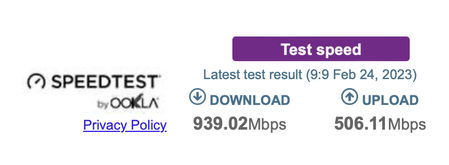
Hi team I have had the 852 for a while now always had it behind another router and in AP mode but I wanted to use the VPN function of the Orbi. So I changed to the Orbi set it up in Router Mode. Got...

FURRYe38
Mar 16, 2023Guru - Experienced User
There is either a LAN cable problem or a HW problem at the ISP modem/ONT or on the RBR.
Be sure your using good quality LAN cable between the RBR and ISP modem/ONT. CAT6A STP is recommended.
I'd have the ISP check any logging on the ISP modem/ONT for any connection rate changes on there WAN Port. They should be able to see that.
Something you can try as well, put in a 1Gb LAN non managed switch in between the ISP modem/ONT and the RBR. Connect ONLY the modem/ONT line and the RBR line to this switch. No other devices. Use the switches LED indications to see if the ISP Modem/ONT or the RBR change connection rate.

AKLGUY
Mar 16, 2023Apprentice
Thanks Furrye38
I will try these things once I am out of Hospital.
The other option is I move back to the ISP router and put that between ONT and Router and just set up Port forwarding etc to allow the VPN to work.
The VPN is a godsend ah I can log in and update my Plex, Just have to reboot the Orbi every so often to get back to full speeds so I can watch things