NETGEAR is aware of a growing number of phone and online scams. To learn how to stay safe click here.
Forum Discussion

DWost
Jun 15, 2022Tutor
Working Device Not Shown In Browser Interface Or Phone App
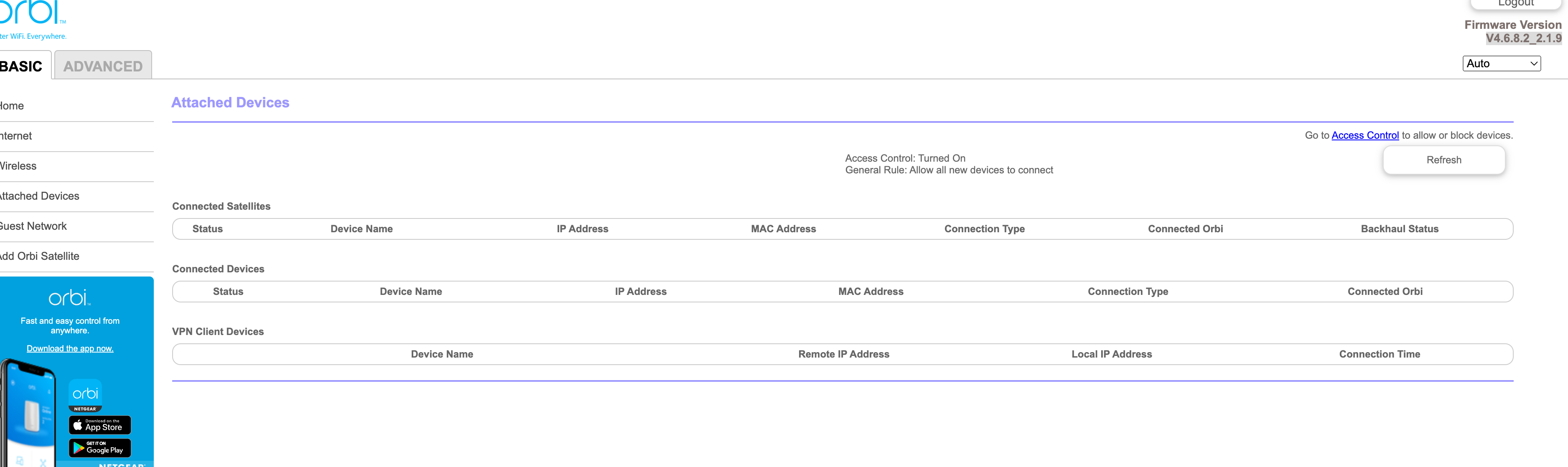
Any updates from Netgear on this??? I'm continuing to have this same issue. I have 100+ devices and 9 satellites, nothing is showing up on the web interface at all. I'm running V4.6.8.2_2.1.9.

Blanca_O
Jun 16, 2022NETGEAR Employee Retired
Hi DWost
When did it start to happen?
How about on the Orbi App? Does it display list of connected devices?
Just to check, kindly access the router Web UI, go to ADVANCED > Administration > NTP Settings. Please confirm if the router time is correct,
Regards,
Blanca
Community Team
DWost
Jun 16, 2022Tutor
I'm not exactly certain when they stopped showing up but it's been at least a month. I can see everything on the app, just not on the web UI. I also verified the time is correct on the NTP settings.
Here is a screenshot of the page. I have the following switches in the mix. All are Netgear. Rack-mounted POE, rack-mounted non-POE, and two 8-port gig switches. I've never had an issue before and nothing has changed from a hardware standpoint. I'm running Chrome
- FURRYe38Jun 17, 2022Guru - Experienced User
What model are these LAN switches? PoE maybe causing problems.
What happens if you remove the switches from the mix and connect a couple devices directly to the back of the RBR? Does anything appear in the browser? Try MS Edge or Firefox to see if same thing happens there...