NETGEAR is aware of a growing number of phone and online scams. To learn how to stay safe click here.
Forum Discussion

carlb1981
Dec 23, 2021Aspirant
Slower wired speeds RBK753
I have recently bought the RBK753 kit to help with my network speeds throughout my house. I have a 500mbs fibre connection and plugged the orbi router into my isp router/modem. I have disabled the isp...
- Dec 28, 2021
Sounds like a configuration issue on the RBR when in AP mode.
Take the IP address that the RBR in router mode, gets from the modem, seen on the RBR advanced tab under Internet section. The WAN IP address seen there, set up a IP address reservation on the modem for this IP address so it doesn't change. Then put this IP address into the modems DMZ or IP Pass thru. Contact your ISP if you need help on how to do this with your modem/router if you need additoinal help and information.

FURRYe38
Dec 28, 2021Guru - Experienced User
Sounds like a configuration issue on the RBR when in AP mode.
Take the IP address that the RBR in router mode, gets from the modem, seen on the RBR advanced tab under Internet section. The WAN IP address seen there, set up a IP address reservation on the modem for this IP address so it doesn't change. Then put this IP address into the modems DMZ or IP Pass thru. Contact your ISP if you need help on how to do this with your modem/router if you need additoinal help and information.
carlb1981
Dec 28, 2021Aspirant
Is it the ip address in right hand box in photo attached that I need 192.168.0.25?
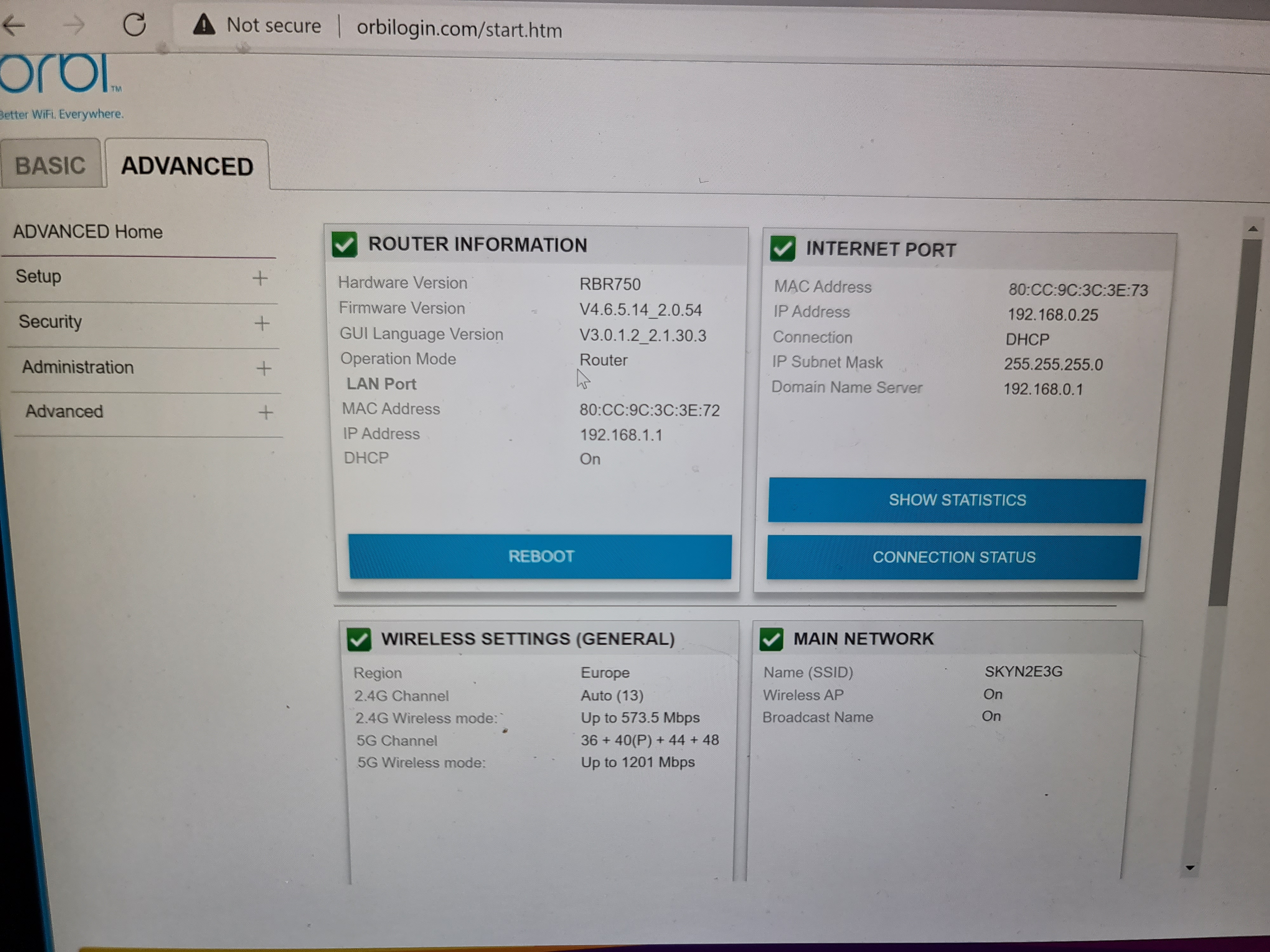
- FURRYe38Dec 28, 2021Guru - Experienced User
Yes.
Contact the ISP and ask for help and information regarding there modem/router. I see DMZ on one of your pictures...that should be used.
- carlb1981Dec 28, 2021AspirantThank you, I've put those details into my isp router and will see how it goes. From everything I've read online regarding my isp they don't like to help you use 3rd party equipment. Hopefully this works thank you for all your help.
- carlb1981Dec 30, 2021AspirantJust an update, after changing the DMZ and setting an IP reservation the system is running spot on. Getting speeds of around 80% of full speeds throughout most of the house now and double nat issue is gone. Pleased I can still run in router mode and have full app control of the system. Thank you for all your help 😁
- FURRYe38Dec 30, 2021Guru - Experienced User
Glad you got it working. Please mark your thread as solved so others will know. Be sure to save off a back up configuration to file for safe keeping. Saves time if a reset is needed.
https://kb.netgear.com/000062080/How-do-I-back-up-the-configuration-settings-on-my-Orbi-WiFi-System
Enjoy. 📡