NETGEAR is aware of a growing number of phone and online scams. To learn how to stay safe click here.
Forum Discussion

Dustin_V
Sep 30, 2020NETGEAR Employee Retired
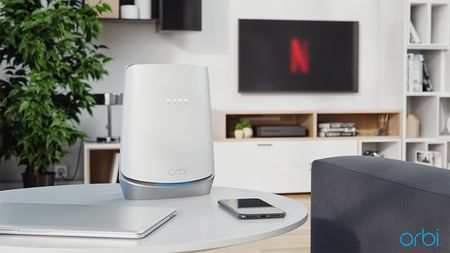
Upgrade Your Internet Experience With The Orbi WiFi 6 With Built-in DOCSIS 3.1 Cable Modem
The newest member of the Orbi WiFi 6 family has arrived and it’s packed with features that is designed to meet the growing demands of your home network. The brand new, all-in-one Orbi Mesh WiF...

FURRYe38
Feb 14, 2021Guru - Experienced User
What model Orbi did you get? If it doesn't have a coax cable in back, then it's a wifi router system only.
It can work with your isp modem/router. Your ISP Modem already has a build in router and wifi. This would be a double NAT (two router) condition which isn't recommended. https://kb.netgear.com/30186/What-is-Double-NAT
https://kb.netgear.com/30187/How-to-fix-issues-with-Double-NAT
Couple of options,
1. Configure the modem for transparent bridge or modem only mode. Then use the Orbi router in router mode. You'll need to contact the ISP for help and information in regards to the modem being bridged correctly.
2. If you can't bridge the modem, disable ALL wifi radios on the modem, configure the modems DMZ/ExposedHost or IP Pass-Through for the IP address the Orbi router gets from the modem. Then you can use the Orbi router in Router mode.
3. Or disable all wifi radios on the modem and connect the Orbi router to the modem, configure AP mode on the Orbi router. https://kb.netgear.com/31218/How-do-I-configure-my-Orbi-router-to-act-as-an-access-point and https://www.youtube.com/watch?v=H7LOcJ8GdDo&app=desktop
Try option #2 first, if that doesn't work, try option#3.
RCK22 wrote:I am not sure I was steered correctly at Best Buy. I have internet through Spectrum Cable using their modem and router. I was told this product would give me the stronger WiFi coverage I need throughout my house. The modem and router are at one end and the WiFi is spotty in the center and weak at the other end. The guy told me it was only a matter of disconnecting the Spectrum router Ethernet and power and hooking up the Orbi. I went to do this and the Spectrum router also has a coaxial cable going into it. Their is no coaxial jack on this Orbi router. Do I need a different Orbi?
Thanks,
RCK22
RCK22
Feb 14, 2021Aspirant
I typed in my model but I guess it was erased since it wasn’t on the drop down list. (RBK752 AX4200) appreciate you taking the time to reply. I was just trying to get the Wi-Fi stronger and across my entire house. I had hoped to buy something strong that would just give a strong boost to what I have and not be a huge hassle to install. With no coaxial plug it appears this is the wrong fit for me. Sorry, I have no idea how to make the adjustments you describe or even what they mean. I don’t mind returning this product but need to know what model I should look for. Thanks - RC
- FURRYe38Feb 14, 2021Guru - Experienced User
YOu can use the RBK7 series with your current ISP modem/router. Have your ISP help you configure the modem for you. You can use the modem as your interface for the RBK system. Have someone help you with this.
- RCK22Feb 14, 2021AspirantUnderstood, thanks. I guess I’ll get Spectrum out here. So this will work just as well, even though there is no coaxial going into the new router?
Thank you again - RC- FURRYe38Feb 15, 2021Guru - Experienced User
NG Orbi RBK systems do not have built in modems. NGs Orbi CBK systems do, i.e. CBK40 and CBK750 series have built in modems which are for cable ISP services which will have a coax connection in the back.