NETGEAR is aware of a growing number of phone and online scams. To learn how to stay safe click here.
Forum Discussion

mjmbama25
Feb 07, 2025Aspirant
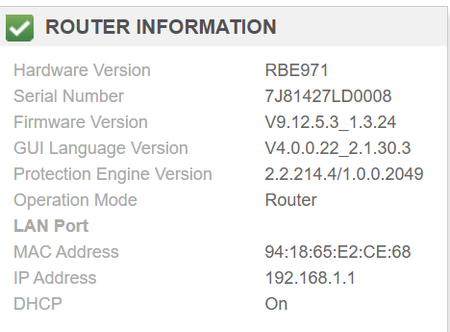
RBE971: I lost the ability to change my firewall settings after Firmware(9.12.4.1) update
I know it use to be under advanced security but now i only have access control. I then updated to 912.12.5 hoping it would fix it. It didn't I have searched and haven't even found a clue on what m...

CrimpOn
Feb 07, 2025Guru - Experienced User
If by "Firewall Settings" you mean the ability to allow connections from the internet to specific devices on the Orbi LAN, look at page 129 of the User Manual:
https://www.downloads.netgear.com/files/GDC/RBE973S/RBE971_RBE970_UM.pdf
mjmbama25
Feb 08, 2025Aspirant
I mean opening and closing ports on the router to allow specific services. To me that just looks like allowing devices to have access to internet. not the same thing. it was there before i updated the router and i can't find anything about the firewall in that manual so that is very concerning.
- FURRYe38Feb 08, 2025Guru - Experienced User
FW settings are all automatic.
To configured services or devices thru it you'll need to use the Advanced tab/Advanced/Port Forwarding / Port Triggering feature.
- CrimpOnFeb 08, 2025Guru - Experienced User
I have had a Netgear WiFi router since 2016 and the Port Forwarding feature has always appeared this way. Port Forwarding means "into", not "out". (I can see how the term could be confusing.)
- mjmbama25Feb 08, 2025Aspirant
Ok so yeah i think i got my routers confused sorry as I have a few. but i was looking for the firewall setting such as this small example (bigger one attached)
I have used port forwarding before but have never used it to block ports? So what am i missing?
- FURRYe38Feb 08, 2025Guru - Experienced User
Advanced tab/Advanced/Port Forwarding / Port Triggering feature

