NETGEAR is aware of a growing number of phone and online scams. To learn how to stay safe click here.
Forum Discussion

TOPS119
Jan 19, 2024Luminary
When connected wired backhaul I notice
Basically I notice when connected wired some times the satellites are in a line in the app and some times it shows in the natural triangle formation is this natural or anybody knows the difference ? ...
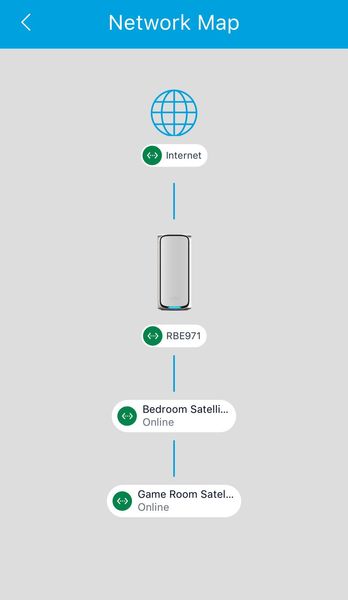

TOPS119
Jan 19, 2024Luminary
Running the latest firmware think im using cat 5, no switch is involve.

FURRYe38
Jan 19, 2024Guru - Experienced User
CAT5 isn't rated for 1000Mb.100Mb, CAT5e is. However since the ports support speeds beyond 1Gb, It's recommended to use CAT6A STP cabling.
- TOPS119Jan 20, 2024Luminary
My speeds are nowhere 1gb I only have 250mbps internet so I don't think my cat 5 should be an issue
- TOPS119Jan 20, 2024Luminary
So I plugged them all out but before I did I notice the third satellite that was slower has a different connection id from the other satellite, when I do wireless they have the same id, I think that might be where the issue is coming from
- FURRYe38Jan 21, 2024Guru - Experienced User
The ISP speed isn't a factor here, it's the connect and connection rate and lower quality UTP cabling that doesn't support the higher connection rate speeds at the back ports of the RBR and RBS. There speeds are past 1Gb and to help ensure a good connection and reduce any kind of interferences, CAT6A STP cabling is recommended here. Or you may run in to issues as what your seem to be seeing with lower grade cabling. Which is one reason why your RBS are seeing problems after the FW update. Possible they didn't get the update correctly across the wire.