NETGEAR is aware of a growing number of phone and online scams. To learn how to stay safe click here.
Forum Discussion

BelowTheBelt
Jan 12, 2025Aspirant
Cannot Connect To Roundcube Webmail. Various Errors On Login With RAX120 Router.
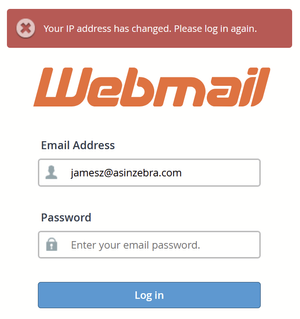
Router: Model# RAX120-100NAS AX6000 Gateway/Router To Internet: TMobile 5G Gateway Incompatible/Problem: Cannot Login To Roundcube Webmail with router connected to gateway ==================...

michaelkenward
Jan 12, 2025Guru - Experienced User
BelowTheBelt wrote:
Router: Model# RAX120-100NAS AX6000
Gateway/Router To Internet: TMobile 5G Gateway
Incompatible/Problem: Cannot Login To Roundcube Webmail with router connected to gateway
========================
It sounds like you are piling router on router. That is an invitation to chaos.
Two routers on your network can cause headaches. For example, you can end up with local problems with addresses on your network. Among other things, the other router can misdirect traffic to addresses that the Netgear router usually handles, such as routerlogin.net or the usual default IP address for a router, 192.168.1.1.
I suspect that this is what gets in the way of your webmail services.
This explains some of the other drawbacks of NAT conflicts.
What is Double NAT? | Answer | NETGEAR Support
It is often easiest to use just one router and to set up the second router as a wifi access point (AP) with a wired connection to the main router. Netgear advises this, as does just about every site you will visit.
How do I change my NETGEAR router to AP mode? | Answer | NETGEAR Support
But that has its own drawbacks:
Disabled Features on the Router when set to AP Mode | Answer | NETGEAR Support
It may be possible to put the modem/router into modem only (bridge) mode and then to use the second device as the router.
Just another user with time on their hands.
- BelowTheBeltJan 12, 2025Aspirant
In an attempt to troubleshoot, my friend lent me an older TP Link Router....Archer C90 AC1900.
This worked like a champ right from the get go. No issues with any webmail site. No issues with access to the network storage.
So, maybe I am sticking with the TPLINK router and sacrificing some speed.
- FURRYe38Jan 12, 2025Guru - Experienced User
I would give the DMZ on the host gateway router a try with the RAX120 and see if this helps.
Your double NAT condition will impact how the RAX120 and your web mail services work in that condition which should be avoided, either by using the DMZ or in AP Mode with the RAX120.
- 0iJan 13, 2025Aspirant
I am not an expert in these matters, but i am also not a novice. Nevertheless...
1. I do not know what DMZ ON THE HOST GATEWAY ROUTER means. I have tried to disable WIFI on the gateway, but my gateway does not provide this option. Apparently the 5 GHZ band must be up on "reboot" or the router hangs, so the disabling feature of wifi is disabled.
2. I do not know what AP MODE on the RAX120 means.
In the past, I would login to my routers via a browser. Unless I am mistaken, there is no browser interface for the RAX120, and only the app(in my case Android) can be used for a connection.
If it is correct the APP is my way into the router, I can tell you the app is crap. Although all of my PC's find the RAX120, my Android finds the RAX120, the APP has a hard time and typically shows the router as being connected to the app. My best chances so far with the app have been to uninstall, than reinstall and start from scratch. Suggestions in this regard would be appreciated.
