NETGEAR is aware of a growing number of phone and online scams. To learn how to stay safe click here.
Forum Discussion

Kyne
May 12, 2021Apprentice
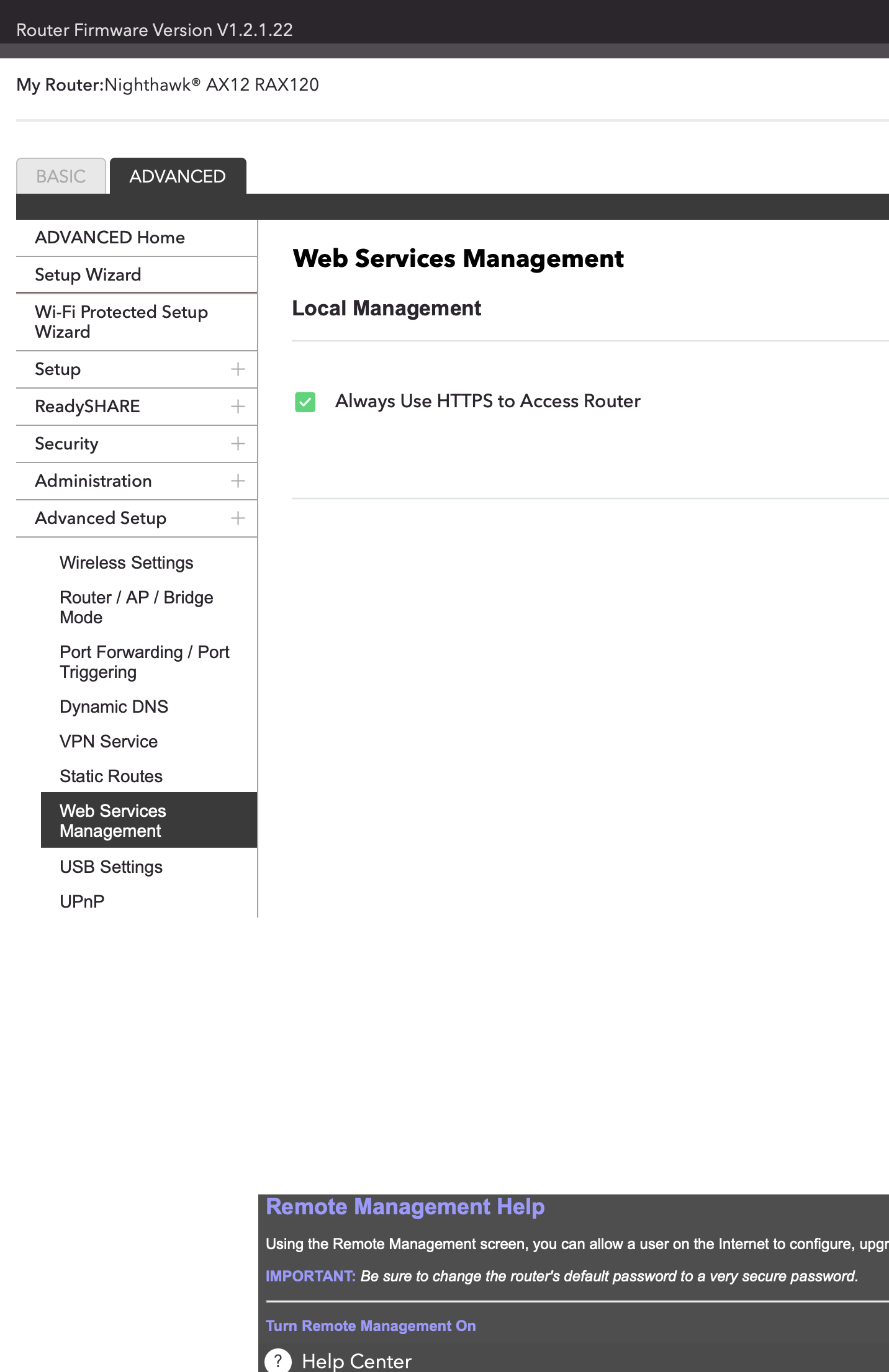
RAX120 - Remote Management option GONE after V1.2.1.22 ?!
Yesterday, my RAX120 auto-updated to V1.2.1.22. I now see that "Remote Management" is gone! The opton is no longer under 'advanced', but has been replaced by a single option for "Web Service Man...
Kyne
May 13, 2021Apprentice
Thx for all 3 replies.
The app (latest version) has no way to manipulate remote access and I don't think it ever did.
On the web interface, I can enable HTTPs but it has no real effect as it doesn't turn on or off any remote capability. I.e. I am missing any settings for Ports etc.
If I turn it on, I can't remote into the external IP (on the port I set earlier) anymore (See screenshot)
The help file still talks about all the remote options - it literally seems like Netgear's update is buggy. If they did remove it (why?!) they didn't even make the helpfile reflect that...
Kyne
May 13, 2021Apprentice
PS,
static routes: nothing either (other than able to set static IPv4 routes which i have not set)
- KillhippieMay 14, 2021Prodigy
I do belive it can only be turned on and off via the Netgears app for security there has been some cloud updates to the app now . They also changed WPS to a client and it now uses QSS I belive to use your password and there is no longer a pin to turn off.
- KillhippieMay 14, 2021ProdigySorry for typos, I meant you have to use the app for security purposes so the function has been removed from the router but remote services included remote management on the app, people turn things on without knowing sometimes what the consequences are, also the app I believe is seen as more secure too. Also Netgera have been hardening things a bit, as mentioned HTTPS would be safer than HTTP so maybe you now need that on for the app to communicate this function.
- KyneMay 14, 2021Apprentice
Hey, thanks.
I hear you - I have no issues with HTTPS over HTTP - but the remote acces was always HTTPS only, and on a random port. That's completely gone, so I can't configure it in any way (I had a specific port chosen before).
The app (Nighthawk) has very limited functionality and there is nothing under security unless you subscribe to the optional 'armor' service.
Turning HTTP on under web services doesn't have any noticable effect (since media services and shares are handlled seperately, and secure channel can be turned on or off seperately.
Bottomline, nothing at all enabling remote access via a web interface anymore. Yes, the app works for remote, but again, has maybe 10% of the functionality of the admin interface...