NETGEAR is aware of a growing number of phone and online scams. To learn how to stay safe click here.
Forum Discussion

derekcannady
Dec 23, 2021Guide
RAX120 V2 Constant Random Reboots
The router reboots frequently sometimes every 30 minutes. I have noticed that the router reboots under heavy system load of +50% on the processor. The only way I have been able to drastically lesse...
- Jun 11, 2022Installed beta firmware 1.2.3.33 on it and then turn fan on in debug.htm. Just check mark it , don’t click on apply.
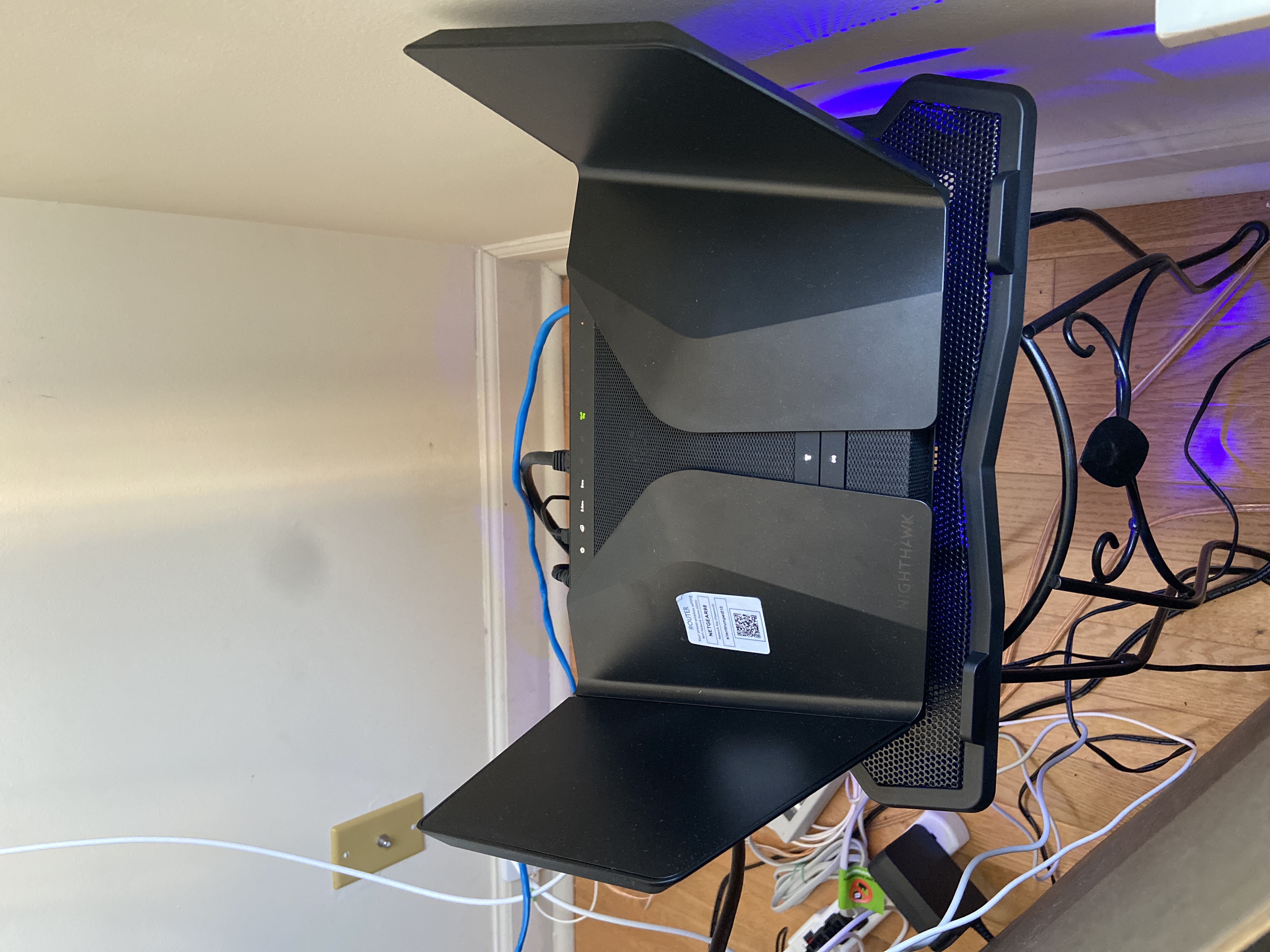
And bought a cool pad from amazon $10 . 4 days in a row no restart and router works perfect.
Laptop Cooling Pad,ESGAMING Laptop Cooling Stand Laptop Cooler 10-15.6 Inch 2 USB Ports 2 Fans with Blue LEDs https://a.co/d/dXVVnxw
UnKnOwN-SiA
Jun 11, 2022Tutor
Installed beta firmware 1.2.3.33 on it and then turn fan on in debug.htm. Just check mark it , don’t click on apply.
And bought a cool pad from amazon $10 . 4 days in a row no restart and router works perfect.
Laptop Cooling Pad,ESGAMING Laptop Cooling Stand Laptop Cooler 10-15.6 Inch 2 USB Ports 2 Fans with Blue LEDs https://a.co/d/dXVVnxw
And bought a cool pad from amazon $10 . 4 days in a row no restart and router works perfect.
Laptop Cooling Pad,ESGAMING Laptop Cooling Stand Laptop Cooler 10-15.6 Inch 2 USB Ports 2 Fans with Blue LEDs https://a.co/d/dXVVnxw
Oldtome
Jun 13, 2022Guide
I bought a usb fan and place on the router. It did slow the reboots but does not stop the reboots. The reboots dropped from 3-10 per hour to 6-10 per day. Heat is a situation, but it is not resolved.
- nestorsameloJun 15, 2022Guide
I disabled 2.4 GHz WMM, enabled fan always on in debug.htm, put a 140 mm fan on top of it, and it still reboots.
After the reboot, the fan always on setting is disabled, and the internal fan stops. Has anyone else noticed that?
It is also pretty reproducible. I have a Tablo DVR via wireless (because of antenna location and no wiring there), and the router reboots after a few minutes streaming (HD 1080 8 Mbps) from the DVR to a TV wired to it.
I just can't understand why Netgear is not capable of releasing a new firmware to address obvious issues like the fan speed, sensor temperature, etc.
- milasidoJun 15, 2022TutorBecause it's just a temporary solution. They probably know what caused this thing cuz it's already known for long long time. They just couldnt do anything with just software updates. I guess the main problem is hardware. Netgear just wants to take this longer and slower until we giving up and buy the new one. Shame on NG
- FURRYe38Jun 16, 2022Guru - Experienced User
Try putting the fan under the router, not on top. Have the fan blow air in the direction from the bottom to the top.
nestorsamelo wrote:
I disabled 2.4 GHz WMM, enabled fan always on in debug.htm, put a 140 mm fan on top of it, and it still reboots.
After the reboot, the fan always on setting is disabled, and the internal fan stops. Has anyone else noticed that?
It is also pretty reproducible. I have a Tablo DVR via wireless (because of antenna location and no wiring there), and the router reboots after a few minutes streaming (HD 1080 8 Mbps) from the DVR to a TV wired to it.
I just can't understand why Netgear is not capable of releasing a new firmware to address obvious issues like the fan speed, sensor temperature, etc.
- nestorsameloJun 16, 2022Guide
I will try to put the fan under it, blowing air up, but to be frank I don't expect that to work.
You can see its own fan blowing air down, and if you see pictures of its internals, you can see the CPU is not under the PCB, but on top.
(You can see the pictures here:
https://openwrt.org/inbox/toh/netgear/netgear_rax120_nighthawk_ax12
By the way, potential OpenWRT support is the only reason why I haven't returned this yet.)Anyway, this is either a bug in firmware that should have been fixed by now, as suggested by the temperature sensor reporting "NaNC", or even worse, it is a hardware design flaw.
I am shopping for an ASUS router myself. Better UI, allows me to disable WPS, and doesn't reboot spontaneously like this.
- tr4sh80Jun 16, 2022ApprenticeThe built in fan does not blow air down. It is an exhaust fan. If you put your face up to it you can feel the warm air coming up. That's why I put my 140mm fan at the bottom to force cool air up throught the vent on the bottom. Make sure you you have your bottom intake fan on the side that pushes air up. Since doing this I havent had a single reboot in over 2 weeks. Obviously a firmware fix is in line regardless but this solution goes a long way. Heat is always an enemy to electronics whether it's a router or a stereo receiver, or a computer. They need to breath.
 GMCbroMANNov 13, 2022AspirantI somewhat agree. But most if anything like me will buy a different brand. If they fix it soon I'll stick with them.
- dude8370Nov 13, 2022Star
Glad the new firmware is working! A while back I exchanged For v1 Which has been completely flawless. My old v2 Unit while unstable at the time had ever so slightly better range, not much the difference is negligible . Hoping to see the best!