NETGEAR is aware of a growing number of phone and online scams. To learn how to stay safe click here.
Forum Discussion

derekcannady
Dec 23, 2021Guide
RAX120 V2 Constant Random Reboots
The router reboots frequently sometimes every 30 minutes. I have noticed that the router reboots under heavy system load of +50% on the processor. The only way I have been able to drastically lesse...
- Jun 11, 2022Installed beta firmware 1.2.3.33 on it and then turn fan on in debug.htm. Just check mark it , don’t click on apply.
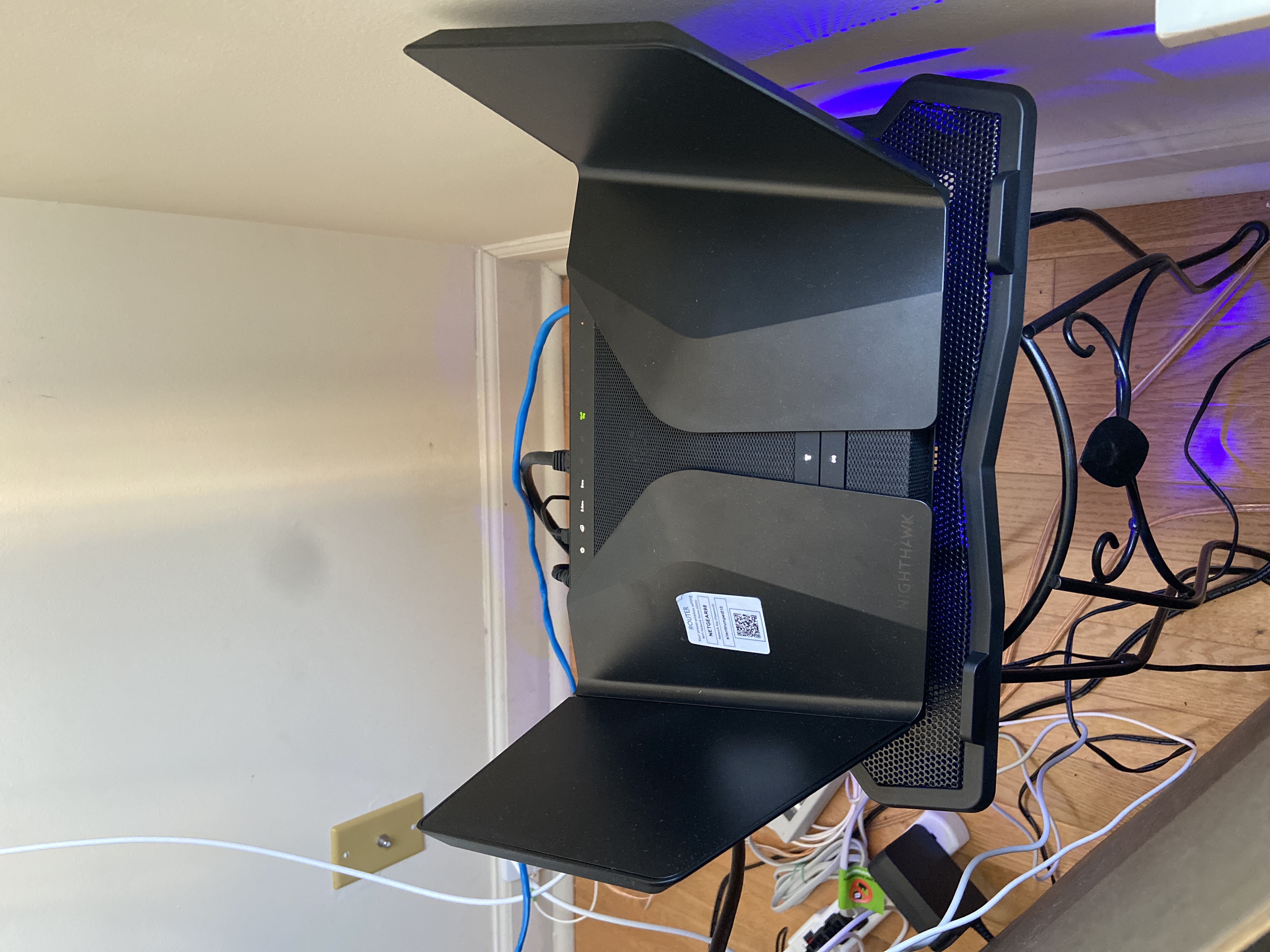
And bought a cool pad from amazon $10 . 4 days in a row no restart and router works perfect.
Laptop Cooling Pad,ESGAMING Laptop Cooling Stand Laptop Cooler 10-15.6 Inch 2 USB Ports 2 Fans with Blue LEDs https://a.co/d/dXVVnxw

FURRYe38
Nov 28, 2022Guru - Experienced User
What is the brand and model# of the ISP modem your using with the router?
PM sent.
daray wrote:
I have the same issue and the same 3 first letters. Can I please have a beta firmware as well ?
David22066
Nov 28, 2022Aspirant
My ISP modem is a Hitron Model EN2251. The modem does not go down when the router does. Also, when we lose an internet connection via the modem, the wireless does not go away, just the internet connection.
My problem is the router keeps rebooting several times a day. At the suggestion of another community member and other online comments, I put the router on top of a laptop cooler with a fan. So the modem is being cooled from below.
I also keep checking to make sure I have the latest firmware/software updates from Netgear.
I've owned routers for over 20 years for my businesses and home and have never had as many problems with a new router as this one.
- FURRYe38Nov 28, 2022Guru - Experienced User
Di you apply the beta FW that is to fix this reboot issue on the v2?
Did you factory reset and setup from scratch after loading the beta? Please do if you didn't.
Others have already posted that this beta fixed this.
Thanks for the info about your modem.
Be sure you using a good quality LAN cable between the modem and router. CAT6 is best.
The mention of a USB laptop fan cooler is for the router, not the modem.
David22066 wrote:
My ISP modem is a Hitron Model EN2251. The modem does not go down when the router does. Also, when we lose an internet connection via the modem, the wireless does not go away, just the internet connection.
My problem is the router keeps rebooting several times a day. At the suggestion of another community member and other online comments, I put the router on top of a laptop cooler with a fan. So the modem is being cooled from below.
I also keep checking to make sure I have the latest firmware/software updates from Netgear.
I've owned routers for over 20 years for my businesses and home and have never had as many problems with a new router as this one.
- blakey84Nov 29, 2022GuideAfter what must have been 24-25 days I had my first reboot on the beta firmware today, after the router had processed over 1.8TB of data during that period from a very busy household.
To be fair, itd be unfair to assume it’s the same problem given the length of time that’s passed, a reboot on its own after 24 days doesn’t necessitate the same problem or cause.
Not that I’m accepting of any sudden reboot (especially while I’m mid supplier review meeting on Teams!!!) NG need to do a lot better with their firmware across the board.- muniz_riNov 29, 2022Apprentice
All continues to be good here. My system uptime is showing as 31:11:52:09.