NETGEAR is aware of a growing number of phone and online scams. To learn how to stay safe click here.
Forum Discussion

derekcannady
Dec 23, 2021Guide
RAX120 V2 Constant Random Reboots
The router reboots frequently sometimes every 30 minutes. I have noticed that the router reboots under heavy system load of +50% on the processor. The only way I have been able to drastically lesse...
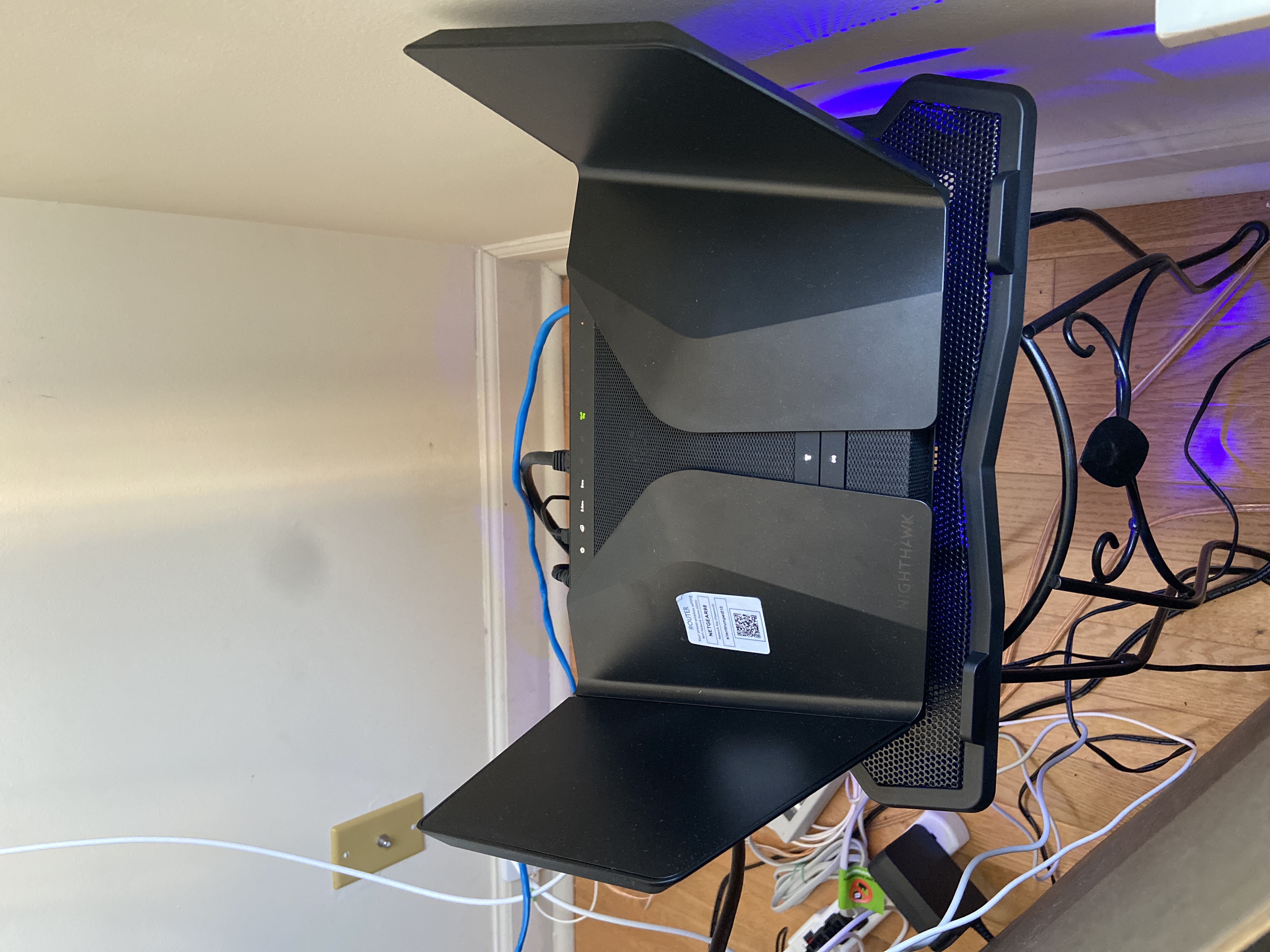
- Jun 11, 2022Installed beta firmware 1.2.3.33 on it and then turn fan on in debug.htm. Just check mark it , don’t click on apply.
And bought a cool pad from amazon $10 . 4 days in a row no restart and router works perfect.
Laptop Cooling Pad,ESGAMING Laptop Cooling Stand Laptop Cooler 10-15.6 Inch 2 USB Ports 2 Fans with Blue LEDs https://a.co/d/dXVVnxw
mvult2
Dec 23, 2022Initiate
I have a NETGEAR Nighthawk WiFi 6 Router (RAX120) 12-Stream Dual-Band Gigabit Router, AX6000, purchased in April 2022. Serial starts with 6JY.
The WiFi completely goes down about once a day, for 1-2 minutes at a time. I've tried everything, including updating firmware, disabling guest network, and a factory reset.
Will the beta firmware help ? If so, please send it to me.
no6969el
Dec 25, 2022Guide
Just got my router for Christmas and its doing what a lot are complaining about. Serial starts with 6JY. I am interested in the beta firmware. Manually rebooting fixes the issue. Leds on router show internet but all devices lose connectivity. Looking forward to testing this. Done everything that previous user stated as well.
Model: NETGEAR Nighthawk WiFi 6 Router (RAX120)