NETGEAR is aware of a growing number of phone and online scams. To learn how to stay safe click here.
Forum Discussion

derekcannady
Dec 23, 2021Guide
RAX120 V2 Constant Random Reboots
The router reboots frequently sometimes every 30 minutes. I have noticed that the router reboots under heavy system load of +50% on the processor. The only way I have been able to drastically lesse...
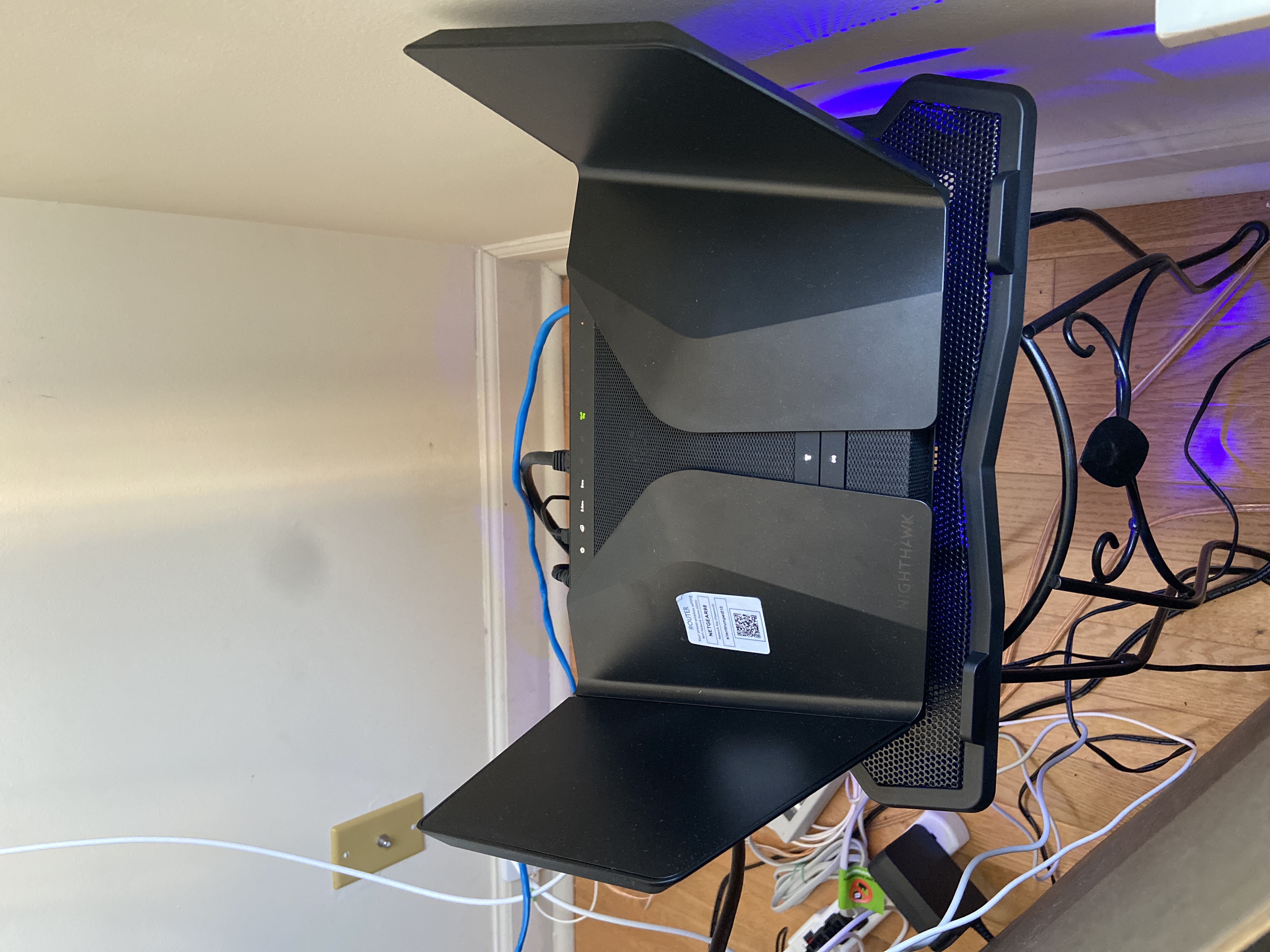
- Jun 11, 2022Installed beta firmware 1.2.3.33 on it and then turn fan on in debug.htm. Just check mark it , don’t click on apply.
And bought a cool pad from amazon $10 . 4 days in a row no restart and router works perfect.
Laptop Cooling Pad,ESGAMING Laptop Cooling Stand Laptop Cooler 10-15.6 Inch 2 USB Ports 2 Fans with Blue LEDs https://a.co/d/dXVVnxw

FURRYe38
Dec 29, 2022Guru - Experienced User
Be sure you bridge that Arris gateway modem.
Sent.
Banjo001 wrote:
Regretfully I am also having these problems
Turned on fan, turned off WMM and still get reboots. Usually when a fire TV stick is operating.
Anyway at my wits end, so need the beta please.
Serial : 6KO
Modem; Arris TG2492
Current firmware is the .40
Help us desperate . V2 Rax120
Banjo001
Dec 30, 2022Tutor
Thank you
It’s a Virgin Media home Hub 3 (UK) which I believe is an arris. Why does this make a big difference?
Thanks
It’s a Virgin Media home Hub 3 (UK) which I believe is an arris. Why does this make a big difference?
Thanks
- michaelkenwardDec 30, 2022Guru - Experienced User
Banjo001 wrote:
It’s a Virgin Media home Hub 3 (UK) which I believe is an arris. Why does this make a big difference?Because most ISPs supply customers with a combined modem/router. So adding a RAX120 to that means that you have two routers on your network.
Two routers on your network can cause headaches. For example, you can end up with local address problems. Among other things, the other router can misdirect or block addresses that the Netgear router usually handles, such as routerlogin.net or the usual IP address for a router, 192.168.1.1.
This explains some of the other drawbacks.
What is Double NAT? | Answer | NETGEAR Support
It may be possible to put the Virgin modem/router into modem only (bridge) mode and then to use the second device as the router.Can I put Hub in Bridge Mode - Virgin Media Community - 4888868
Some Internet service providers, such as BT in the UK, supply modem/routers that won't work in bridge mode. There may be ways to get the modem/router to cooperate. Sometimes it is easier to put the second router into AP mode. But that has its own drawbacks:
Disabled Features on the Router when set to AP Mode | Answer | NETGEAR Support