NETGEAR is aware of a growing number of phone and online scams. To learn how to stay safe click here.
Forum Discussion

derekcannady
Dec 23, 2021Guide
RAX120 V2 Constant Random Reboots
The router reboots frequently sometimes every 30 minutes. I have noticed that the router reboots under heavy system load of +50% on the processor. The only way I have been able to drastically lesse...
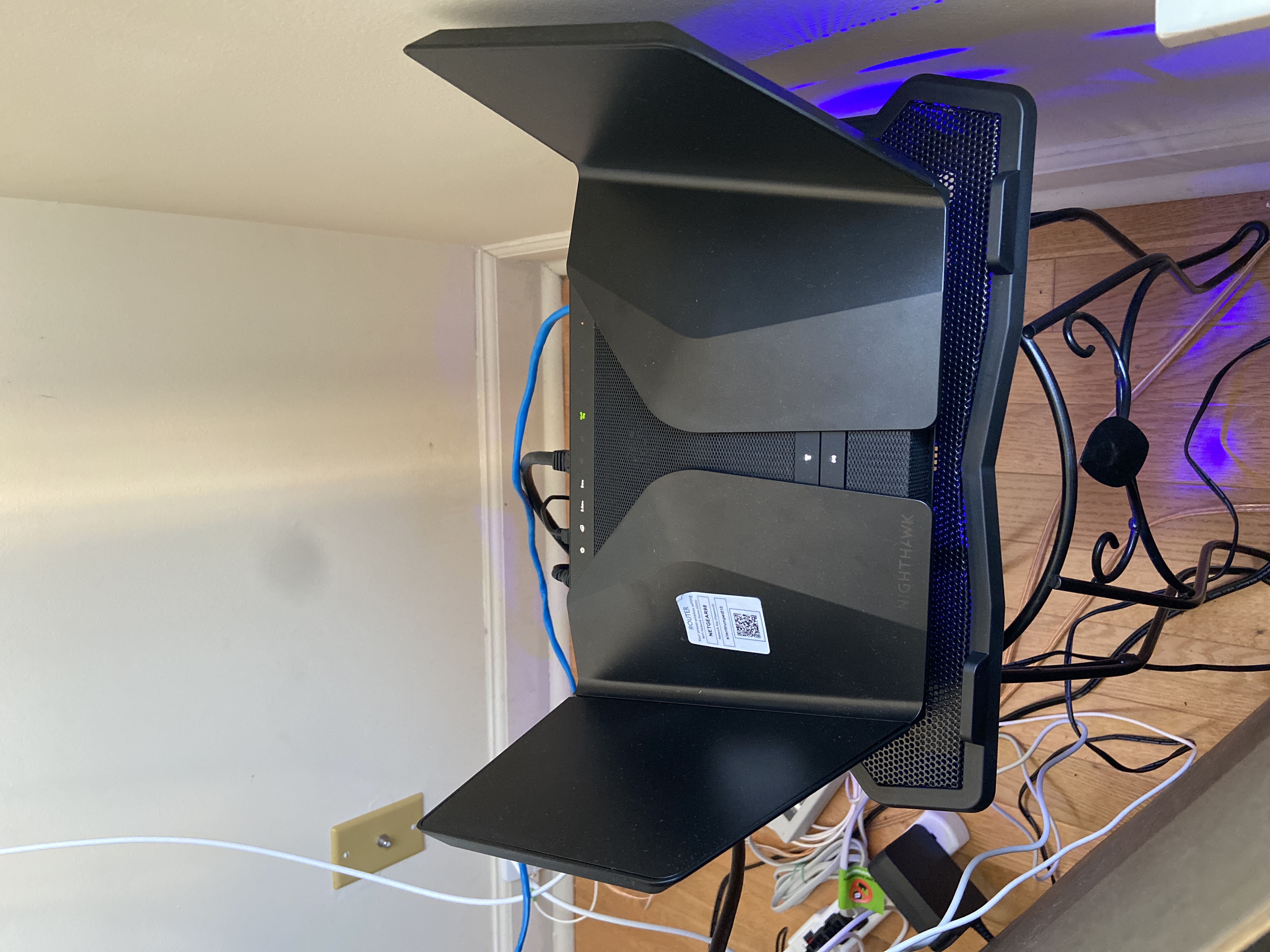
- Jun 11, 2022Installed beta firmware 1.2.3.33 on it and then turn fan on in debug.htm. Just check mark it , don’t click on apply.
And bought a cool pad from amazon $10 . 4 days in a row no restart and router works perfect.
Laptop Cooling Pad,ESGAMING Laptop Cooling Stand Laptop Cooler 10-15.6 Inch 2 USB Ports 2 Fans with Blue LEDs https://a.co/d/dXVVnxw

FURRYe38
Dec 29, 2022Guru - Experienced User
Be sure you bridge that Arris gateway modem.
Sent.
Banjo001 wrote:
Regretfully I am also having these problems
Turned on fan, turned off WMM and still get reboots. Usually when a fire TV stick is operating.
Anyway at my wits end, so need the beta please.
Serial : 6KO
Modem; Arris TG2492
Current firmware is the .40
Help us desperate . V2 Rax120
Banjo001
Jan 04, 2023Tutor
I’ve put the new patch onto my router and it’s been up for a week with no problems at all.
Was really concerned about putting a bit of firmware on you the router from the net but it actually works!! Ive even tried to crash it by overloading it with lots of streaming video.
Thanks to all.
Was really concerned about putting a bit of firmware on you the router from the net but it actually works!! Ive even tried to crash it by overloading it with lots of streaming video.
Thanks to all.
- KipsJan 05, 2023AspirantI have the same reboot issues with my RAX120v2 router. Tried most of the stuff like playing with WMM on 2.4ghz, removing QoS rules, turning 2.4ghz off altogether, removing 2.4ghz devices, turning fan constant on, turning on “improve 2.4ghz”, chilling the router with extra fan, testing on other power circuit etc. Some of the stuff worked for a bit but I never got full 2 days straight uptime with all these tricks. In my home I have several google home minis, google home hub, google nest audio, chromecast. I have some SmartThings sensors on Wi-Fi 2.4ghz, I have a lot of Zigbee devices (2.4ghz but not wifi), wireless printer on 2.4ghz, humidifier 2.4ghz, camera 2.4ghz and boy…. Moved everything that I possibly could to 5ghz - left like 3 devices on 2.4ghz. Slightly more stable but reboots still occurred at least once a day.
I decided to give a try with another power adapter. I purchased a second-hand one for $10
to test. It was not designed for RAX120v2, but it was actual 60W 19V.
I reenabled all the previously disabled features like WMM, QoS rules and surprisingly enough it is still up (2d 8h days and counting). I know it’s not long enough to consider it a permanent solution, but I have high hopes - I never had it up for that long.
FYI I have never installed the beta firmware. Still on stock 1.2.8.40.
I will let you know once it reboots at any point.
Thanks!- blakey84Jan 05, 2023GuideEveryone’s tried all of that. It’s a lot less hassle just to use the beta firmware…