NETGEAR is aware of a growing number of phone and online scams. To learn how to stay safe click here.
Forum Discussion

derekcannady
Dec 23, 2021Guide
RAX120 V2 Constant Random Reboots
The router reboots frequently sometimes every 30 minutes. I have noticed that the router reboots under heavy system load of +50% on the processor. The only way I have been able to drastically lesse...
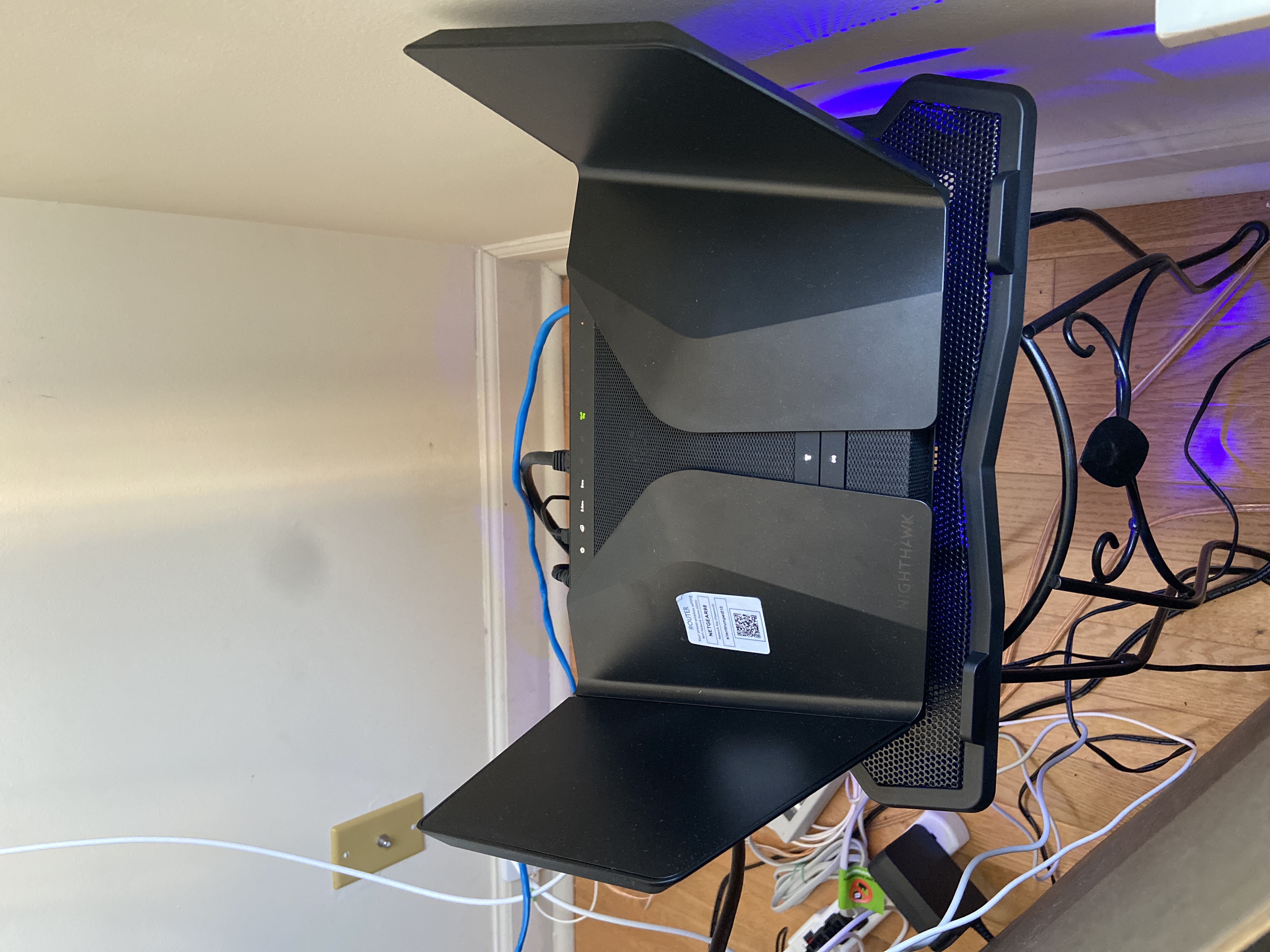
- Jun 11, 2022Installed beta firmware 1.2.3.33 on it and then turn fan on in debug.htm. Just check mark it , don’t click on apply.
And bought a cool pad from amazon $10 . 4 days in a row no restart and router works perfect.
Laptop Cooling Pad,ESGAMING Laptop Cooling Stand Laptop Cooler 10-15.6 Inch 2 USB Ports 2 Fans with Blue LEDs https://a.co/d/dXVVnxw
derekcannady
Jan 03, 2022Guide
Disabling WMM on 2.4 Ghz Spectrum should solve your reboot issues.
AvgNetBoi
Jan 04, 2022Tutor
I did some testing over the time I've been quiet here.
1. I have disabled all the devices
2. Turned on Access Control
3. I have added only PC
(few days passed, no restarts)
4. Then MacBooks
(few days passed, no restarts)
5. Then iPhones
(few days passed, no restarts)
6. and then HomePod Minis
HomePod Minis make RAX120 restart. I have tried both 2.4 Ghz and 5 Ghz networks but the issue is the same on both. I wonder who should solve the issue - Netgear or Apple, or me doing some configurations to make those devices work together.
- KillhippieJan 10, 2022Prodigy
Turning off WMM really slows your wifi network down, I have the V1 which does not reboot and since the v2 has no new features over the v1 I would contact Apple to start if you have Applecare as Apple suggest to leave WMM on, as I said it wrecks wifi performance with it off so thats not a long term solution. If its Apple gear causing issues you should be able to get help, it may be that your RAX120v2 is actually in need of replacing, but I would try and get the attention of a Netgear mod on here who may be able to pass you to level 2 support. Have you tried just using the router in AC mode and see if its more compatible, also dont use 160Mhz as that can cauuse issues, the same as 40Mhz on 2.4 can cause issues. Has the router been reset using the pinhole in the back of the router? Then reapply the firmware via a laptop or PC and dont use the app, I would try that way as updating firmware or having auto update on can much things up sadly as the fiormware is buggy to say the least, resetting via the app is not the best way to do things, tbh I dont even use the app, I just update via my Mac.
- AvgNetBoiFeb 11, 2022Tutor
I have done more and more digging - updated all devices to the latest, restarted and so on. HomePods still make Netgear RAX120v2 restart randomly. I took HomePods to my parents house, configured them with no issues, zero restarts, worked perfectly. At this point I must assume RAX120v2 is broken and I am looking forward getting another router, probably Linksys from Apple store. I have talked to Apple support and they also confirm there's no such known issue on their side and it's defo a new case.
I just hope Netgear will understand and accept warranty since IMHO router for around $500 should not have such issues.