NETGEAR is aware of a growing number of phone and online scams. To learn how to stay safe click here.
Forum Discussion

martyr444
May 04, 2021Apprentice
RAXE500 cannot get speeds over 1G even though I have 1.2G Internet
My Xfinity speeds just went up from 1G to 1.2GB. If I test my speeds hooked up to the RAXE500 Router it still only gives me the 1G. If I go straight to my Netgear CM2000 Modem I get the 1.2G. Plus my...

Razor512
May 05, 2021Prodigy
For the 1+1 setup, that is for the CM1200 to the RAXE500. It seems like the OP may have tried it, and assuming that the OP connected 2 Ethernet cables from ports 1 and 2 of the CM 1200, to the WAN port, and LAN port 1 oth the RAXE500, then he should get results of a single TCP stream topping out at 1Gbps, but anything that does multiple TCP connections will hit the full speed.
Most web traffic including most web based speed tests such as speedtest.net, will make multiple connections, as it is the norm now; should hit the full 1.2Gbps under LACP.
Most web traffic including most web based speed tests such as speedtest.net, will make multiple connections, as it is the norm now; should hit the full 1.2Gbps under LACP.
martyr444
May 05, 2021Apprentice
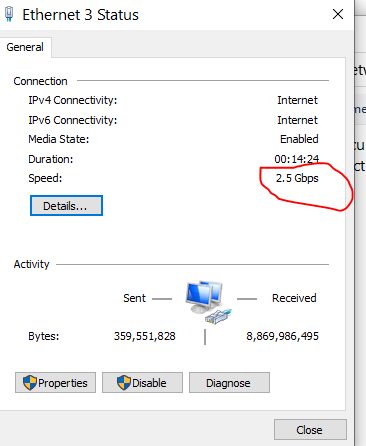
Yes, I tried the CM1200 using LCAP. Used 2 Cat 7 Cables from CM1200 to the RAXE500. Ran Cable from ports 1-2 on CM1200 to Lan Port on RAXE500 and Port 1. Setting on both the CM1200 and RAXE500 both said LACP is active. Both Leds on CM1200 were blinking green showing they were both active. I tested both the built-in Realtek Lan and the Killer E3100 USB-C 3.1 to RJ-45 2.5Gbps Ethernet Adapter separately in this LACP mode, Both showed 1G speeds only.