NETGEAR is aware of a growing number of phone and online scams. To learn how to stay safe click here.
Forum Discussion

johnnysoulja
Oct 21, 2023Tutor
When I open youtube, there is a delay before the ad or content loads. This may be 15-30 seconds or
RAX75 When I open youtube, there is a delay before the ad or content loads. This may be 15-30 seconds or more. This happens regardless of if it is a computer or a mobile device on the wifi network...
- Oct 24, 2023
Any progress on this?
What channel configurations are currently set on the router?
Try disabling the following and see:
Armor, Smart Parental Controls or Circle, Traffic Meter.Has a factory reset and setup from scratch been performed since last FW update? A complete pull of the power adapters for a period of time after the factory reset then walk thru the setup wizard and setup from scratch with a wired PC and web browser. https://kb.netgear.com/22697/How-do-I-install-my-NETGEAR-router-using-the-router-web-interface
Recommend setting the default DHCP IP address pool range to the following after applying and a factory reset: 192.168.#.100 to 192.168.#.200.
https://kb.netgear.com/24089/How-do-I-specify-the-pool-of-IP-addresses-assigned-by-my-Nighthawk-router
https://kb.netgear.com/25722/How-do-I-reserve-an-IP-address-on-my-NETGEAR-router
I would power OFF the ISP modem for 1 minute. Factory reset the router and power it off. Power ON the ISP modem and let it sync. Then power ON the router and walk thru the setup wizard again using a wired PC and a web browser.
Press the back reset button for 15 seconds then release.
https://kb.netgear.com/9665/How-do-I-perform-a-factory-reset-on-my-NETGEAR-router
https://kb.netgear.com/24233/How-do-I-erase-the-configuration-settings-on-my-Nighthawk-router

johnnysoulja
Oct 21, 2023Tutor
fw is v1.0.20.140
i do not have a modem my internet line plugs right into the RAX75
johnnysoulja
Oct 21, 2023Tutor
yes 1.0.10.140 sorry
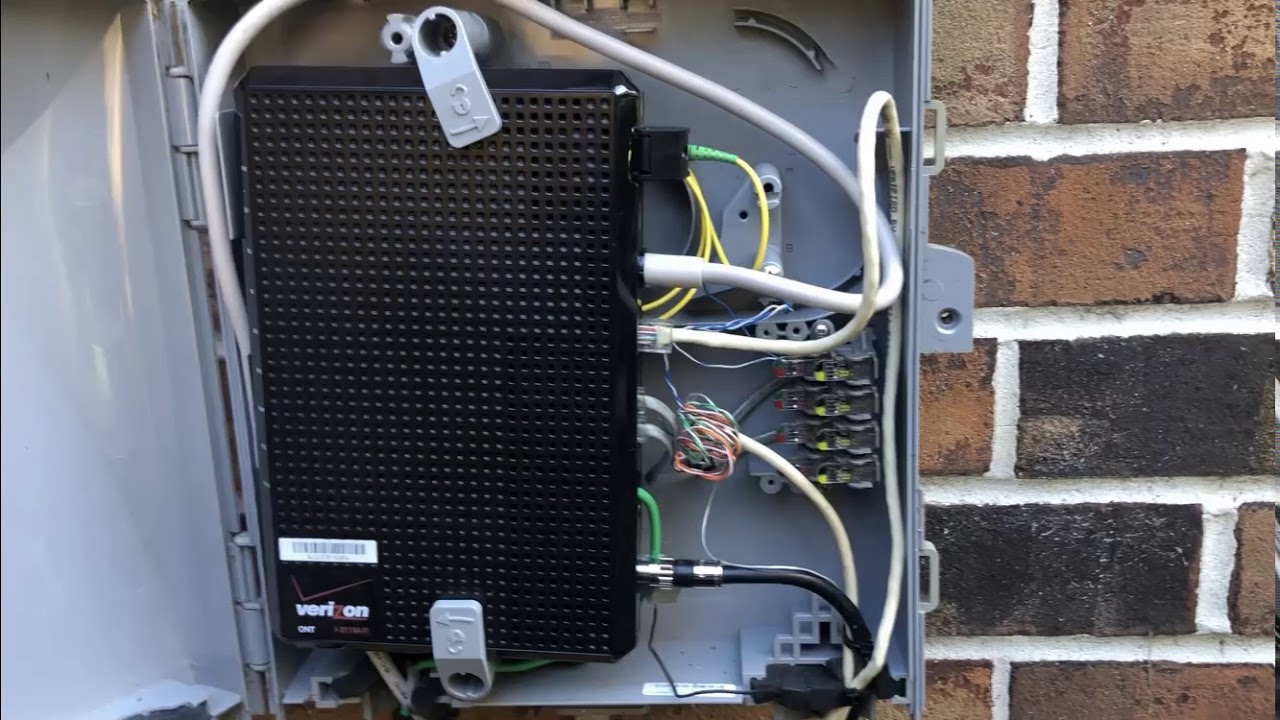
the line runs outside in my garage to the Verizon FiOS internet box but i know it working good as I said I hooked up too different routers and YouTube works fine only the netgear is doing this.
- michaelkenwardOct 21, 2023Guru - Experienced User
johnnysoulja wrote:
the line runs outside in my garage to the Verizon FiOS internet box
And that box is?
... but i know it working good as I said I hooked up too different routers and YouTube works fine only the netgear is doing this.Different routers respond to their local environment in different ways. Some routers are good at detecting that there is another router in the network and set their configuration accordingly. Others have a hard time.
The fact that you have swapped different routers in and out can also cause problems. Flailing around and randomly connecting things to a network is asking for trouble. It takes a systematic approach, and attention to detail, to get a network to run properly .... and to troubleshoot problems.
Is this is a new RAX75, then your best bet might be to return it and buy something that is more in keeping with how you like to do things.
We are now well into this conversation, and you still haven't answered important questions. You may not think that they matter, but that is where the problem starts.
- johnnysouljaOct 21, 2023Tutor
here is a pic of it
- johnnysouljaOct 21, 2023Tutor
RAX75
When I open youtube, there is a delay before the ad or content loads. This may be 15-30 seconds or more. This happens regardless of if it is a computer or a mobile device on the wifi network. and wired When I disconnect and go with 5G on my phone, there is no delay. This does not seem to impact other streaming content (Netflix, Disney+ etc.). I it's this router as i have tried 2 more router and YouTube works just fine. Net straight into the Router. There is no modem. i already did try different dns thing no luck and i did a reset as
well.