NETGEAR is aware of a growing number of phone and online scams. To learn how to stay safe click here.
Forum Discussion

BretD
Jul 19, 2017Administrator
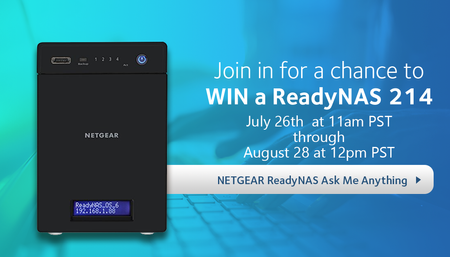
AMA - Ask Us Anything About ReadyNAS and You Could Win a ReadyNAS 214!
We are hosting an extended 4 week Ask Me Anything AMA for the NETGEAR ReadyNAS line of products and we would love to answer your ReadyNAS questions. Best of all, posting your question below enter...

ljung
Aug 22, 2017Tutor
Is it possible to automatically sync video from Arlo cams to readynas?

Demon666
Aug 22, 2017Guide
About the ReadyNAS 214.
Way back in time I once ran into the bad luck my ReadyNAS Ultra2 unit itself crashed.
Back then that meant you were in bad luck as Raidiator apparently wrote part of it's information onto the disks in the system that were system specific and rendered the disk useless in a new ReadyNAS Ultra2. The only way I was able to retrieve the data on the disks which were in a RAID1 setup is also one which isn't much of an option for people with less IT knowledge. I used VMWare, a Linux-distro (forgot which one) and was able to access the data and restore it from one of the drives to the other in a new ReadyNAS Ultra2, which was wiped the minute you insert the disk into the unit.
My question is this: what are the options we have in case of a full ReadyNAS 214 system failure like described above?
Hopefully we can just move the disks to the new unit in the correct bay order.
Sort of just like that, without the necessity to do this one disk at a time.
Don't forget the fact that in (my) case (of) a ReadyNAS 214 full system crash a 4x 4TB in RAID5 means a potential 11,9TB of data loss when you can't move these disks from the dead unit to a new one without blinking an eye.
Personally I can't afford the risk of that amount of data loss which is why I bought the thing in the first place ;-).
Nor is it much of an option (for me) to buy 4 brand new 4TB (or larger) disks in one go, they are kinda unpleasantly costly still.. :'(
Is there anything extremely clever up in the sleeves of Netgear development guys that can avoid the dataloss and just move the disks from one unit to a new one?
Best regards!
- mdgm-ntgrAug 25, 2017NETGEAR Employee Retired
Demon666 wrote:
About the ReadyNAS 214.
Way back in time I once ran into the bad luck my ReadyNAS Ultra2 unit itself crashed.
Back then that meant you were in bad luck as Raidiator apparently wrote part of it's information onto the disks in the system that were system specific and rendered the disk useless in a new ReadyNAS Ultra2. The only way I was able to retrieve the data on the disks which were in a RAID1 setup is also one which isn't much of an option for people with less IT knowledge. I used VMWare, a Linux-distro (forgot which one) and was able to access the data and restore it from one of the drives to the other in a new ReadyNAS Ultra2, which was wiped the minute you insert the disk into the unit.The NAS stores the OS, config and logs on a separate partition on the disks. If the RN214 unit fails you can move the disks to an empty OS6 model.
With your Ultra 2 you could move the disks from a dead unit to an empty RAIDiator-x86 unit (you can also move the disks from the Ultra 2 to an x86 OS6 unit for the purpose of data recovery following a set of instructions, note the RN214 is ARM so not an option for this). If you add a disk to a Ultra 2 unit with a disk already in it the disk you add while the NAS is on will be wiped. If you add the disk while the NAS is off the system will likely fail to boot.
On OS6 models we are much more cautious about wiping disks, but still you should be moving disks to an empty unit.
In any case if the problem is e.g. a full OS partition that will remain when moving the disk to a new unit. There are methods support has to look into problems like that with the appropriate support contract in place. You could find someone on the community can give suggestions if you have an issue like that.
Demon666 wrote:
Don't forget the fact that in (my) case (of) a ReadyNAS 214 full system crash a 4x 4TB in RAID5 means a potential 11,9TB of data loss when you can't move these disks from the dead unit to a new one without blinking an eye.Well there's a reason that we put so much time into backup features. RAID is not a replacement for backups. If data's important to you don't store it in just one place no matter what that place is. I have important data on multiple ReadyNAS units not just one. Some backup to the Cloud, USB etc. There are options.
RAID provides some protection against some problems but it doesn't protect against any and every possible problem.
Demon666 wrote:
Personally I can't afford the risk of that amount of data loss which is why I bought the thing in the first place ;-).
Nor is it much of an option (for me) to buy 4 brand new 4TB (or larger) disks in one go, they are kinda unpleasantly costly still.. :'(Ultimately it's up to you to manage your appetite for risk. We can provide advice. Ultimately I would only advise what I'd consider a sensible thing to do with my own data. I've had some unpleasant data loss experiences before I got a ReadyNAS and I'm keen to avoid others having those issues.
Demon666 wrote:Is there anything extremely clever up in the sleeves of Netgear development guys that can avoid the dataloss and just move the disks from one unit to a new one?
Migration from one NAS unit to another has been possible for several years and it works well with Ultra 2 to Ultra 2. It going smoothly relies on the disks, OS, RAID and volume all being fine which may not be the case.
If your laptop doesn't boot, but the problem is a full hard disk, or a failing hard disk or some other kind of issue with/on the disk then putting the disk in another laptop isn't going to resolve the problem in itself. The same is true with moving disks from one ReadyNAS to another.
