NETGEAR is aware of a growing number of phone and online scams. To learn how to stay safe click here.
Forum Discussion

Viktor1979
May 09, 2022Aspirant
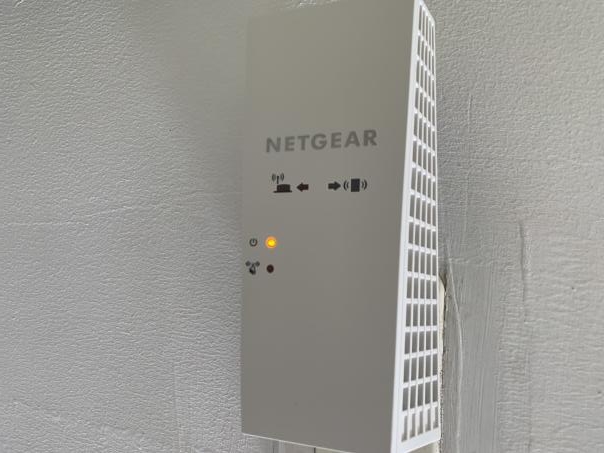
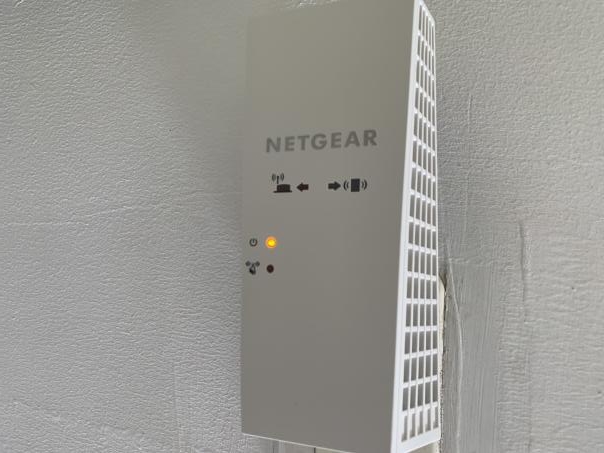
AC2200 Nighthawk X4 WiFi Mesh Extender Model EX7300v2 Amber/Orange Led
Hi guys. I need help with this device. It got stuck on the amber/orange LED. I tried to reset it many times but nothing happened. I even tried to upload firmware with TPTP and nothing. It seems ther...
- May 17, 2022
If you can't get it working with tftp or nmrpflash, then it might be a hardware warranty
Viktor1979
May 09, 2022Aspirant
It just shows that light with no changing or blinking at all

plemans
May 09, 2022Guru - Experienced User
try tftp again. again its sensitive to timings.
nmrpflash is a little less sensitive so you can always try that first
- Viktor1979May 09, 2022Aspirant
Nothing, it keeps running and shows nothing
I think the problem is related to communication. When I set my Network to local IP it doesn´t recognize it. It shows default gateway not available. I tried with 192.168.1.1, 192.168.0.1
- Viktor1979May 10, 2022Aspirant
Hi, it´s me again.
I tried to connect the Extender directly to my Pc and I set the static IP as it says in: https://kb.netgear.com/000059633/How-do-I-upload-firmware-to-my-NETGEAR-router-using-a-TFTP-client-on-Microsoft-Windows.
Tftpd64 does nothing, it just runs but nothing shows. I tried to ping 192.168.1.1 (Extender) and no response at all.I tried connecting the extender to the router by ethernet and the router port blinks but nothing shows on the DHCP Cliente List, as if nothing were connected to it.
Any other idea? Thanks
- plemansMay 10, 2022Guru - Experienced User
If you're hardwiring the ex7300 into the router and the ex7300's ethernet light is on, it might not be corrupt.
When its hardwired into a router, it needs to be switched over to access point mode (switch on the side). Switch that over to access point, plug it in, and then push and hold reset for up to 30 seconds. Then hardwire it into your router
- Viktor1979May 10, 2022Aspirant
Already connected as access point following your instrucctions. It´s not shown in the router dchp client list yet. The orange light doesn´t move at all, not even when I power it. Pretty strange this.
